What AppLock - Lock Screen actually does (from store listing)
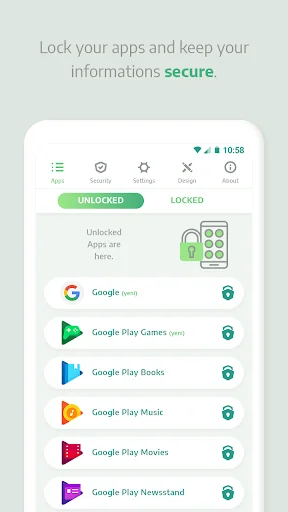
<b>Secure your apps with the most powerful AppLock for Android.</b>
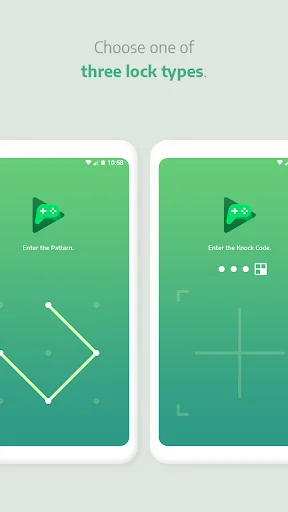
Protect your privacy using Fingerprint, PIN, or Pattern lock. This lightweight and high-performance app locker is designed to keep your personal photos, videos, and messages safe from unauthorized access.
<b>🛡️ Security Features You’ll Love:</b>
• <b>App Locker:</b> Lock social media (WhatsApp, Snapchat, TikTok) and system apps.
• <b>Intruder Selfie:</b> Automatically capture a photo of anyone who enters the wrong passwo…
Secure your apps with the most powerful AppLock for Android.
Protect your privacy using Fingerprint, PIN, or Pattern lock. This lightweight and high-performance app locker is designed to keep your personal photos, videos, and messages safe from unauthorized access.
🛡️ Security Features You’ll Love: • App Locker: Lock social media (WhatsApp, Snapchat, TikTok) and system apps.
• Intruder Selfie: Automatically capture a photo of anyone who enters the wrong password.
• Fingerprint Support: Quick and secure unlocking for devices with biometric sensors.
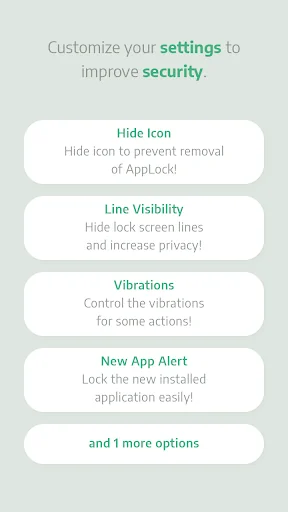
• Notification Block: Hide preview text from private chats to keep your secrets safe.
• Invisible Pattern: Draw your pattern without lines appearing for maximum security.
🚀 Performance & Customization: • Small & Fast: Optimized for high stability and low battery usage.
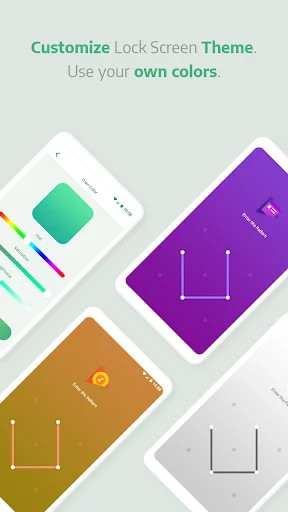
• Beautiful Themes: Create your own lock screen style or use our premium themes.
• Schedule Lock: Automatically lock/unlock apps based on your location or time of day.
• Audio Alarms: Set a loud alert to scare off anyone touching your phone.
Privacy made simple. Join millions of users who trust AppLock to safeguard their digital life.
**Accessibility Service disclosure**
AppLock's Website Blocker feature uses Android's Accessibility Service to block the websites you choose. When you turn on Website Blocker and grant the permission, the service reads only the web address (URL) shown in your browser's address bar in supported browsers (Google Chrome and Samsung Internet) to detect when you open a site or category you've chosen to block, and then shows a block screen instead of the page.
• It is used only for the Website Blocker feature, and only after you enable it and grant the permission.
• It reads only the address bar (the site's web address). It does not read page content, capture what you type, read your passwords, or record your screen.
• Android does not offer another way for an app to detect the page a browser is showing, so this permission is required for the feature to work.
• You can turn Website Blocker off at any time in the app, or revoke the permission at any time in Android Settings > Accessibility, which stops the service completely.
Comparable Android apps
The five apps in Productivity with the closest revenue to AppLock - Lock Screen. Click any to see its detail page.
Each forecast combines App Store rating, ratings count, monetisation model, pricing tier, IAP signals and ad-supported flag.
The base estimate is then multiplied by a per-category scaling factor learned from apps with founder-verified MRR.
Every number on this page comes from public APIs and Bumetric's own snapshot history.
Full methodology covers input variables, accuracy bands per category and how we treat apps without comparable anchors.
See also the live data on AppLock - Lock Screen's tracker page for current rating, reviews and snapshot timeline.
Building something similar? Get a free AI audit with $-revenue forecasts for every recommendation.


 fyn ግዕዝ 2
 Snuuper
 Google Admin
 RoboForm Password Manager
 CalPad+