What Apps Uninstaller actually does (from store listing)
Apps Uninstaller is a app to uninstall other apps for android phones.
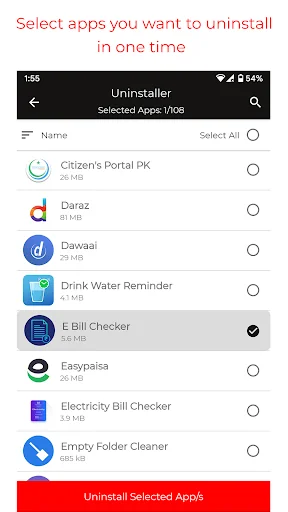
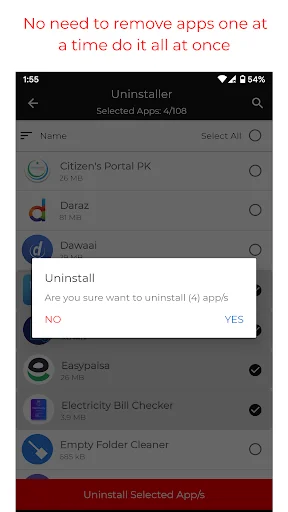
It is quite easy to use, you can select multiple apps that you want to uninstall, and click "Uninstall Selected Apps" button to delete them.
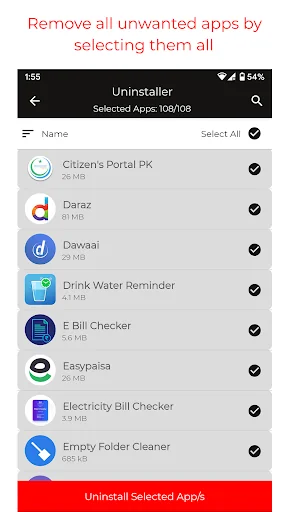
With this app you can simply clean up storage by removing unwanted apps in bulk.
Apps Uninstaller also supports app search. Type App name in the textbox on the top to search the app that you want to uninstall.
Long press specified app, a context menu will pop up and provide more o…
Apps Uninstaller is a app to uninstall other apps for android phones.
It is quite easy to use, you can select multiple apps that you want to uninstall, and click "Uninstall Selected Apps" button to delete them.
With this app you can simply clean up storage by removing unwanted apps in bulk.
Apps Uninstaller also supports app search. Type App name in the textbox on the top to search the app that you want to uninstall.
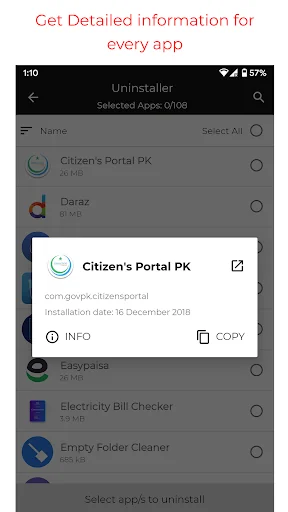
Long press specified app, a context menu will pop up and provide more options. You can view app details like App Package name,App Info etc.
FEATURES :
• Search app by name
• App removal
• Launch app
• App Usage Tracking
• Batch uninstall
• Fast uninstall by one click
• List all installed apps
• Various sort modes
• App share
• Launch app
LIMITATION :
One limitation of App is that Apps Uninstaller cannot uninstall pre-loaded or pre-installed apps in the system because it is limited by the system mechanism.
SOME FREQUENTLY ASKED QUESTIONS :
Question: How to delete any android app?
Answer: Open App, Search for app, Check the apps that you want to uninstall, then tap the uninstall button.
Question: Why can't it list pre-loaded apps?
Answer: Apps Uninstaller cannot uninstall pre-loaded or pre-installed apps in the system because it is limited by the system mechanism.
Comparable Android apps
The five apps in Productivity with the closest revenue to Apps Uninstaller. Click any to see its detail page.
Each forecast combines App Store rating, ratings count, monetisation model, pricing tier, IAP signals and ad-supported flag.
The base estimate is then multiplied by a per-category scaling factor learned from apps with founder-verified MRR.
Every number on this page comes from public APIs and Bumetric's own snapshot history.
Full methodology covers input variables, accuracy bands per category and how we treat apps without comparable anchors.
See also the live data on Apps Uninstaller's tracker page for current rating, reviews and snapshot timeline.
Building something similar? Get a free AI audit with $-revenue forecasts for every recommendation.


 AWISTA Kommunal
 SCIENCE & PLAY BUILD
 Autofirma App
 Urdu calendar 2026 Islamic
 香港六合彩 Mark Six