What AR-Oscilloscope actually does (from store listing)
Android Bluetooth Oscilloscope.
It can be used on any mobile device with Android, Windows or Linux PC (Mac is coming) system using Bluetooth technology. It means that there are no any wire connections to your phone, tablet or PC, which can guarantee the safety of your mobile device or PC, plus portability.
The oscilloscope is the most frequently used, most flexible device for electric measurements.
It visualizes an electric potential over time function, producing much more information than o…
Android Bluetooth Oscilloscope.
It can be used on any mobile device with Android, Windows or Linux PC (Mac is coming) system using Bluetooth technology. It means that there are no any wire connections to your phone, tablet or PC, which can guarantee the safety of your mobile device or PC, plus portability.
The oscilloscope is the most frequently used, most flexible device for electric measurements.
It visualizes an electric potential over time function, producing much more information than other potential and current measurement methods.
With an oscilloscope the following quantities can be either directly or indirectly measured:
direct voltage, alternating voltage, direct current, alternating current, time, time delay, phase, phase difference, frequency to view live waveforms, make measurements.
For more info visit http://ar-oscilloscope.com
Features
Demo mode available.
Displaying the audio waveform captured from a microphone.
Accelerometer waveform, x y z.
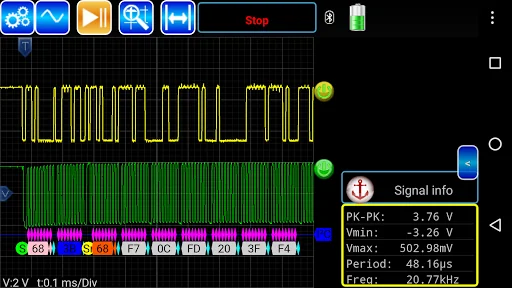
Measure: frequency, min/max, peak-peak
FFT for microphone input.
Shows trigger level information
Save screen captures from your instrument onto your mobile device
Save signal to file in csv format.
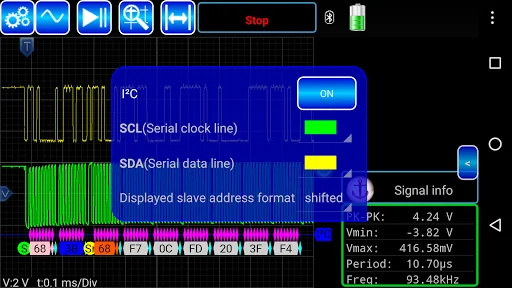
Protocol Decoders:
- SPI
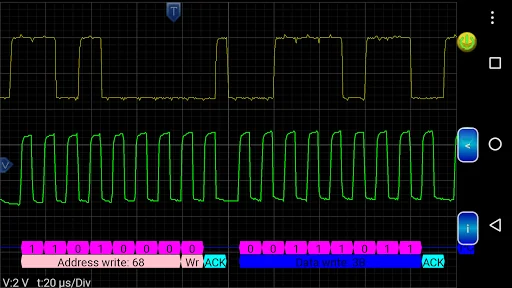
- I2C
- Guess bitrate
- UART
- 1-Wire link layer
- IR NEC
Math channels
System can display up to 5 math channels.
• Main operations: +, –, ×, /, sqrt, x^y, exp, ln, log, abs
• Trigonometric functions: sin, cos, tan, asin, acos, atan
• Additional operands: PI, T (time)
Math example: exp(-T*125)*sin(2*pi*1000*T)
Control the following functions
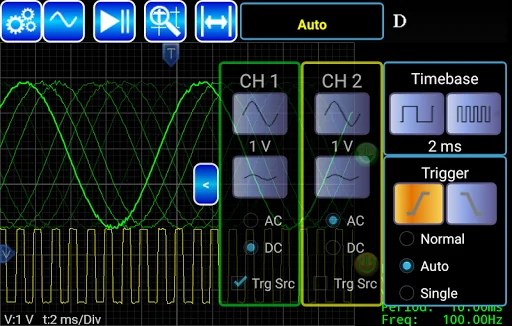
• start/stop/single acquisition
• change time/div
• change volts/div
• turn channels on/off
• select trigger type/level
• screen zooming
• full screen mode
• font size
• signal retention level
• double click on triggers sets them to zero level
Please email aroscilloscope@gmail.com to report bugs, ask questions or give us your feedback.
Comparable Android apps
The five apps in Tools with the closest revenue to AR-Oscilloscope. Click any to see its detail page.
Each forecast combines App Store rating, ratings count, monetisation model, pricing tier, IAP signals and ad-supported flag.
The base estimate is then multiplied by a per-category scaling factor learned from apps with founder-verified MRR.
Every number on this page comes from public APIs and bumetric's own snapshot history.
Full methodology covers input variables, accuracy bands per category and how we treat apps without comparable anchors.
See also the live data on AR-Oscilloscope's tracker page for current rating, reviews and snapshot timeline.
Building something similar? Get a free AI audit with $-revenue forecasts for every recommendation.

 Empty Text! - Send Blank mess
 Bubble Level XL
 Reverse Image Search AI Tool
 Volume Booster: Loud Speaker
 Wi-Fi Monitor