What Assistive Touch iOS actually does (from store listing)
We using API Accessibility Service to helps people with disabilities easily control their phones on large phone screens.
"This app uses the Device Administrator permission." It is necessary and used only for locking the device when you use feature turn off the screen. You need to enable Administration before it can be used that feature. To uninstall the app, please open my app and click the "Uninstall" button.
"This app uses Accessibility services." It is necessary and used only to perfor…
We using API Accessibility Service to helps people with disabilities easily control their phones on large phone screens.
"This app uses the Device Administrator permission." It is necessary and used only for locking the device when you use feature turn off the screen. You need to enable Administration before it can be used that feature. To uninstall the app, please open my app and click the "Uninstall" button.
"This app uses Accessibility services." It is necessary and used only to perform a global action. For example going back, going home, opening recent, power dialog, notification etc. You need grant this permission to use that action.
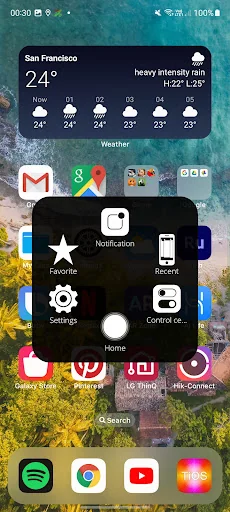
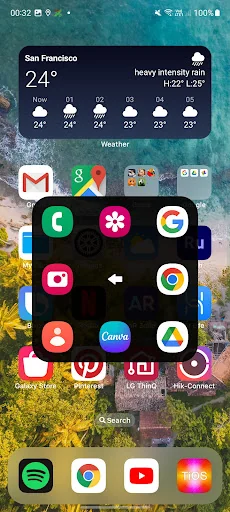
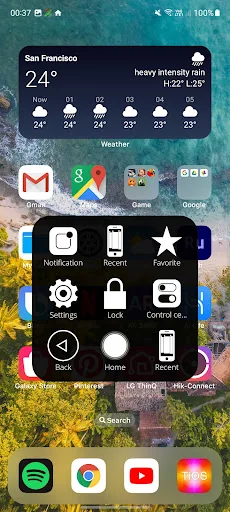
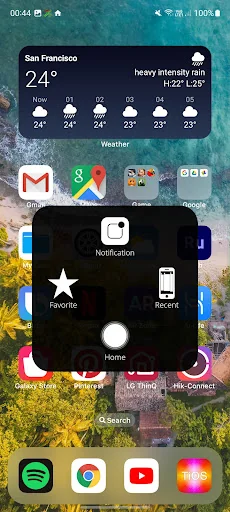
When you turn on Assistive Touch iOS 26, you’ll see the AssistiveTouch menu. You can drag it to any edge of the screen, then tap the menu to open it.
1. To turn on AssistiveTouch iOS 26:
Open my app > Switch on AssistiveTouch.
2. To use more actions:
Go to Settings > Accessibility > Services and turn on AssistiveTouch.
You can also use AssistiveTouch to access your Home screen, Recent screen and use Back Key. Just open the AssistiveTouch menu and tap Home, Recent, Back action.
To access your Notifications, open the AssistiveTouch menu and tap Notification. To get to the control, open the AssistiveTouch menu. From here, you'll be able to do things like turn Bluetooth on and off, use Wifi on and off, take screenshots, and more.
FEATURES:
- Control your device with Assistive Touch menu.
- Custom size and color Floating icon.
- Custom color Assistive Touch menu.
- And more.
Each forecast combines App Store rating, ratings count, monetisation model, pricing tier, IAP signals and ad-supported flag.
The base estimate is then multiplied by a per-category scaling factor learned from apps with founder-verified MRR.
Every number on this page comes from public APIs and bumetric's own snapshot history.
Full methodology covers input variables, accuracy bands per category and how we treat apps without comparable anchors.
See also the live data on Assistive Touch iOS's tracker page for current rating, reviews and snapshot timeline.
Building something similar? Get a free AI audit with $-revenue forecasts for every recommendation.


 RoboRemo - Control your Robot
 Hotspot Shield Basic - Free VP
 ECAM Resets +
 Yoga VPN -Secure Proxy VPN
 Quick System Info PRE