What Autodesk Fusion actually does (from App Store listing)
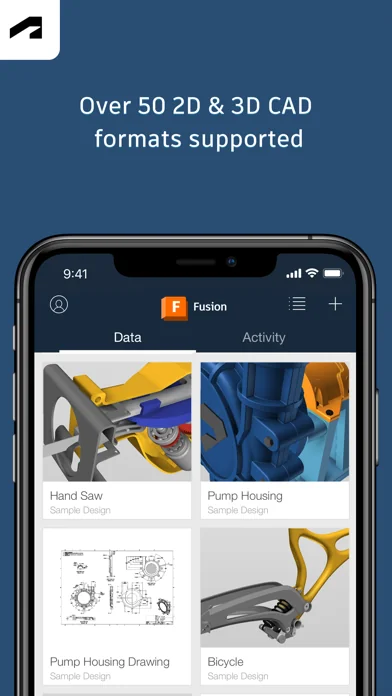
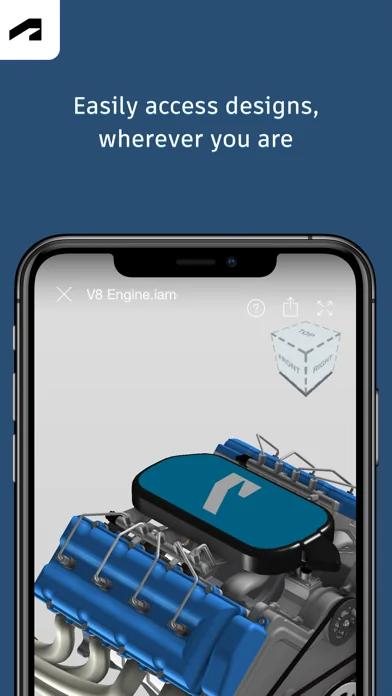
Autodesk Fusion™ for iPhone and iPad lets you collaborate on 3D designs with anyone inside or outside your company. With the Fusion app, you have the flexibility to view and collaborate on your Fusion CAD models—anytime, anywhere. The app supports more than 100 file formats including DWG, SLDPRT, IPT, IAM, CATPART,IGES, STEP, STL, making it easy to share designs with your team, clients, partners, and friends.
The free app works in conjunction with its companion cloud-based desktop product, Auto…
Autodesk Fusion™ for iPhone and iPad lets you collaborate on 3D designs with anyone inside or outside your company. With the Fusion app, you have the flexibility to view and collaborate on your Fusion CAD models—anytime, anywhere. The app supports more than 100 file formats including DWG, SLDPRT, IPT, IAM, CATPART,IGES, STEP, STL, making it easy to share designs with your team, clients, partners, and friends.
The free app works in conjunction with its companion cloud-based desktop product, Autodesk Fusion™, a 3D CAD, CAM, and CAE tool for product design and development.
* To use Fusion for iPhone and iPad, you will need to sign in with your Fusion account information.
FEATURES
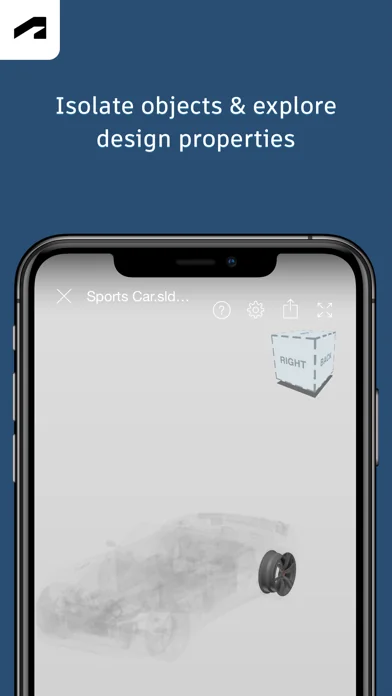
View • Upload and view more than 100 data formats including SLDPRT, SAT, IGES, STEP, STL, OBJ, DWG, F3D, SMT, and DFX • View and track project activities and updates • Review large and small 3D designs and assemblies • Access design properties and complete parts lists • Isolate and hide components in the model for easy viewing • Navigate by touch with zoom, pan, and rotate
Comment • Upload photos to share info or report project status • Comment on project activities
Share • Share with stakeholders inside and outside your company • Share screenshots of the design with markups directly from the app
Search • Search for parts in the model and see them automatically highlighted in the design
Optional Access + Storage: Store offline data if needed, so you can view your data anywhere, anytime + Photos: Access files or data stored on your device to view, share and markup + Camera: Take pictures such as drawings with app Fusion will still function even if a user does not give permissions to access these functions.
🆕 What's new · v2.9.5
Bug fixes and stabilization.
Comparable iOS apps
The five apps in Productivity with the closest revenue to Autodesk Fusion. Click any to see its detail page.
Each forecast combines App Store rating, ratings count, monetisation model, pricing tier, IAP signals and ad-supported flag.
The base estimate is then multiplied by a per-category scaling factor learned from apps with founder-verified MRR.
Every number on this page comes from public APIs and bumetric's own snapshot history.
Full methodology covers input variables, accuracy bands per category and how we treat apps without comparable anchors.
See also the live data on Autodesk Fusion's tracker page for current rating, reviews and snapshot timeline.
Building something similar? Get a free AI audit with $-revenue forecasts for every recommendation.


 UWV
UWV
 superwhisper
 ClawOn - OpenClaw Agent AI App
 Uniformity
 Octave Band Real Time Frequency Analyzer and Sound Level Meter