What Automatic Tag Editor actually does (from store listing)
Do you remember times when you first decided to keep your music library more tidy? You found out that the only solution was to fill in manually all songs info, one by one.
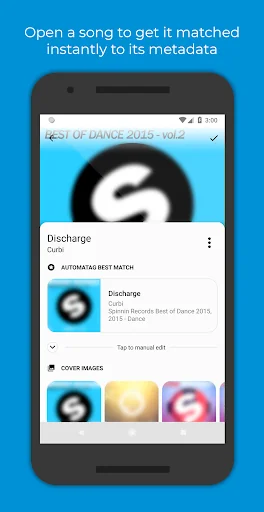
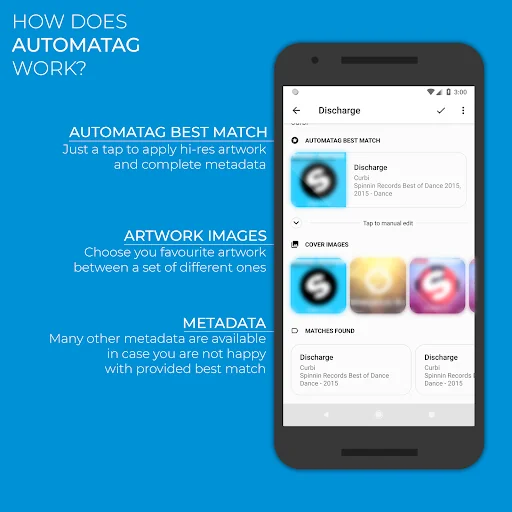
These days are over! <b>Automatic Tag Editor</b> analyses your library and pick <b>for you</b> close tag matches, just tap on the one you prefer and you are done. It will only take five seconds per song...Guaranteed! And that's not all: it also gives you some squared <b>hi-res pictures</b> you can use as <b>cover art</b> by…
Do you remember times when you first decided to keep your music library more tidy? You found out that the only solution was to fill in manually all songs info, one by one.
These days are over! Automatic Tag Editor analyses your library and pick for you close tag matches, just tap on the one you prefer and you are done. It will only take five seconds per song...Guaranteed! And that's not all: it also gives you some squared hi-res pictures you can use as cover art by tapping on them.
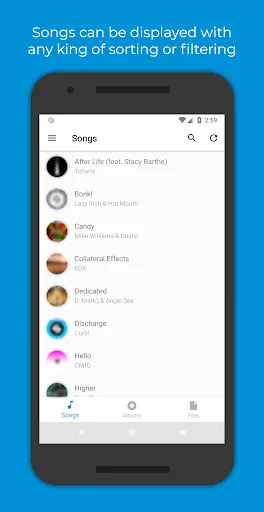
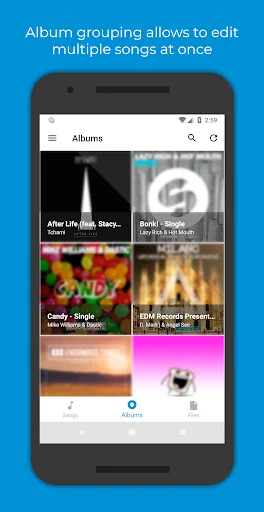
This automatic editor is perfect for editing ID3 tag of your music library. It updates the embedded tags so you don't lose them when you move files away from your phone.
Edit all the most known tag information
‣ Title
‣ Artist
‣ Album artist
‣ Album
‣ Genre
‣ Year
‣ Track number
‣ Track total
‣ Disc number
‣ Disc total
‣ Lyrics
‣ Comment
Note: Automatic Tag Editor is only intended to help users to recover metadata related to the songs they have previously bought as digital copy but for which they lost their metadata in any way. Automatic Tag Editor and its staff do not support music piracy in any way.
Comparable Android apps
The five apps in Music & Audio with the closest revenue to Automatic Tag Editor. Click any to see its detail page.
Each forecast combines App Store rating, ratings count, monetisation model, pricing tier, IAP signals and ad-supported flag.
The base estimate is then multiplied by a per-category scaling factor learned from apps with founder-verified MRR.
Every number on this page comes from public APIs and bumetric's own snapshot history.
Full methodology covers input variables, accuracy bands per category and how we treat apps without comparable anchors.
See also the live data on Automatic Tag Editor's tracker page for current rating, reviews and snapshot timeline.
Building something similar? Get a free AI audit with $-revenue forecasts for every recommendation.


 Drums Sheet Reading PRO
 VA-Beast Essentials-2
 projectM Music Visualizer TV
 MrTehran
 Ringtones and Notifications