ML revenue forecast.
Calibrated against 35236 apps in this category.
Confidence band
±15%
High — many comparable apps with verified data
At a glance
Earns 11.52× more than the category median (151/mo).
Ranks #1,080 of 35,236 in Productivity (top 3.1% by revenue).
Launched Dec 30, 2013 · last updated Apr 04, 2026.
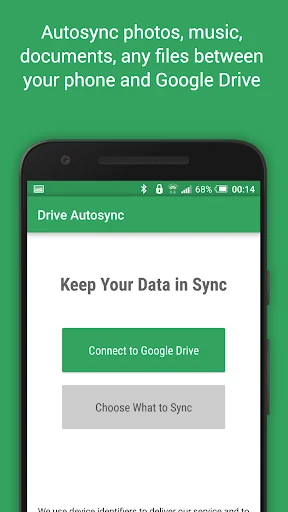
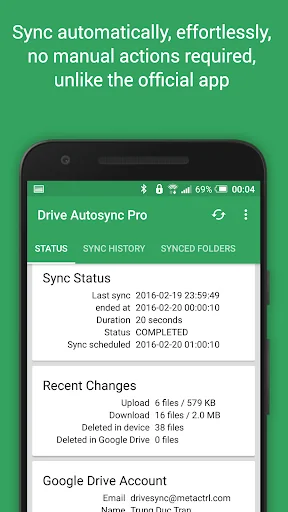
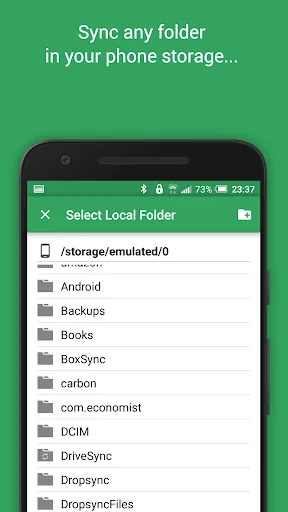
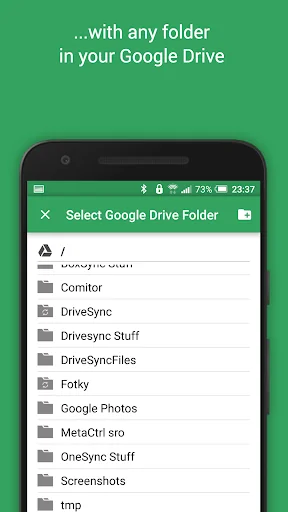
What the app looks like
Live screenshots from the Play Store, captured by our snapshot worker. Tap any image to enlarge.
Autosync for Google Drive's revenue trajectory
Forecast revenue from snapshot history. Last 2 months.
Where Autosync for Google Drive sits in Productivity
Revenue distribution of 35236 comparable apps. Autosync for Google Drive highlighted.
Autosync for Google Drive vs comparable apps
Revenue trajectory side-by-side. Bold = Autosync for Google Drive, ghosted = peers.
App spec
Version
Varies with device
Last update
Apr 04, 2026
Launched
Dec 30, 2013
Price
Free
Monetization
Free
What Autosync for Google Drive actually does (from store listing)
This app is an automatic file sync and backup tool. It lets you automatically synchronize files and folders with Google Drive cloud storage and with your other devices. It is an ideal tool for photo sync, document and file backup, automatic file transfer, automatic file sharing between devices,...
New files in your cloud account are automatically downloaded onto your device. New files in your device are uploaded. If you delete a file on one side, it will be deleted on the other side. It works…
This app is an automatic file sync and backup tool. It lets you automatically synchronize files and folders with Google Drive cloud storage and with your other devices. It is an ideal tool for photo sync, document and file backup, automatic file transfer, automatic file sharing between devices,...
New files in your cloud account are automatically downloaded onto your device. New files in your device are uploaded. If you delete a file on one side, it will be deleted on the other side. It works across multiple devices (your phone and your tablet). If their folders are synced with the same cloud account, they will be kept in sync with each other.
This is how Google Drive works on computers but not on Android. Two-way automatic synchronization should be an essential function of the official app. For whatever reason, it is not the case. Autosync for Google Drive is here to fill the gap.
All file transfers and communications between user devices and cloud storage servers are securely encrypted and do not go through our servers. No outsiders will be able to decrypt, see or modify any file contents.
MAIN FEATURES
• Full two-way automatic synchronization of files and folders
• Very efficient, consumes almost no battery
• Easy to set up. Once set up files will be kept in sync without any effort from users
• Works reliably under ever changing network conditions on your phone
• Monitors battery level, WiFi/3G/4G/LTE connectivity and adapts its behavior according to user preferences
• Configurable autosync interval: 15 minutes, 30 minutes, every hour,...
If you like this app, please consider upgrading to premium version. By doing so you support the development efforts and get access to premium features. You can upgrade via in-app purchase.
PREMIUM FEATURES
• Sync multiple pairs of folders
• Upload files larger than 10 MB
• Sync your entire cloud account with a folder in your device
• Sync with multiple accounts
• Sync with shared drives
• Protect app settings with passcode
• No ads displayed in the app
• Email support by developer
SUPPORT
Please check out our website (http://metactrl.com/) for more information about the app, including User's Guide (http://metactrl.com/userguide/) and FAQ (http://metactrl.com/faq/). If you run into any issues or have suggestions for improvements, don't hesitate to email us at drivesync@metactrl.com. We will do our best to assist you.
Comparable Android apps
The five apps in Productivity with the closest revenue to Autosync for Google Drive. Click any to see its detail page.
Each forecast combines App Store rating, ratings count, monetisation model, pricing tier, IAP signals and ad-supported flag.
The base estimate is then multiplied by a per-category scaling factor learned from apps with founder-verified MRR.
Every number on this page comes from public APIs and bumetric's own snapshot history.
Full methodology covers input variables, accuracy bands per category and how we treat apps without comparable anchors.
See also the live data on Autosync for Google Drive's tracker page for current rating, reviews and snapshot timeline.
Building something similar? Get a free AI audit with $-revenue forecasts for every recommendation.


 terminic 3-Monatskalender Pro
 Spark Mail: AI Email, Calendar
 My TELUS
 Moje O2
 Scales & Harmonic Field