What Barcodica - Barcode scanner actually does (from store listing)
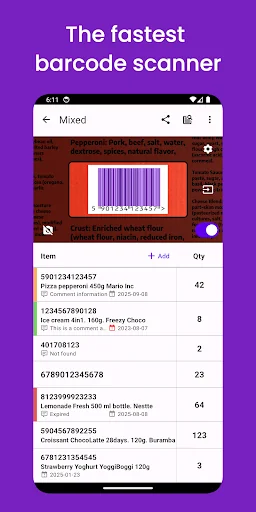
If you need to scan a large number of barcodes, you've found the right app. The main difference from other barcode scanners is that the barcode detection camera is always displayed on the screen. Just press the scan button (or use continuous scanning), and your barcode will be instantly saved.
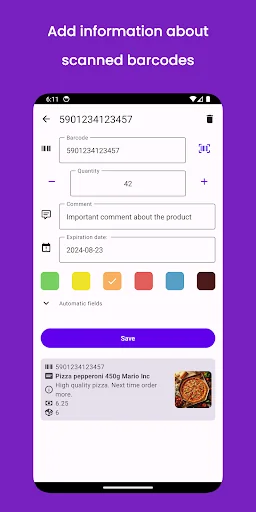
You can also add additional data to the scanned barcode, such as quantity, comment, expiration date, or mark it with a specific color to distinguish it. If that's not enough, you can create or import pr…
If you need to scan a large number of barcodes, you've found the right app. The main difference from other barcode scanners is that the barcode detection camera is always displayed on the screen. Just press the scan button (or use continuous scanning), and your barcode will be instantly saved.
You can also add additional data to the scanned barcode, such as quantity, comment, expiration date, or mark it with a specific color to distinguish it. If that's not enough, you can create or import products from your inventory system - each time you scan the corresponding barcode, you'll instantly receive the relevant data about it.
Key Features:
1. Various types of barcode scanners available
The first type is always displayed on the screen, offering the advantage of speed as you don't have to waste time turning on the camera and opening a new screen to scan the barcode.
The second scanner type opens when you press a button, which is slower, but more familiar for some users.
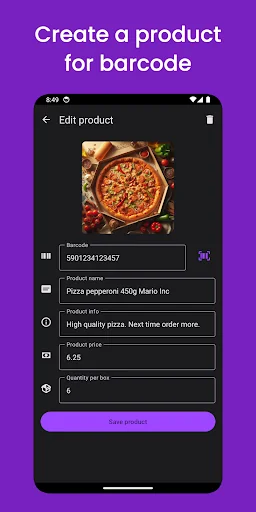
2. Create or import products so they can be easily identified by barcodes.
Scanning the barcode displays the saved product information, including the name, price, and images.
3. Simple export and import of data
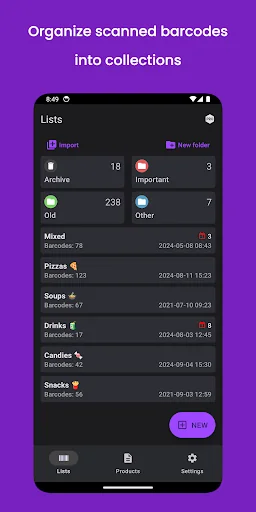
Share a list of scanned barcodes or import your barcodes list into the app.
Effortlessly import products from your sales or inventory system to understand which barcode was scanned, or export saved products and share them with your colleagues.
4. Convenient barcode count tracking
Keep scanning the same barcode and the quantity will increase, or simply click on the quantity and edit the value manually.
5. Handy search option.
Quickly find the barcode or product using the search functionality.
7. Advanced settings
Adjust advanced scanner settings to improve scanner quality, prevent the creation or merging of duplicate barcodes, and configure other settings.
Discover a wide range of other powerful features in Barcodica - a user-friendly inventory barcode scanner app. Just try it.
=========
If you have any issues, comments or suggestions, please, let me know at martinsv.dev@gmail.com
Comparable Android apps
The five apps in Business with the closest revenue to Barcodica - Barcode scanner. Click any to see its detail page.
Each forecast combines App Store rating, ratings count, monetisation model, pricing tier, IAP signals and ad-supported flag.
The base estimate is then multiplied by a per-category scaling factor learned from apps with founder-verified MRR.
Every number on this page comes from public APIs and bumetric's own snapshot history.
Full methodology covers input variables, accuracy bands per category and how we treat apps without comparable anchors.
See also the live data on Barcodica - Barcode scanner's tracker page for current rating, reviews and snapshot timeline.
Building something similar? Get a free AI audit with $-revenue forecasts for every recommendation.


 Shree Anjani Courier
 LennoxPros
 Safe Shop Direct Dil Se
 IBOCity
 Chanakya Ni Pothi Gujarati