What BarMaker - Creating/Scanning Q actually does (from store listing)
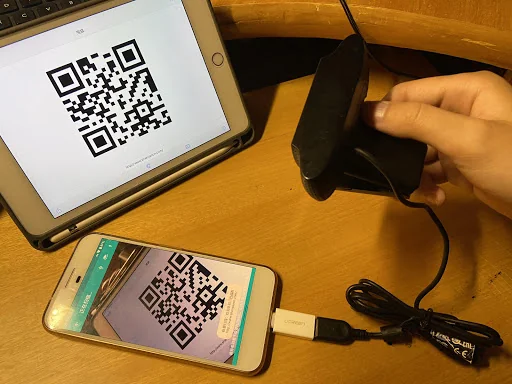
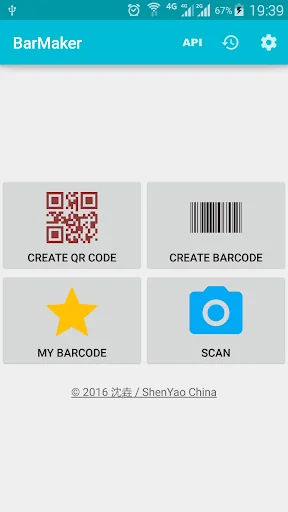
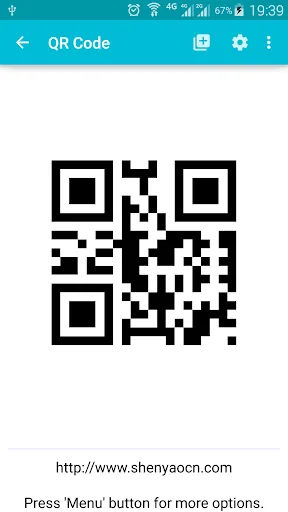
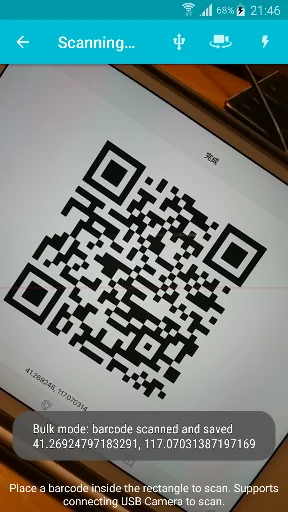
BarMaker is a convenient tool that help you create/scan QR Code or Barcode images. You can use it to create/scan QR Code from contacts, clipboard and text. <b>You can connect external USB Camera to scan barcode.</b> You can also push the result into PC after scanned and visit the Scanning Result from PC/Mac's browser. After you have created it, you can share the QR Code or Barcode image with you friends, or output to printer directly. Finally, you can make a widget from barcode and put it on des…
BarMaker is a convenient tool that help you create/scan QR Code or Barcode images. You can use it to create/scan QR Code from contacts, clipboard and text. You can connect external USB Camera to scan barcode. You can also push the result into PC after scanned and visit the Scanning Result from PC/Mac's browser. After you have created it, you can share the QR Code or Barcode image with you friends, or output to printer directly. Finally, you can make a widget from barcode and put it on desktop or lockscreen. It also supports scanning for white barcodes on black background.
BarMaker supports following formats:
QR Code
Code-39
Code-128
EAN-8
EAN-13
ITF
UPC-A
Codabar
PDF 417
Aztec
DataMatrix
Comparable Android apps
The five apps in Tools with the closest revenue to BarMaker - Creating/Scanning Q. Click any to see its detail page.
Each forecast combines App Store rating, ratings count, monetisation model, pricing tier, IAP signals and ad-supported flag.
The base estimate is then multiplied by a per-category scaling factor learned from apps with founder-verified MRR.
Every number on this page comes from public APIs and Bumetric's own snapshot history.
Full methodology covers input variables, accuracy bands per category and how we treat apps without comparable anchors.
See also the live data on BarMaker - Creating/Scanning Q's tracker page for current rating, reviews and snapshot timeline.
Building something similar? Get a free AI audit with $-revenue forecasts for every recommendation.


 ZFlasher AVR
 Parsi Calendar
 morsee : Enjoy Morse code
 凱擘大寬頻
凱擘大寬頻
 Nexxt Home