What Battery Meter Overlay actually does (from store listing)
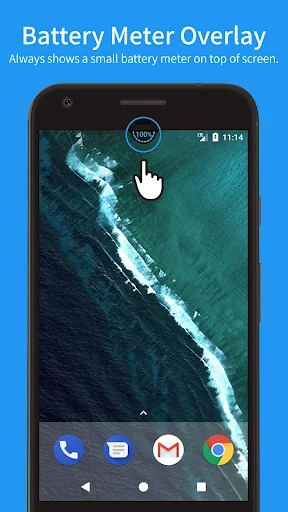
Battery Meter Overlay always shows the battery percentage at the top of screen.
With Battery Meter Overlay, You can see if your battery is charged enough to play a game, a movie, or to browse the web.
* FEATURES
✓ Shows battery information in percent (%)
✓ Shows battery meter on top of other apps
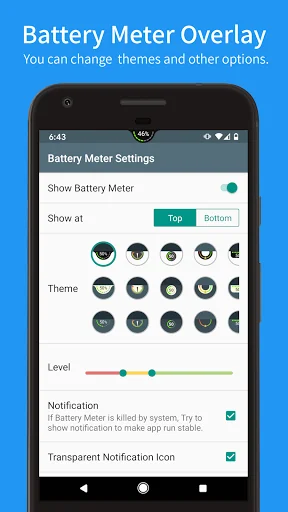
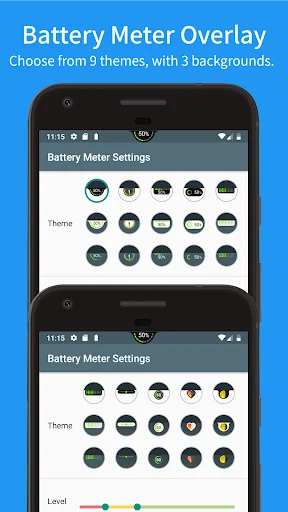
✓ Support themes for meter colors and backgrounds
✓ Control notification show / hide
✓ Overlap on top of the statusbar
✓ [NEW!] Show meter on the lock screen with notification (Android 8.0 a…
Battery Meter Overlay always shows the battery percentage at the top of screen.
With Battery Meter Overlay, You can see if your battery is charged enough to play a game, a movie, or to browse the web.
* FEATURES
✓ Shows battery information in percent (%)
✓ Shows battery meter on top of other apps
✓ Support themes for meter colors and backgrounds
✓ Control notification show / hide
✓ Overlap on top of the statusbar
✓ [NEW!] Show meter on the lock screen with notification (Android 8.0 and later)
* PRO FEATURES (Need Pro Key (Unlocker)
✓ No ads
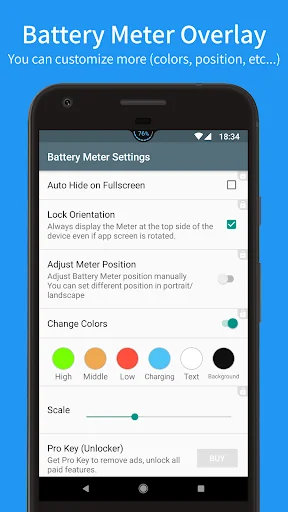
✓ Auto hide on fullscreen
✓ Can adjust meter positiion manually (respect screen oriantation)
✓ Can change meter colors (levels/charging/text/background)
✓ Can adjust meter size (x0.5 ~ x2.0)
If you like this app, Please cosider to buy Pro key.
[Special access permission]
In order to display the battery meter on top of other apps, confirm the special access of "Draw over other apps" at the first time.
[Restrictions for Android Oreo (8.0) users]
Due to Android OS security improvement, It is not possible to show Batter Meter Overlay on top of the status bar. So Battery Meter is always shown below the status bar.
[Others]
We plan to add more themes and functions, Please feel free to contact us on the comments or e-mail if you have any requests.
Comparable Android apps
The five apps in Tools with the closest revenue to Battery Meter Overlay. Click any to see its detail page.
Each forecast combines App Store rating, ratings count, monetisation model, pricing tier, IAP signals and ad-supported flag.
The base estimate is then multiplied by a per-category scaling factor learned from apps with founder-verified MRR.
Every number on this page comes from public APIs and bumetric's own snapshot history.
Full methodology covers input variables, accuracy bands per category and how we treat apps without comparable anchors.
See also the live data on Battery Meter Overlay's tracker page for current rating, reviews and snapshot timeline.
Building something similar? Get a free AI audit with $-revenue forecasts for every recommendation.


 DroidCam Webcam & OBS Camera
 ManaBox MTG
 tpPLC
tpPLC
 HKIME 中文輸入法
 Entergy