What Bedroom Photo Frames actually does (from store listing)
Install and play the app.
Here you can view privacy policy and the how to use.
Click the Start button to play the app.
Start button will lead you to the main page where the entire frames are visible.
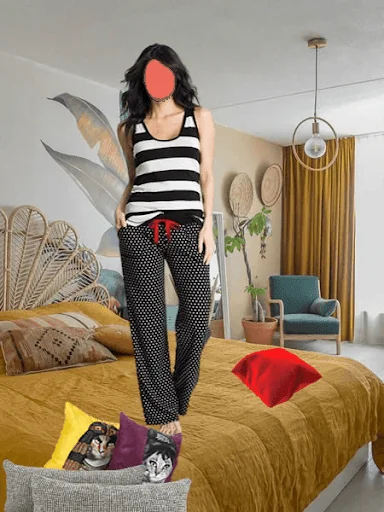
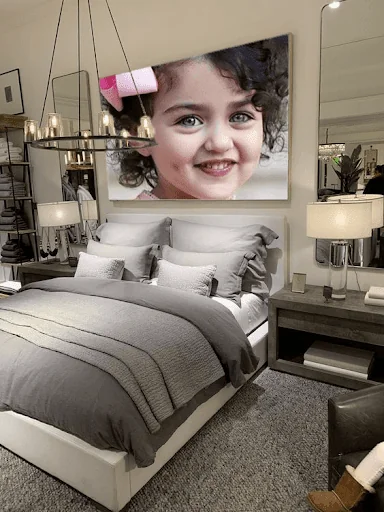
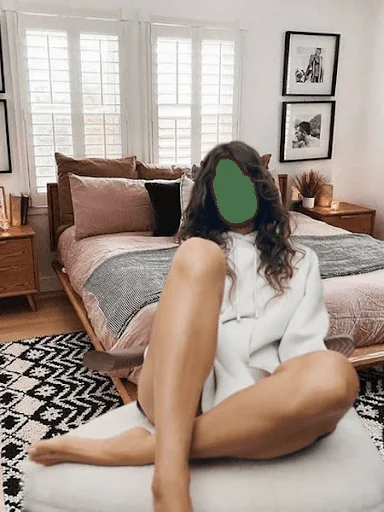
You can select one frame at a time you like most for your photo montage.
You can select you face photo from your gallery or direct from your cell phone camera.
You can flip your face in suitable direction.
You can adjust the brightness of you face according to the color scheme of frame.
When…
Install and play the app.
Here you can view privacy policy and the how to use.
Click the Start button to play the app.
Start button will lead you to the main page where the entire frames are visible.
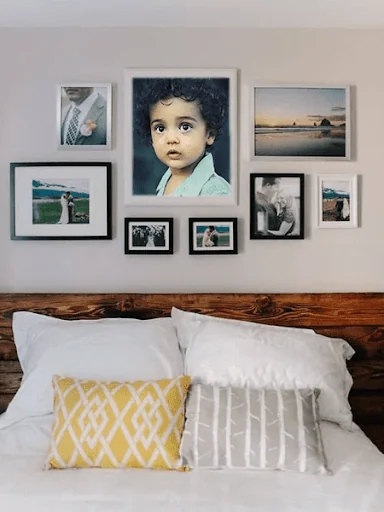
You can select one frame at a time you like most for your photo montage.
You can select you face photo from your gallery or direct from your cell phone camera.
You can flip your face in suitable direction.
You can adjust the brightness of you face according to the color scheme of frame.
When done click Next button.
Next page allows to paste text stickers and love stickers on your photo and to adjust their location, size and direction. You can delete any pasted sticker.
If you done with stickers, then go next.
Next page offer you to frame you photo in beautiful wall frames and others. And you can draw a border around your photo of any size/width and color.
Next and last page allow you to save your edited photo and share it with your family and friends.
To delete your edited photo, go to your phone gallery and delete the photo.
Disclaimer:
This application complies with US copyright law guidelines of fair use. If you feel there is a direct copyright or trademark violation that doesn't follow within the fair use guidelines, please contact us directly.
Comparable Android apps
The five apps in Photography with the closest revenue to Bedroom Photo Frames. Click any to see its detail page.
Each forecast combines App Store rating, ratings count, monetisation model, pricing tier, IAP signals and ad-supported flag.
The base estimate is then multiplied by a per-category scaling factor learned from apps with founder-verified MRR.
Every number on this page comes from public APIs and bumetric's own snapshot history.
Full methodology covers input variables, accuracy bands per category and how we treat apps without comparable anchors.
See also the live data on Bedroom Photo Frames's tracker page for current rating, reviews and snapshot timeline.
Building something similar? Get a free AI audit with $-revenue forecasts for every recommendation.


 Valentine Photo Frames
 Double Exposure - Photo Editor
 Exif Notes
 DE FPV
 PIP Camera