What Binary Watch Face actually does (from store listing)
Binary watch face for Wear OS. Decimal numbers are merely hinted in the background.
<b>Features</b>
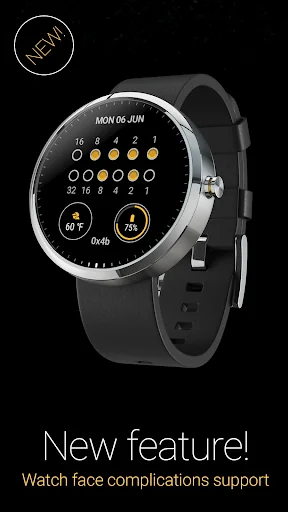
• Watch face complications*
• Date & battery level indicators
• 12/24-hour format selection
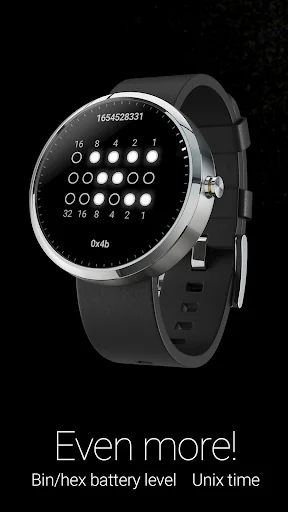
• Date format options, including Unix timestamp
• Optional binary representation of seconds
• Seconds ticks for additional hint to binary values
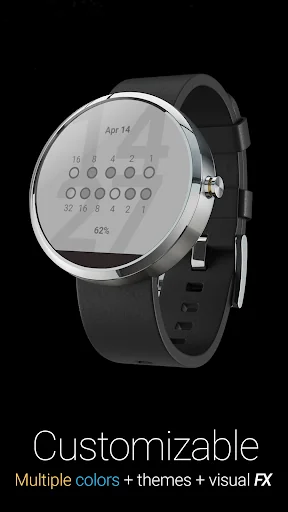
• Colors, effects, themes and size customization
• Ability to hide decimal numbers and hints
• Color in ambient mode on supported devices**
• Interact…
Binary watch face for Wear OS. Decimal numbers are merely hinted in the background.
Features • Watch face complications*
• Date & battery level indicators
• 12/24-hour format selection
• Date format options, including Unix timestamp
• Optional binary representation of seconds
• Seconds ticks for additional hint to binary values
• Colors, effects, themes and size customization
• Ability to hide decimal numbers and hints
• Color in ambient mode on supported devices**
• Interactive watch face features***
• Help topics for reading the binary watch.
Accessing Watch face settings • Option 1, using the phone: Open the Wear OS (Android Wear) app, and then tap the white gear icon in the center of the selected watch face.
• Option 2, directly on watch: Tap and hold anywhere on the watch face, and then select the white gear icon.
Using interactive actions Tap anywhere on the watch face to toggle background numbers on and off.
Tap in the center of the binary dots to toggle bit numbers.***
Tap on selected complications to view additional data.*
Reading the binary watch For detailed information, select Help from the options menu of the Watch face settings companion app on the phone.
Frequently asked questions Featured question: "I have installed the app but cannot find out how to start it." Answer: The watch face is designed for use with Wear OS smartwatches. It is accessible via the Wear OS (Android Wear) app instead of a stand-alone launcher icon as it is not for the smartphone itself.
Read all frequently asked questions here: https://goo.gl/ncNIs8
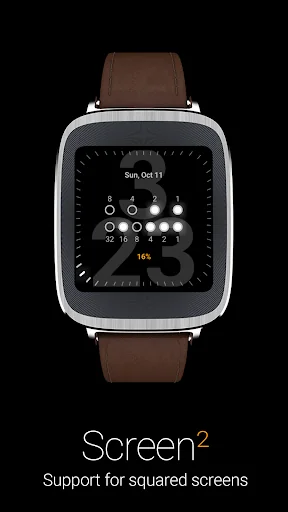
Requirements: Wear OS smartwatch. Both square and round screen devices are supported.
This app is intended exclusively for use with smartwatches and cannot be started on a smartphone.
Disclaimer: The application is provided as is without liabilities or warranties of any kind, either express or implied.
* Watch face complications support requires Wear OS 1.0 (formerly Android Wear 2.0, based on Android 7.1.1)
** Color in ambient mode is not supported by certain Wear OS devices. Actual colors may vary or may not be visible at all.
*** Interactive watch faces feature requires Android Wear 1.3 (based on Android 5.1.1) with Interactive Watch Faces support.
Comparable Android apps
The five apps in Personalization with the closest revenue to Binary Watch Face. Click any to see its detail page.
Each forecast combines App Store rating, ratings count, monetisation model, pricing tier, IAP signals and ad-supported flag.
The base estimate is then multiplied by a per-category scaling factor learned from apps with founder-verified MRR.
Every number on this page comes from public APIs and bumetric's own snapshot history.
Full methodology covers input variables, accuracy bands per category and how we treat apps without comparable anchors.
See also the live data on Binary Watch Face's tracker page for current rating, reviews and snapshot timeline.
Building something similar? Get a free AI audit with $-revenue forecasts for every recommendation.


 Hearts Doodles Theme
 Neon Red Cool Dj Keyboard Them
 Dalmatian Love +HOMEテーマ
 Jk Uniform Girl Keyboard Theme
 Wild Horse Animated Keyboard