How much does Black Screen: video screen off earn?
Android app
from jApp
· Tools
ML forecast★ 4.5 · 50KFree
~333/mo
ML revenue forecast.
Calibrated against 77129 apps in this category.
Confidence band
±15%
High — many comparable apps with verified data
At a glance
Earns 1.76× more than the category median (189/mo).
Ranks #19,092 of 77,129 in Tools (top 24.8% by revenue).
Launched Feb 05, 2021 · last updated May 14, 2026.
What the app looks like
Live screenshots from the Play Store, captured by our snapshot worker. Tap any image to enlarge.
Black Screen: video screen off's revenue trajectory
Forecast revenue from snapshot history. Last 1 months.
Where Black Screen: video screen off sits in Tools
Revenue distribution of 77129 comparable apps. Black Screen: video screen off highlighted.
Black Screen: video screen off vs comparable apps
Revenue trajectory side-by-side. Bold = Black Screen: video screen off, ghosted = peers.
App spec
Version
2.0.3
Last update
May 14, 2026
Launched
Feb 05, 2021
Price
Free
Monetization
Free
What Black Screen: video screen off actually does (from store listing)
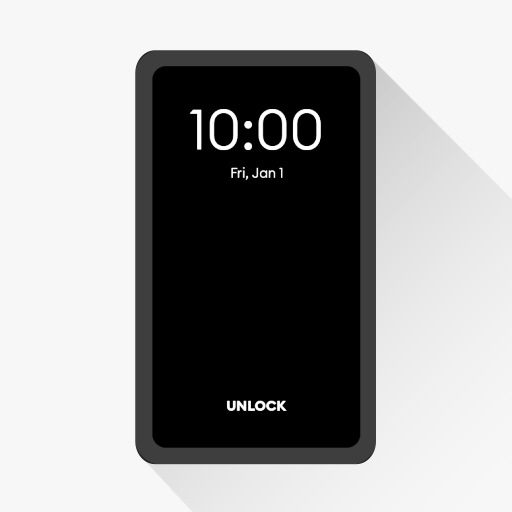
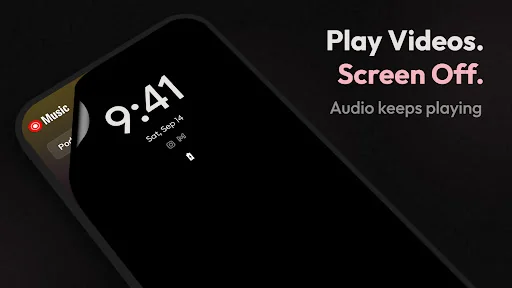
🎬 <b>Play videos with screen off</b> using Black Screen, a lightweight <b>black screen overlay</b> for Android that lets audio keep playing while your display turns black. Enjoy an <b>audio-only mode</b> experience for <b>music videos</b>, <b>podcasts</b>, <b>streams</b>, and long playback sessions.
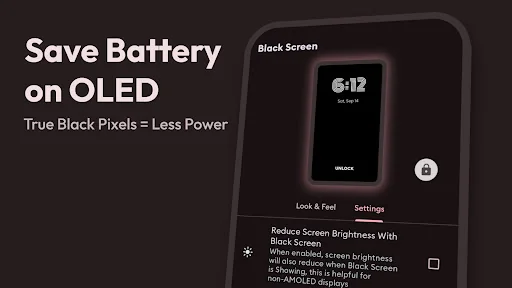
🔋 <b>Battery saver for AMOLED & OLED</b>
Black Screen displays <b>pure black</b>, which can help reduce power usage on <b>AMOLED</b> and <b>OLED</b> devices (black pixels draw little to no power)…
🎬 Play videos with screen off using Black Screen, a lightweight black screen overlay for Android that lets audio keep playing while your display turns black. Enjoy an audio-only mode experience for music videos, podcasts, streams, and long playback sessions.
🔋 Battery saver for AMOLED & OLED Black Screen displays pure black, which can help reduce power usage on AMOLED and OLED devices (black pixels draw little to no power). It’s a simple way to save battery while listening.
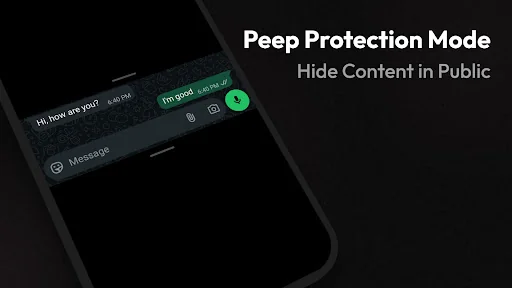
🕶️ Privacy Mode (Peep Protection) In public? Enable Privacy Mode to instantly hide on-screen content and prevent shoulder-surfing — while the app underneath keeps running.
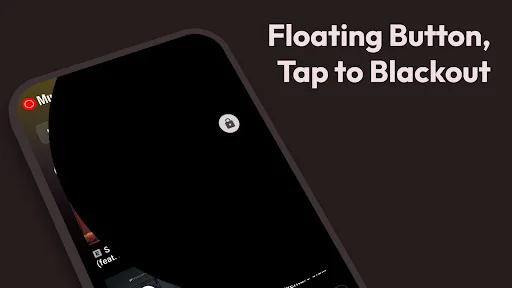
⚡ One-tap Screen Off with Floating Button Use the floating button to turn the screen black anytime. Tap to return quickly — perfect when you want to keep audio playing without the bright display.
✨ Best uses • Play videos with screen off (audio continues)
• Listen to podcasts or music with a black screen overlay
• Watch live streams while reducing glare
• Night mode comfort, less brightness in dark rooms
• Record videos / take selfies with display black (device support may vary)
✅ Key Features • Floating Button: Quick toggle for black screen / screen off
• Pure Black option: True black overlay for AMOLED/OLED
• Battery saver: Helps reduce display power usage on compatible screens
• Privacy Mode (Peep Protection): Hide content instantly in public
• Pocket Mode: Prevent accidental touches (no ghost taps)
• Always-On Display option: Keep essential info visible while black screen is active
• Customizable: Adjust styles, button, and display options
🧭 How to use 1) Start a video, podcast, or stream
2) Open Black Screen and tap Start 3) Use the Floating Button anytime to enable screen off / blackout
4) Tap to return to your app
5) Open Black Screen and tap Stop to disable
⚠️ Important Black Screen is not a lock-screen app. It’s a black screen overlay shown on top of the app you’re using. This helps reduce screen brightness/activity and can help save battery on AMOLED devices.
🚀 Try Black Screen for a cleaner screen off experience — listen more, glare less, save battery.
Comparable Android apps
The five apps in Tools with the closest revenue to Black Screen: video screen off. Click any to see its detail page.
Each forecast combines App Store rating, ratings count, monetisation model, pricing tier, IAP signals and ad-supported flag.
The base estimate is then multiplied by a per-category scaling factor learned from apps with founder-verified MRR.
Every number on this page comes from public APIs and bumetric's own snapshot history.
Full methodology covers input variables, accuracy bands per category and how we treat apps without comparable anchors.
See also the live data on Black Screen: video screen off's tracker page for current rating, reviews and snapshot timeline.
Building something similar? Get a free AI audit with $-revenue forecasts for every recommendation.

 PramukhIME Indic Keyboard
 Monimoto
 SECHEEP Oficina Virtual
 Speedometer mph Odometer
 Fast dial widget