What Blackboard actually does (from App Store listing)
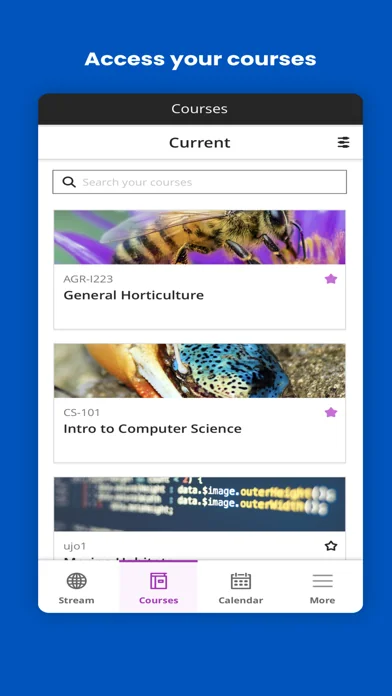
Download the Blackboard App and stay seamlessly connected with your courses and elevate your learning experience. Whether you're a student or an instructor, this app integrates with your institution’s Blackboard platform to bring you essential tools and real-time updates on the go.
For Students:
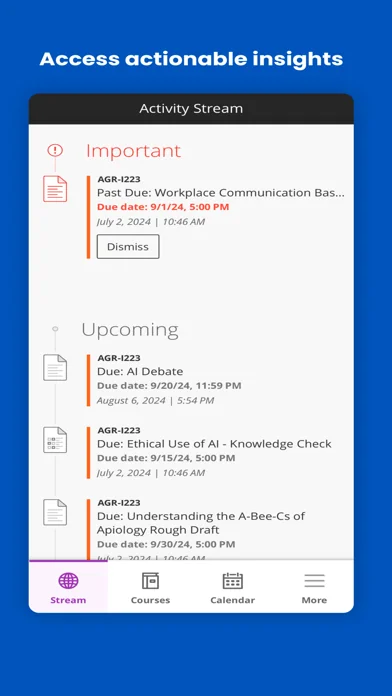
- Stay Informed: Instantly view updates and changes to your courses.
- Real-Time Alerts: Receive notifications for due-dates, announcements, and more.
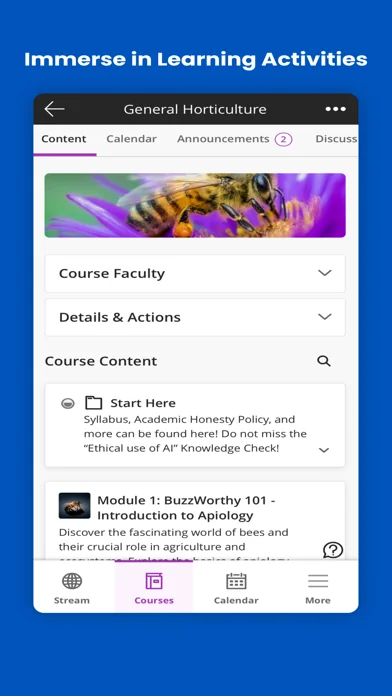
- Manage Coursework: Easily complete and submit ass…
Download the Blackboard App and stay seamlessly connected with your courses and elevate your learning experience. Whether you're a student or an instructor, this app integrates with your institution’s Blackboard platform to bring you essential tools and real-time updates on the go.
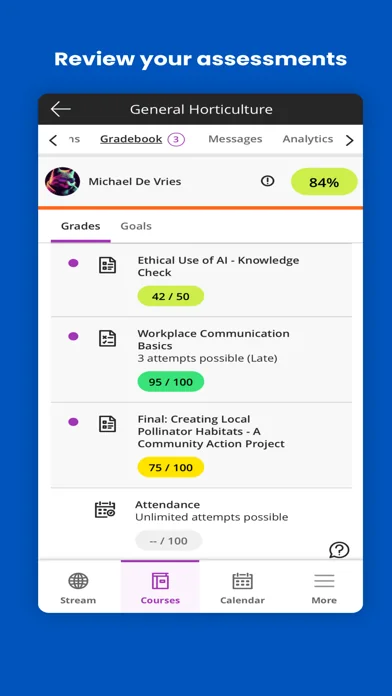
For Students: - Stay Informed: Instantly view updates and changes to your courses. - Real-Time Alerts: Receive notifications for due-dates, announcements, and more. - Manage Coursework: Easily complete and submit assignments, take tests, and track your progress. - Check Grades: Access grades for courses, assignments, and tests with just a few taps. - Plus More: Explore additional features tailored to enhance your educational journey.
For Instructors: - Efficient Course Management: Upload and organize course materials and assessments effortlessly. - Timely Notifications: Set up custom alerts such as when submissions are ready for grading, messages from students, and more. - Streamlined Grading: Grade assignments and provide feedback from your phone or tablet. - Engage Students: Send course announcements, create and manage discussion threads, and interact with student comments. - And Beyond: Utilize more tools designed to support your teaching and engagement.
Please Note: The Blackboard App functions in conjunction with your institution’s Blackboard server. Access and features may vary based on your institution's settings and software updates. By using this app, you agree to our terms and privacy information - https://www.anthology.com/trust-center/terms-of-use
🆕 What's new · v11.5.0
Feature
- Graded discussion notifications in Activity Stream
Graded discussion notifications now appear correctly in the Activity Stream with the Discussion icon.
Bug fixes
- LTI tools opened in new window
Closing LTI content opened in a new window. Now closing LTI content returns users to the original course location.
- Back icon on Liquid Glass devices
The back icon in Settings now displays consistently on Liquid Glass-supported devices.
- Unable to view Assessment submissions
Tapping "View Submissions" on an Assignment or Test now opens submissions correctly
Comparable iOS apps
The five apps in Education with the closest revenue to Blackboard. Click any to see its detail page.
Each forecast combines App Store rating, ratings count, monetisation model, pricing tier, IAP signals and ad-supported flag.
The base estimate is then multiplied by a per-category scaling factor learned from apps with founder-verified MRR.
Every number on this page comes from public APIs and bumetric's own snapshot history.
Full methodology covers input variables, accuracy bands per category and how we treat apps without comparable anchors.
See also the live data on Blackboard's tracker page for current rating, reviews and snapshot timeline.
Building something similar? Get a free AI audit with $-revenue forecasts for every recommendation.


 CURRENT Med Diag & Treatment
 Pulsey: Baby Heartbeat Monitor
 Prepware Remote Pilot
 Land Nav Assistant
 Untis Mobile