What BLKB Banking actually does (from store listing)
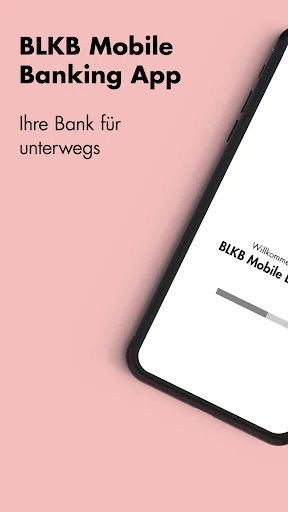
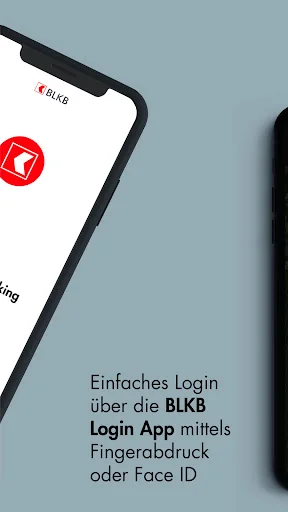
With the free BLKB Mobile App, you always have your bank with you: Check your account balance, make payments, scan deposit slips – whenever and wherever you want.
To use the BLKB Mobile App, please ensure that mobile banking is activated in e-banking under "Settings" > "General Settings."
Asset Overview:
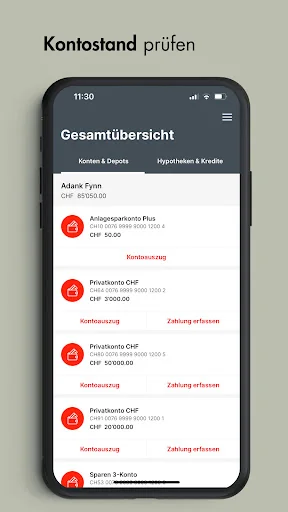
The asset overview gives you a quick overview of your assets.
Account Statement:
The account statement provides you with detailed information about your transactions.
Pay Scanner:
…
With the free BLKB Mobile App, you always have your bank with you: Check your account balance, make payments, scan deposit slips – whenever and wherever you want.
To use the BLKB Mobile App, please ensure that mobile banking is activated in e-banking under "Settings" > "General Settings."
Asset Overview:
The asset overview gives you a quick overview of your assets.
Account Statement:
The account statement provides you with detailed information about your transactions.
Pay Scanner:
The Pay Scanner scans your deposit slips and automatically transmits the data to e-banking.
Enter Payments:
With the app, you can also enter your payments on your mobile device. The payment assistant supports you with your entries.
Cards:
With the credit card overview, you can always keep track of your credit card spending.
Stock Exchanges & Markets:
Access current stock prices and financial information from Germany and abroad. Create personalized price lists, portfolios, and limits.
Stock Exchange Trading:
Buy and sell listed securities and get an overview of your completed orders.
News:
Your direct line to the BLKB support team if you have questions or need information about products and services.
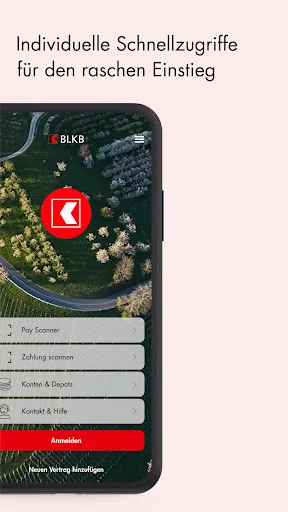
Quick Links:
Create your personalized homepage and customize the quick links.
Comparable Android apps
The five apps in Finance with the closest revenue to BLKB Banking. Click any to see its detail page.
Each forecast combines App Store rating, ratings count, monetisation model, pricing tier, IAP signals and ad-supported flag.
The base estimate is then multiplied by a per-category scaling factor learned from apps with founder-verified MRR.
Every number on this page comes from public APIs and bumetric's own snapshot history.
Full methodology covers input variables, accuracy bands per category and how we treat apps without comparable anchors.
See also the live data on BLKB Banking's tracker page for current rating, reviews and snapshot timeline.
Building something similar? Get a free AI audit with $-revenue forecasts for every recommendation.


 Verve Mobile
 Sono Mongolia
 i-ONE Bank 미니
 Monterra Credit Union
 acba digital