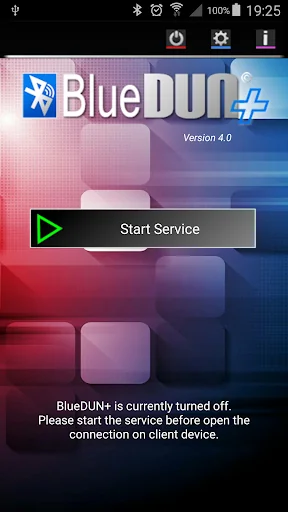
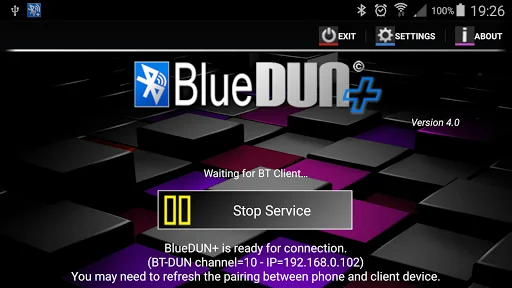
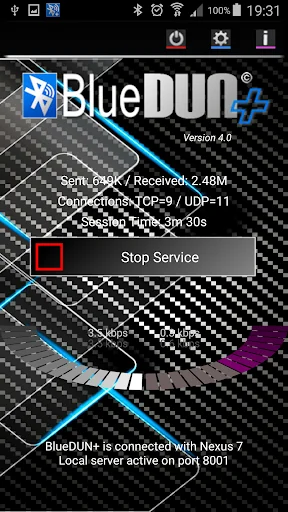
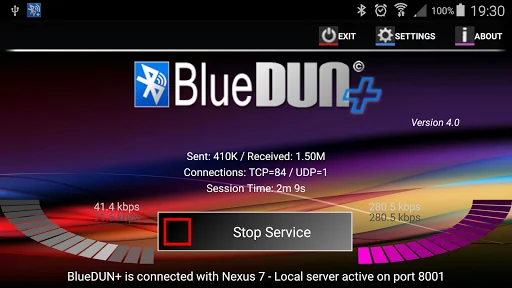
This program emulates the hardware modem on your Android phone. It allows your phone to share wifi or mobile connection over the bluetooth channel with other devices like PCs,tablets or navigation systems. The bluetooth DUN (dial-up network) service is turned on, in order to enable the external device to access the Internet.
It supports both TCP and UDP protocols; <b>NO ROOTING NEEDED!!</b>
<font color="blue">IMPORTANT NOTE: You can find the app installation package for free on internet; be…
This program emulates the hardware modem on your Android phone. It allows your phone to share wifi or mobile connection over the bluetooth channel with other devices like PCs,tablets or navigation systems. The bluetooth DUN (dial-up network) service is turned on, in order to enable the external device to access the Internet.
It supports both TCP and UDP protocols; NO ROOTING NEEDED!!
IMPORTANT NOTE: You can find the app installation package for free on internet; be careful because it includes a spyware code inside!! It sends all your private data to hackers
Tested with Windows Xp / 7 / 8 / 10 PCs, Mercedes Comand OnLine, Toyota Touch&Go / Entune, Tom Tom Go/Rider, Clever GPS, BB Playbook
This "plus" version introduces the following enhancements:
- new implementation of UDP protocol for better supporting the VPN connections, in particular for Mercedes servers
- new option for automatic executing the service after the device restart
- the BlueDUN service is exported for controlling its execution from external applications
- specific port forwarding toward local applications [ allow external devices to access to custom app via TCP/IP over bluetooth]
- enable the local applications to control of external devices via TCP/IP over bluetooth
USAGE NOTEs: - you need to disable Smart Lock OR define the external bluetooth device as trusted
- for external devices with low transfer speed (i.e. car navigators) probably you need to reduce the BT Queue Length parameter [ from 10 -> 2 ] in the app settings
It doesn't work with some Motorola (Droid) / Sony (Xperia) / HTC devices due to firmware limitations.
Please test the trial version (it includes the same basic connection algorithms) before purchasing and contact me for any issue before writing negative comments; I can also refund you also after the 2 hours of testing period.
How to setup (only the first time):
- Remove the previous pairing between your devices
- Start the BlueDUN service, make the phone discoverable
- Create the new pairing
- Setup the DUN connection on the client device: don't care about phone number, account or dns because the app emulates only the modem behaviour but it sends/retrieves data to/from phone wifi/mobile connection!
In case of connection issues, please enable the "Logger" and "Log to File" options in the setting panel; go back and restart the service, try some connection attempts. Finally click the "Send Log files" option to send an email with generated log files.
I don't provide support if you add negative comment on Google Play before contacting me by email
Comparable Android apps
The five apps in Productivity with the closest revenue to BlueDUN+. Click any to see its detail page.
Each forecast combines App Store rating, ratings count, monetisation model, pricing tier, IAP signals and ad-supported flag.
The base estimate is then multiplied by a per-category scaling factor learned from apps with founder-verified MRR.
Every number on this page comes from public APIs and Bumetric's own snapshot history.
Full methodology covers input variables, accuracy bands per category and how we treat apps without comparable anchors.
See also the live data on BlueDUN+'s tracker page for current rating, reviews and snapshot timeline.
Building something similar? Get a free AI audit with $-revenue forecasts for every recommendation.

 Google Tasks
 Cloud: Video, photo storage
 Families
 Chrome Beta
 Outliner Pro Key