What Bluetooino: Arduino Bluetooth actually does (from store listing)
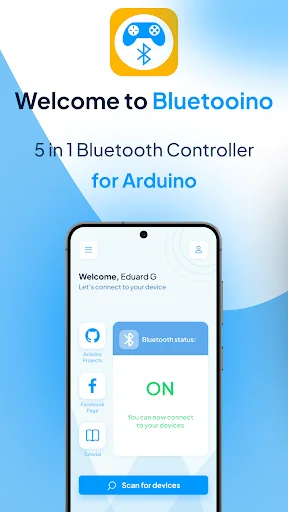
Hello and welcome to BluetooIno!
We are pleased to introduce you to our new 5 in 1 Bluetooth Controller designed to control your Arduino devices.
It works with any Bluetooth modules such as HC-05, HC-06, HM-10, etc.
<u>Types of controllers available in the app:</u>
<i>-Car Controller</i>
<i>-LED Controller</i>
<i>-Terminal Controller</i>
<i>-Buttons Controller</i>
<i>-Accelerometer Controller*</i>
<b>* - Accelerometer controller is only available for PREMIUM users.</b>…
We are pleased to introduce you to our new 5 in 1 Bluetooth Controller designed to control your Arduino devices.
It works with any Bluetooth modules such as HC-05, HC-06, HM-10, etc.
Types of controllers available in the app: -Car Controller -LED Controller -Terminal Controller -Buttons Controller -Accelerometer Controller*
* - Accelerometer controller is only available for PREMIUM users.
Premium membership can be obtained either by purchase or by completing some in-app tasks.
How each controller works:
Car Controller This is a great controller and it was designed to control Arduino Car builds that can be controller trough Bluetooth. You can map the right side of the controller for the car movement, and the right side for other actions such as “gear shifting”, like in the project provided.
LED Controller A great controller with a simple functionallity. First set up the commands that are sent by the app to your Arduino board, and then press the switch to turn on/off the LED.
Terminal Controller Using this type of controller you can send commands by typing. Head down to the bottom text-box and write the commands that will be sent to your device!
Buttons Controller Here you can send commands by pressing buttons. Press the cog button at the top and click Edit Commands. Now edit the command for each button that will be sent to your device.
Accelerometer Controller This is a special controller. First place your phone on a flat surface, and then customise each command by heading to the Edit command menu. After that you can move your phone in any direction and send the desired command.
Features of the app: -Arduino projects on GitHub;
-Editable commands for each controller;
-Different types of controllers.
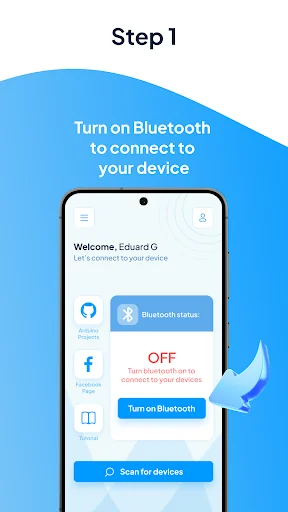
Steps involved in order to control your Arduino device: 1.Turn Bluetooth ON on your phone;
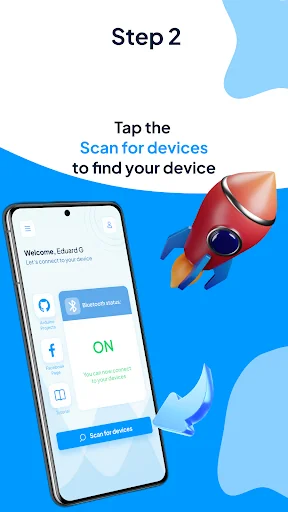
2.Press the Find devices button;
3.Select a device from the list;
4.Press the Connect button;
5.Select a suitable controller for your project;
6.If the controller allows, press the Cog button to open a menu and select Edit Commands;
7.Add all the commands your device will receive;
8.Start controlling you Bluetooth device.
Thanks for downloading our app.
Comparable Android apps
The five apps in Tools with the closest revenue to Bluetooino: Arduino Bluetooth. Click any to see its detail page.
Each forecast combines App Store rating, ratings count, monetisation model, pricing tier, IAP signals and ad-supported flag.
The base estimate is then multiplied by a per-category scaling factor learned from apps with founder-verified MRR.
Every number on this page comes from public APIs and bumetric's own snapshot history.
Full methodology covers input variables, accuracy bands per category and how we treat apps without comparable anchors.
See also the live data on Bluetooino: Arduino Bluetooth's tracker page for current rating, reviews and snapshot timeline.
Building something similar? Get a free AI audit with $-revenue forecasts for every recommendation.


 AiData
![EXA System App Remover [ROOT] icon](https://play-lh.googleusercontent.com/duE7dSQsrfHVMW9TDp16tRL0uMYsYxEeQoOOYmMd4I_Y4bhF561BSzE_nHzm1X8kcys) EXA System App Remover [ROOT]
EXA System App Remover [ROOT]
 Energenie Power Manager
 T-Shirt Designer
 ProCom