What Bluetooth Remote Shutter actually does (from store listing)
* What is a Bluetooth Remote Shutter?
The Bluetooth Remote Shutter connects via bluetooth to your iOS and Android devices enabling you to control your devices shutter release and capture pictures from upto 30 feet away. Simply pair your device to the Bluetooth Remote Shutter and start snapping away with just a click of the button.
* Why need a Bluetooth Remote Shutter?
1. Tapping the screen, no matter how carefully you do it, causes vibrations. These vibrations will affect the shot. In most i…
* What is a Bluetooth Remote Shutter?
The Bluetooth Remote Shutter connects via bluetooth to your iOS and Android devices enabling you to control your devices shutter release and capture pictures from upto 30 feet away. Simply pair your device to the Bluetooth Remote Shutter and start snapping away with just a click of the button.
* Why need a Bluetooth Remote Shutter?
1. Tapping the screen, no matter how carefully you do it, causes vibrations. These vibrations will affect the shot. In most instances, they’ll slightly affect the focus (since you’re moving the camera). In particularly bad cases, you’ll get a blurred image from the movement of the camera!
2. You can take that annoying, awkward, and embarrassing arm out of the corner of all your photos. Not only does that lead to better photo composition, but it also opens you up to a whole new world of selfie poses.
3. You can take group photos (with the whole group!)
4. You can take photos of yourself, So people think you have friends
* What is the Bluetooth Remote Shutter App?
It is an App that you can connect to other phone via Bluetooth, and it activates the shutter button for you.
It works like the bluetooth remote shutter stick, They have a few different names – camera remote, remote shutter, remote clicker and selfie shutter.
* How to use Bluetooth Remote Shutter App?
1. Enable the camera phone's bluetooth and let it visible.
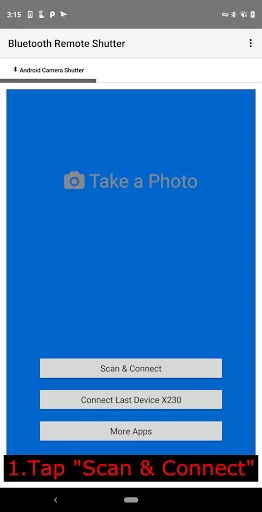
2. Tap "Scan & Connect".
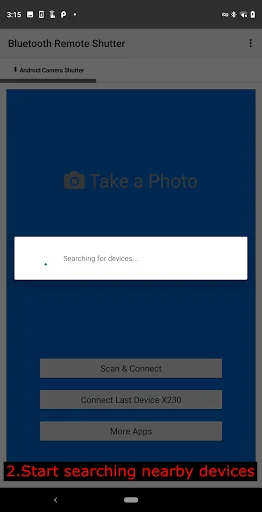
3. Start searching nearby devices.
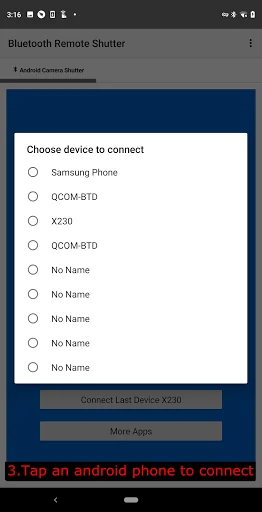
4. After searching complete, Select the camera phone from list to connect.
5. After paired and connected, Launch camera phone's camera app.
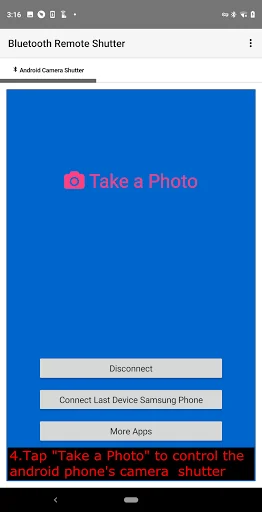
6. Tap "Take a Photo" to control the phone's camera shutter.
* Does any phone support Bluetooth Remote Shutter App?
No. Many device manufacturers have disabled the Bluetooth HID device profile on their devices. You would have to ask your device manufacturers to enable it. You can check with this app - https://play.google.com/store/apps/details?id=com.rdapps.bluetoothhidtester if the Bluetooth HID device profile is disabled for you or not.
Comparable Android apps
The five apps in Photography with the closest revenue to Bluetooth Remote Shutter. Click any to see its detail page.
Each forecast combines App Store rating, ratings count, monetisation model, pricing tier, IAP signals and ad-supported flag.
The base estimate is then multiplied by a per-category scaling factor learned from apps with founder-verified MRR.
Every number on this page comes from public APIs and bumetric's own snapshot history.
Full methodology covers input variables, accuracy bands per category and how we treat apps without comparable anchors.
See also the live data on Bluetooth Remote Shutter's tracker page for current rating, reviews and snapshot timeline.
Building something similar? Get a free AI audit with $-revenue forecasts for every recommendation.

 Durga Navaratri Colouring - Gr
 Party Wear Design Sarees App
 Happy Dussehra Greetings, Phot
 Mirror Photo Editor : Photo Ef
 Evera
Evera