What Brain Tutor 3D actually does (from store listing)
Explore the brain from the palm of your hand! Learn about the structure and function of the human brain by interacting with high-resolution rotatable 3D models in real-time like you've never experienced it before!
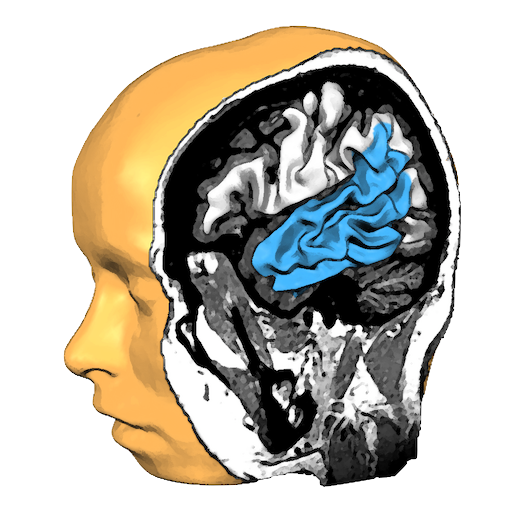
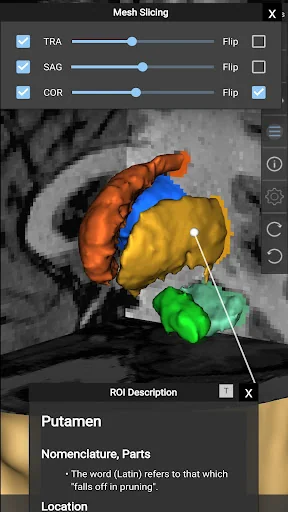
Brain Tutor uses rendered head and brain models as well as fiber tracts that were created from magnetic resonance imaging (MRI) scans of a study volunteer. The MRI data allows to look "inside" the brain using real-time slicing at millimeter resolution. For students, cognitive neurosc…
Explore the brain from the palm of your hand! Learn about the structure and function of the human brain by interacting with high-resolution rotatable 3D models in real-time like you've never experienced it before!
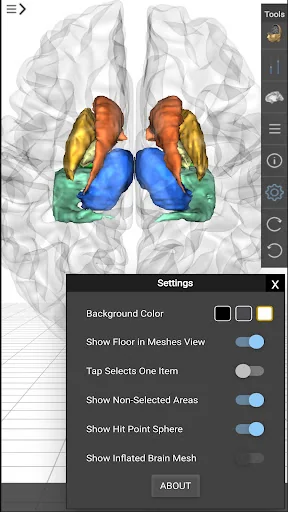
Brain Tutor uses rendered head and brain models as well as fiber tracts that were created from magnetic resonance imaging (MRI) scans of a study volunteer. The MRI data allows to look "inside" the brain using real-time slicing at millimeter resolution. For students, cognitive neuroscientists, medical professionals and everyone interested in the brain, the program provides information about the anatomy and function of the human brain with various atlases describing and visualizing lobes, gyri, sulci, Brodmann areas, subcortical structures, selected specialized functional areas and major fiber tracts.
With Brain Tutor you can:
* Explore high-resolution 3D models of the head and brain in real-time.
* Visualize major white matter fiber tracts.
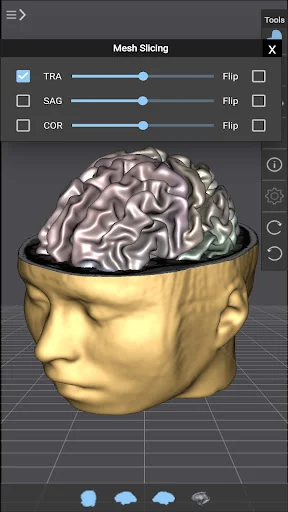
* Slice the brain along three axes (sagittal, axial and coronal).
* View MRI brain slices at millimeter resolution.
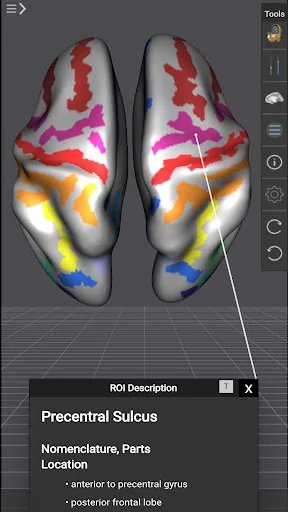
* Learn from text information about the functions of selected lobes, gyri, sulci, subcortical structures, Brodmann areas, functional areas and fiber tracts.
* Learn where brain structures are located both within 3D brain models as well as in MRI slices.
To get started:
* Tap on a 3D brain model to reveal a brain area at that location.
* Switch to another atlas and a specific brain area or fiber tract using the navigation tables.
* Select a 3D model (left/right/both brain hemispheres, head) from the tab bar buttons at the bottom.
* Pan with one finger to rotate a brain model.
* Pan with two fingers to move a brain model.
* Use pinch gesture to zoom a brain model.
* Select the head model to switch to head slicing mode.
* Toggle between navigation and slicing mode by tapping the slicing icon at the top right.
* In head slicing mode, pan with one finger to move the slicing plane through the head.
* Tap on a slicing direction icon in the top bar to switch between three orthogonal slice planes.
* Tap on the displayed name of a selected brain structure to read text information in a popup dialog.
This app has been designed and programmed by Prof. Rainer Goebel, a leading expert in anatomical and functional brain imaging and award-winning developer of scientific software. For more information about his work, see http://www.brainvoyager.com/RainerGoebel.html.
Comparable Android apps
The five apps in Education with the closest revenue to Brain Tutor 3D. Click any to see its detail page.
Each forecast combines App Store rating, ratings count, monetisation model, pricing tier, IAP signals and ad-supported flag.
The base estimate is then multiplied by a per-category scaling factor learned from apps with founder-verified MRR.
Every number on this page comes from public APIs and bumetric's own snapshot history.
Full methodology covers input variables, accuracy bands per category and how we treat apps without comparable anchors.
See also the live data on Brain Tutor 3D's tracker page for current rating, reviews and snapshot timeline.
Building something similar? Get a free AI audit with $-revenue forecasts for every recommendation.

 RKCL
RKCL
 IHM : Hub for Hotel Management
 Urdu English Translator
 K53 Driver's Guide, Unofficial
 Audiokitab