What ByeNoise - Video Audio Editor actually does (from App Store listing)
ByeNoise is a powerful audio editor and noise reduction tool that perfectly cleans the sound of your audio/video files from unwanted background noise. It also works as an audio editor that lets you edit your audio, trim, cut, increase volume, add subtitles, change voice, adjust sound frequencies, boost volume and more. Built in audio recorder to record crystal clean audio and perform AI denoising algorithms on the recordings.
Easily clean your audio/video files from unwanted background noise (w…
ByeNoise is a powerful audio editor and noise reduction tool that perfectly cleans the sound of your audio/video files from unwanted background noise. It also works as an audio editor that lets you edit your audio, trim, cut, increase volume, add subtitles, change voice, adjust sound frequencies, boost volume and more. Built in audio recorder to record crystal clean audio and perform AI denoising algorithms on the recordings.
Easily clean your audio/video files from unwanted background noise (wind, hums, whistles, buzzes, hiss, whines, fan noise and more) and enhance the important sound (like the speaker, singer or the guitar). Then easily share the clean results with your friends.
“...I was surprised by the results and found no traces of noise in my audio recording” (iGeeksBlog)
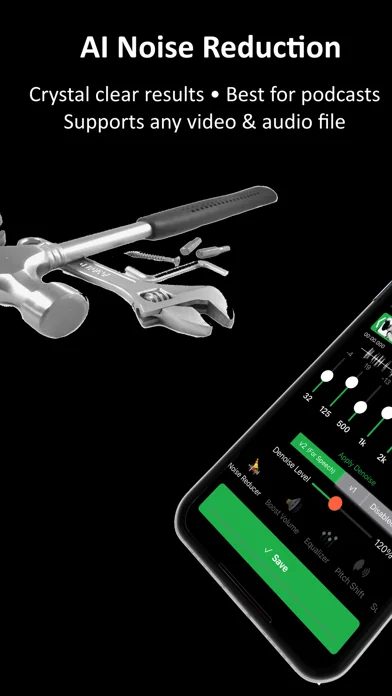
AI NOISE REDUCTION:
* Remove background noise from audio/video files with a single tap
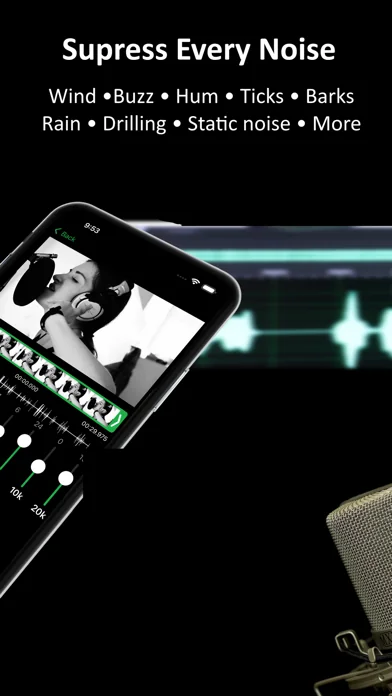
* Clean noises like wind, hums, whistles, buzzes, hiss, whines, fan noise and more
* Load files from photo library, Files app or iCloud
* Eliminate static or electrical noise
* Choose between a few different smart AI noise reduction algorithms
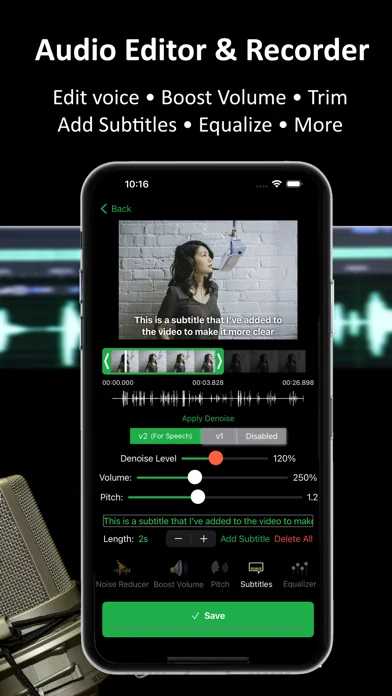
ALL IN ONE AUDIO EDITOR:
* Smart graphic equalizer to get better audio quality
* Trim, cut and perform other video/audio adjustments
* Voice changer
* Volume booster
* Embed subtitles into the video
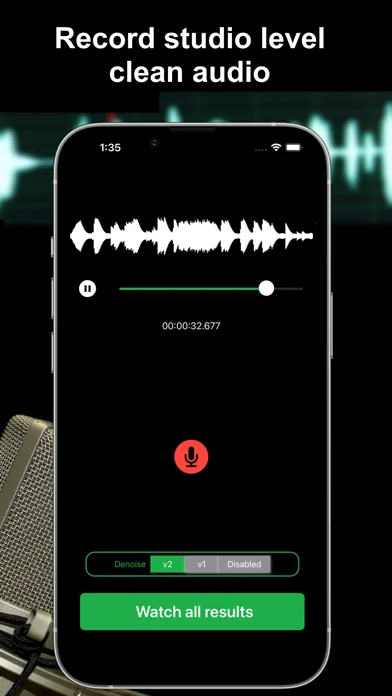
SMART AUDIO RECORDER:
* Audio recorder with AI Noise Reduction that works great for podcasts
* Get crystal clear recordings and share with your friends
* Create audiobooks or speeches using our recorder to get clean recordings
SPEECH ENHANCEMENT FEATURE:
* Choose "Speech Only" to remove everything but the speaker
* Everything that is not human voice will be removed (if you choose v2-Speech Only)
* If you want to keep other important sounds except for noises, choose v1
BOOST VOLUME:
* After performing noise reduction you can also boost the important sounds in the video/audio
* You can also use the app as a simple volume booster or equalizer to increase file's volume regardless to the iPhone's volume
SUPPORTS COMMON VIDEO/AUDIO FORMATS:
* Load video formats of MOV, MP4, M4V, FLV, MKV, MPG, 3GP and more
* Load audio formats of WAV, MP3, M4A, M4B, AAC, AC3, WMA and more
* Or just create your own recordings using our great audio recorder
DISCLAIMER: This program was tested and trained with many audio/video files, but it is an impossible task to automatically remove all noises for all kind of videos. It is going to work for most videos/audios but for some it might simply fail (videos with just too many noises or when the main speaker can barely be heard).
Note: The free version of this app lets you denoise only the first 30 seconds of your videos (or videos shorter than that). If you enjoy the app, consider subscribing to the pro version and get unlimited features.
Please read our terms of service and privacy policy before using the application: * Terms of service - https://ofirapps.blogspot.com/2021/03/video-noise-cleaner-terms-and-conditions.html * Privacy Policy - https://ofirapps.blogspot.com/2021/03/video-noise-cleaner-privacy-policy.html
🆕 What's new · v1.3.33
Bug fixes
Performance improvements
Comparable iOS apps
The five apps in Photo & Video with the closest revenue to ByeNoise - Video Audio Editor. Click any to see its detail page.
Each forecast combines App Store rating, ratings count, monetisation model, pricing tier, IAP signals and ad-supported flag.
The base estimate is then multiplied by a per-category scaling factor learned from apps with founder-verified MRR.
Every number on this page comes from public APIs and bumetric's own snapshot history.
Full methodology covers input variables, accuracy bands per category and how we treat apps without comparable anchors.
See also the live data on ByeNoise - Video Audio Editor's tracker page for current rating, reviews and snapshot timeline.
Building something similar? Get a free AI audit with $-revenue forecasts for every recommendation.


 Draw Things: Offline AI Art
 TravelAnimator: Reiseroute
 Baby Generator - KI Gesicht
 Ageroom - AI Photo Generator
 Perfect365 Video Makeup Editor