c:geo is an open source, full-featured, always ready-to-go unofficial client for geocaching.com and offers basic support for other geocaching platforms (such as Opencaching). It does not require a web browser or exports - just install it and start right away.
Main features:
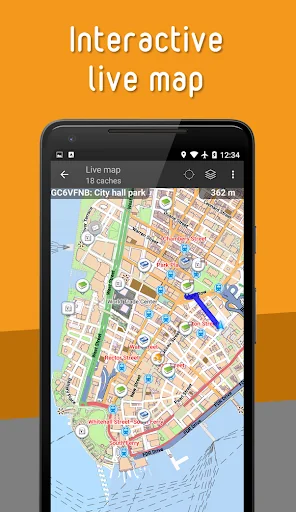
- View caches on a Live Map
- Use Google Maps or OpenStreetMaps
- Search for caches by various criteria
- Log your finds online or offline
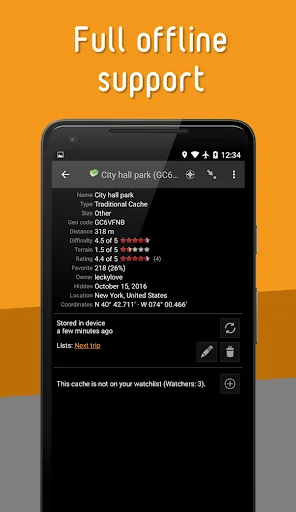
- Store cache information on your device
- Create and manage waypoints
- …
c:geo is an open source, full-featured, always ready-to-go unofficial client for geocaching.com and offers basic support for other geocaching platforms (such as Opencaching). It does not require a web browser or exports - just install it and start right away.
Main features:
- View caches on a Live Map
- Use Google Maps or OpenStreetMaps
- Search for caches by various criteria
- Log your finds online or offline
- Store cache information on your device
- Create and manage waypoints
- Navigate using compass, map, or other apps
- Import/Export GPX files
- Full support for trackables
- Offline caching functions including offline maps
c:geo is a simple to use but powerful geocaching client with a lot of additional features. All you need to get started is an existing account on geocaching.com or another geocaching platform (like Opencaching).
Find caches using the live map or by using one of the many search functions.
Navigate to a cache or a waypoint of a cache with the built-in compass function, the map or hand over the coordinates to various external apps (e.g. Radar, Google Navigation, StreetView, Locus, Navigon, Sygic and many more).
Store cache information to your device directly from geocaching.com as well as via GPX file import to have it available whenever you want.
You can manage your stored caches in different lists and can sort and filter them according to your needs.
Stored caches together with offline map files or static maps can be used to find caches without an internet connection (e.g. when roaming).
Logs can be posted online or stored offline for later submission or exported via field notes.
Search and discover trackables, manage your trackable inventory and drop a Trackable while posting a cache log.
If you have problems installing or using c:geo please first have a look at our FAQ (https://faq.cgeo.org) or consult the user guide (https://manual.cgeo.org).
If there are still problems, contact support via email.
If you would like to know why c:geo needs the permissions requested, please check https://www.cgeo.org for an explanation.
Comparable Android apps
The five apps in Entertainment with the closest revenue to c:geo. Click any to see its detail page.
Each forecast combines App Store rating, ratings count, monetisation model, pricing tier, IAP signals and ad-supported flag.
The base estimate is then multiplied by a per-category scaling factor learned from apps with founder-verified MRR.
Every number on this page comes from public APIs and Bumetric's own snapshot history.
Full methodology covers input variables, accuracy bands per category and how we treat apps without comparable anchors.
See also the live data on c:geo's tracker page for current rating, reviews and snapshot timeline.
Building something similar? Get a free AI audit with $-revenue forecasts for every recommendation.


 Elite Emojis & Sticker Packs
 Make Me Bald Prank
 GIF | Video | Tweet Downloader
 Wedding Makeup Salon
 T-Mobile Play