What Caffeinate actually does (from store listing)
**Please note, Caffeinate is on hiatus while I work through some personal issues, thank you for your interest in Caffeinate however, that means the world to me!**
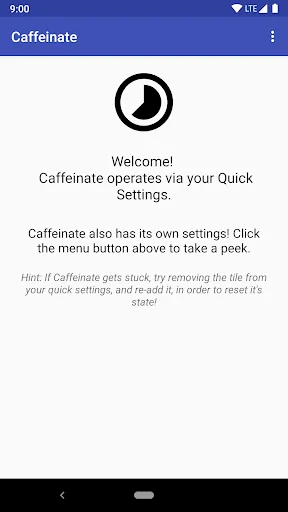
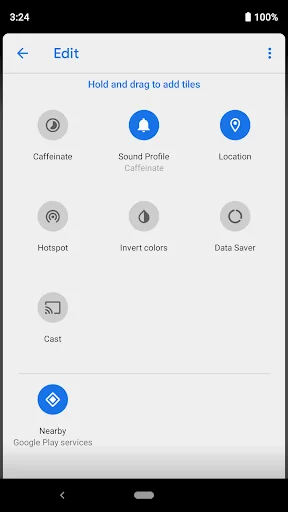
Caffeinate works by creating a Tile in your Quick Settings, a feature only available in Android Nougat (7.0) and higher.
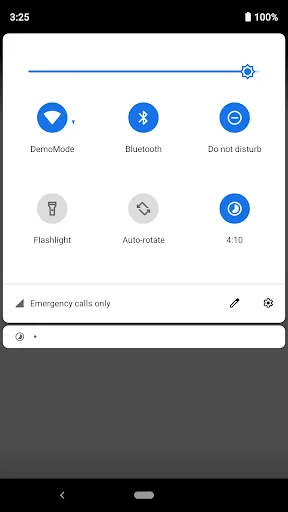
Upon toggling, Caffeinate will keep your screen awake for five minutes (you can increase this timer by tapping the tile, or change the default time in the settings). After times up, your screen will continue sl…
**Please note, Caffeinate is on hiatus while I work through some personal issues, thank you for your interest in Caffeinate however, that means the world to me!**
Caffeinate works by creating a Tile in your Quick Settings, a feature only available in Android Nougat (7.0) and higher.
Upon toggling, Caffeinate will keep your screen awake for five minutes (you can increase this timer by tapping the tile, or change the default time in the settings). After times up, your screen will continue sleeping normally.
Pretty much works exactly like CM's (and now LineageOS') caffeine function.
A few things to note...
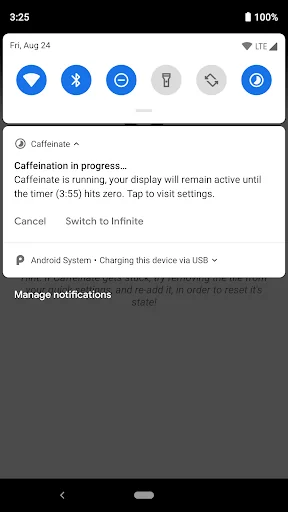
- Caffeinate posts a notification when activated (and removed when the timer hits zero) in order to prevent the service from being killed. You can disable notifications for Caffeinate by long pressing the notification, and choosing to block all notifications (You'll miss the quick cancel option however!).
- By default, Caffeinate has an app launcher icon just like any other normal app on your phone, but you can choose to hide this icon through Caffeinate's settings menu.
- Caffeinate uses Firebase, in order to report crashes, some analytics, and remote config (A/B testing).
- Due to issues with aggressive battery optimizations features built into OneUI, Caffeinate is not supported on Samsung phones/tablets.
Want to help translate Caffeinate to your language? Head over to https://poeditor.com/join/project/ZYB37nK4gR to help out!
Comparable Android apps
The five apps in Tools with the closest revenue to Caffeinate. Click any to see its detail page.
Each forecast combines App Store rating, ratings count, monetisation model, pricing tier, IAP signals and ad-supported flag.
The base estimate is then multiplied by a per-category scaling factor learned from apps with founder-verified MRR.
Every number on this page comes from public APIs and bumetric's own snapshot history.
Full methodology covers input variables, accuracy bands per category and how we treat apps without comparable anchors.
See also the live data on Caffeinate's tracker page for current rating, reviews and snapshot timeline.
Building something similar? Get a free AI audit with $-revenue forecasts for every recommendation.


 Voice "British" for DVBeep
 CPU-M Pro - Device Info
 Vestel Smart Health
 ACR: Phone Call Recorder
 Look to Speak