What Calculator Arity actually does (from store listing)
Arity Calculator was written by Mihai Preda, and is open source. It uses the "Arity" arithmetic library.
Адаптировано для Android 4.x by Naik. Special mod for KI-14-1 :) Enjoy!
Sample expressions
simple expression: 1+2
variable evaluation: pi
function evaluation: sin(0)
variable definition: a=3.5
function definition: f(x)=x^2-1
parentheses: (1-x)^2
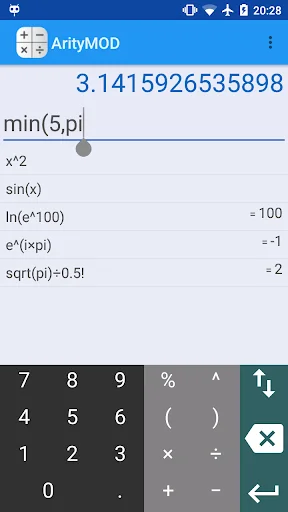
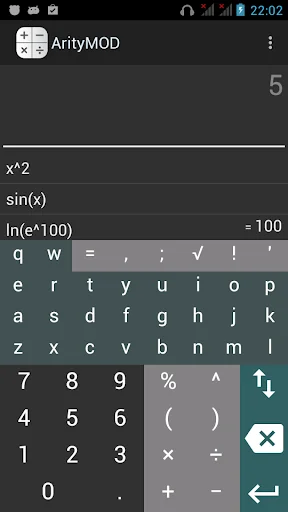
To enter an expression cointaining letters, such as sin(x), use the ⇳ key on the basic keypad. It toggles opened/closed the letter key…
Arity Calculator was written by Mihai Preda, and is open source. It uses the "Arity" arithmetic library.
Адаптировано для Android 4.x by Naik. Special mod for KI-14-1 :) Enjoy!
Sample expressions
simple expression: 1+2
variable evaluation: pi
function evaluation: sin(0)
variable definition: a=3.5
function definition: f(x)=x^2-1
parentheses: (1-x)^2
To enter an expression cointaining letters, such as sin(x), use the ⇳ key on the basic keypad. It toggles opened/closed the letter keypad.
Predefined functions
sinh(x), cosh(x), tanh(x)
asinh(x), acosh(x), atanh(x)
Other
gcd(x,y): greatest common divisor
comb(n,k): combinations
perm(n,k): permutations
min(x,y), max(x,y)
floor(x), ceil(x)
abs(x): absolute value
sign(x): signum
rnd(): random value from [0,1). rnd(max): random value from [0, max).
gamma(x): (x-1)!
mod(x,y): modulo
Complex numbers
i or j is the complex base. Example:
i*i
(1+i)^2
e^(i*pi)
Operators
Parentheses: you may omit the leading or final parentheses, e.g. 1+2)(3+4 is valid.
Multiplication: you may omit the multiplication operator when unambiguous, e.g. 3π+2(1+2)
Expression continuation: starting a new expression with an operator auto-inserts ans, the result of the last expression.
Clear: use the Enter key to quickly erase the whole input line.
Scientific e notation: 1e3 is 1000.
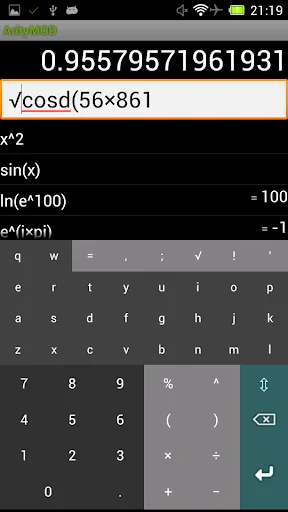
Angles in degrees instead of radians: use either sind(90) or sin(90deg).
Use trackball Up/Down to navigate the history.
Derivative
It is possible to compute the first derivative of a function with one argument using the prime notation: log'(5).
The prime mark (quote) must appear immediately after the name of the function, and must be followed by open-parentheses.
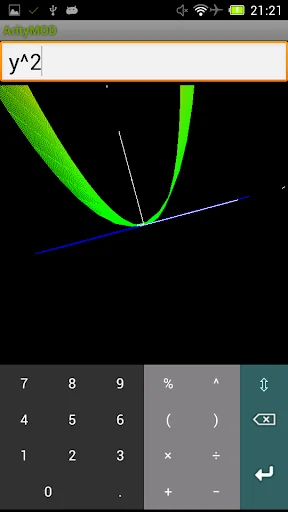
The derivative may be plotted e.g. sqrt'(x).
To compute the derivative of an expression you must define the expression as a named function: E.g. f(x)=x^3+x^2+1, followed by f'(x).
Multi plot
To plot multiple functions on the same 2d graph, simply enter them on the same line separated by ";". E.g. x;x^2;2
Binary, octal, hexadecimal
You can enter values in binary, octal or hexadecimal by prefixing them with 0b, 0o or 0x respectivelly, such as:
binary: 0b1010
octal: 0o17
hex: 0x100
Comparable Android apps
The five apps in Tools with the closest revenue to Calculator Arity. Click any to see its detail page.
Each forecast combines App Store rating, ratings count, monetisation model, pricing tier, IAP signals and ad-supported flag.
The base estimate is then multiplied by a per-category scaling factor learned from apps with founder-verified MRR.
Every number on this page comes from public APIs and Bumetric's own snapshot history.
Full methodology covers input variables, accuracy bands per category and how we treat apps without comparable anchors.
See also the live data on Calculator Arity's tracker page for current rating, reviews and snapshot timeline.
Building something similar? Get a free AI audit with $-revenue forecasts for every recommendation.


 My Prayers
 Mi Vendas, Pedido, Estoque PDV
 MDM - Deutsche Telekom
 SecuFirst HD Professional Edit
 SNMP Network Monitor