What Calculator PanecalST Plus actually does (from store listing)
Information:
After installing paid version, you can find a new icon that is another icon of free version on your phone or tablet.
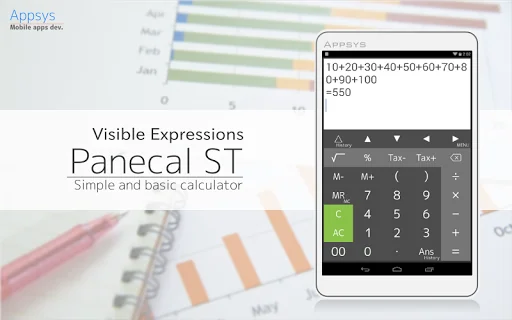
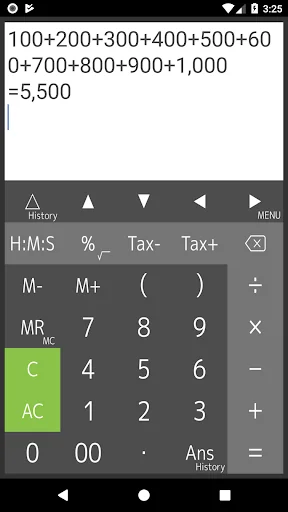
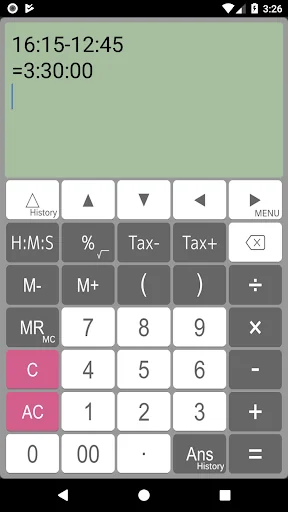
This calculator indicates formulas on the display and gives easy operation for editing by using a cursor.
Features:
- Four arithmetic operations, root, percentages, time and tax calculations
- Calculations with parentheses
- Memory, M+, M-, MR, MC
- Scroll up/down lines
- Easy editing by using a cursor operation
- Cut, copy, and paste
- Expressions and…
Information:
After installing paid version, you can find a new icon that is another icon of free version on your phone or tablet.
This calculator indicates formulas on the display and gives easy operation for editing by using a cursor.
Features:
- Four arithmetic operations, root, percentages, time and tax calculations
- Calculations with parentheses
- Memory, M+, M-, MR, MC
- Scroll up/down lines
- Easy editing by using a cursor operation
- Cut, copy, and paste
- Expressions and answer history
- Grouping separator and decimal point
- Various functions settings (Long tap MENU key)
Various uses:
- General calculator
- Tax calculation in the shop
- Sales calculation
- Calculation of split the cost
- Long formulas of calculation
- Calculation of elapsed time
Grouping separator and decimal point:
123,456,789.1 + 0.02 = 123,456,789.12
123.456.789,1 + 0,02 = 123.456.789,12
(Depends on setting)
Display:
This calculator can indicate long expressions on the display. If you may mistake to input expressions, you can correct this expressions easily and quickly using by BS(back space) key, arrow keys and C(clear) key.
Re-play and history functions:
Re-play functions is that indicates expressions that you inputted in the recently using by △(re-play)key. If you long-press re-play key, a table of the expressions history is available.
Last answer and history functions:
Last answer is that indicates the last calculation result by using ans key. If you long-press ans key, a table of the last answer history is available.
Percent calculation:
If you would like to calculate “20% more $50”, you can input 50+20% and get a result.
Tax calculation:
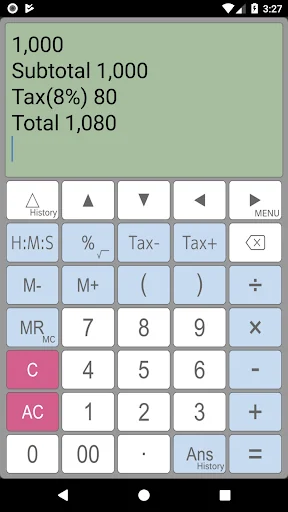
This calculator can store tax rate in the setting. And you can get price including / excluding tax easily and quickly using by Tax+/Tax- keys.
[Disclaimer]
Appsys does not accept responsibility for any loss which may arise from reliance on the software or materials published on this site.
Comparable Android apps
The five apps in Productivity with the closest revenue to Calculator PanecalST Plus. Click any to see its detail page.
Each forecast combines App Store rating, ratings count, monetisation model, pricing tier, IAP signals and ad-supported flag.
The base estimate is then multiplied by a per-category scaling factor learned from apps with founder-verified MRR.
Every number on this page comes from public APIs and bumetric's own snapshot history.
Full methodology covers input variables, accuracy bands per category and how we treat apps without comparable anchors.
See also the live data on Calculator PanecalST Plus's tracker page for current rating, reviews and snapshot timeline.
Building something similar? Get a free AI audit with $-revenue forecasts for every recommendation.

 POPdiary+ : diary, journal
 VerbTeX Pro LaTeX Editor
 Hvem der?
 LifeUp: Gamify Tasks & Habits
 Shift Schedule Donation