What Calculator - unit converter actually does (from store listing)
Calculator is now available for all Android devices running version 4.1 and above!
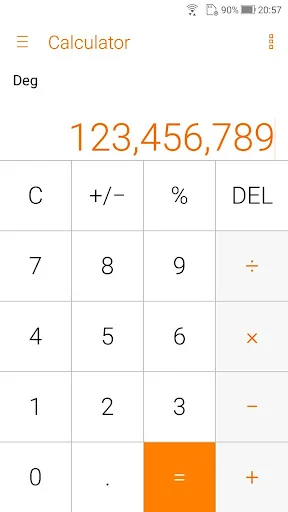
Make easy calculations with ASUS Calculator. This app has simple yet intuitive interface that lets you calculate fast, smooth, and easy. It provides all kinds of features that meet your calculating needs and demands.
<b>Key features</b>
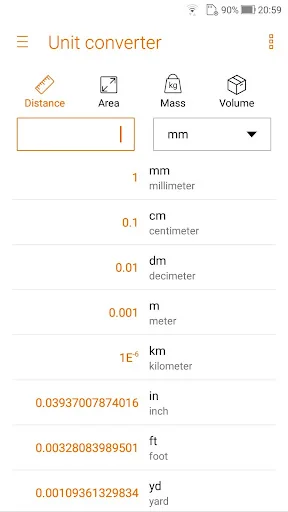
<b>* Unit converter</b>
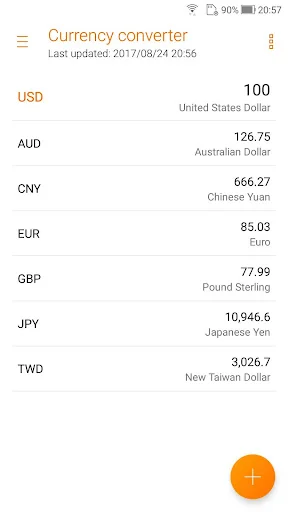
Conversion of Length, area, weight, volume, speed
<b>* Basic or root operators</b>
+, -, ×, ÷
<b>* Swipe left/right to switch views</b>
Swipe …
Calculator is now available for all Android devices running version 4.1 and above!
Make easy calculations with ASUS Calculator. This app has simple yet intuitive interface that lets you calculate fast, smooth, and easy. It provides all kinds of features that meet your calculating needs and demands.
Key features * Unit converter Conversion of Length, area, weight, volume, speed
* Basic or root operators +, -, ×, ÷
* Swipe left/right to switch views Swipe left for standard mode, swipe right for other operators
* Standard mode/Scientific mode Tilt to switch between standard mode and scientific mode
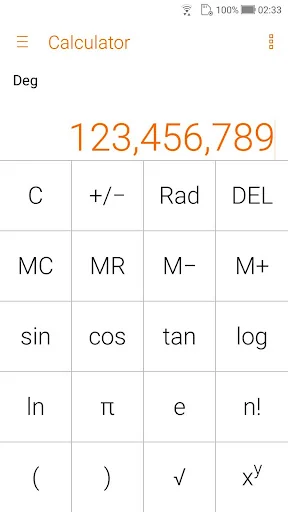
* Other operators Like %, √, !, π, e,log,ln
* Trigonometric functions in degree or radians sin,cos,tan, in DEG or RAD
* Easy edit operations Such as cut, copy, or paste of results in any editing app
* History display Easy to see your previous calculations via History display
* Floating calculator Floating Calculator app for quick calculations
* Auto-adjustment of the font size Fit more digits on the display
* Thousand separators Helps you count the numbers easily
* Allows a combination of operators in one expression e.g. √(125÷5) + sin(30x3)
* Easy edit of the inputs using a cursor Like add, delete, or change a number/operator
Comparable Android apps
The five apps in Productivity with the closest revenue to Calculator - unit converter. Click any to see its detail page.
Each forecast combines App Store rating, ratings count, monetisation model, pricing tier, IAP signals and ad-supported flag.
The base estimate is then multiplied by a per-category scaling factor learned from apps with founder-verified MRR.
Every number on this page comes from public APIs and bumetric's own snapshot history.
Full methodology covers input variables, accuracy bands per category and how we treat apps without comparable anchors.
See also the live data on Calculator - unit converter's tracker page for current rating, reviews and snapshot timeline.
Building something similar? Get a free AI audit with $-revenue forecasts for every recommendation.

 Absher | أبشر
 Pipe Support Calculator
 Keyboard - Emoji, Emoticons
 Samsung Security Policy Update
 Date Status Bar 2 Pro