What CalenGoo - Calendar and Tasks actually does (from store listing)
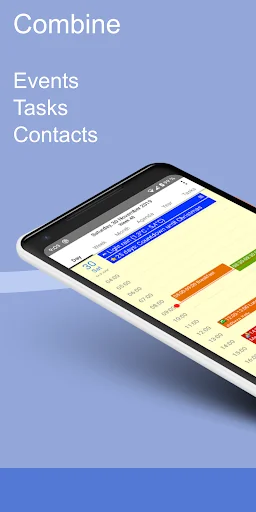
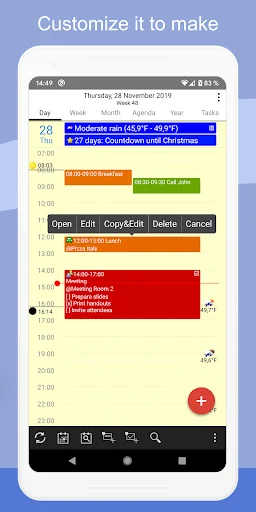
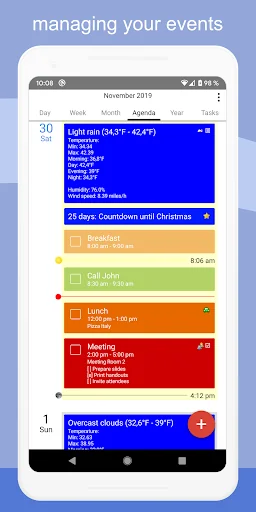
With CalenGoo you can manage all your events and tasks. With lots of configuration options you can make it look and work the way you want.
✔️ Sync <b>all your past and future events</b> with Google Calendar (just add your Google account under "Settings > Accounts" instead of syncing via the Android calendar).
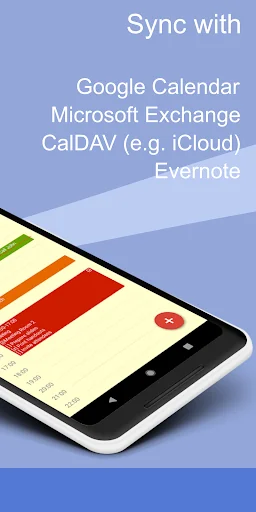
✔️ Sync calendars with <b>Google Calendar, Exchange, CalDAV and iCloud</b> (via the Android calendar or directly).
✔️ Sync tasks with <b>Google Calendar, Exchange, CalDAV and iCloud</b…
With CalenGoo you can manage all your events and tasks. With lots of configuration options you can make it look and work the way you want.
✔️ Sync all your past and future events with Google Calendar (just add your Google account under "Settings > Accounts" instead of syncing via the Android calendar).
✔️ Sync calendars with Google Calendar, Exchange, CalDAV and iCloud (via the Android calendar or directly).
✔️ Sync tasks with Google Calendar, Exchange, CalDAV and iCloud.
✔️ Attach photos and files to your events (when syncing directly with Google Calendar).
✔️ Attach Evernote® notes to events.
✔️ Weather forecast ("Settings > Weather").
✔️ Add icons to Google events (you have to add your Google account under "Settings > Accounts", then you can configure the icons under "Settings > Icons").
✔️ Five types of calendar views (day, week, month, agenda and year).
✔️ Four styles of agenda views ("Settings > Display and Use > Agenda view")
✔️ Use drag&drop to move and copy your events.
✔️ Widgets to see your events on your home screen (day, week, month, agenda, year and task widget).
✔️ Support for Exchange categories (when syncing CalenGoo directly with Exchange using EWS).
✔️ Share calendars with other people (using Google Calendar).
✔️ Search function
✔️ Various reminder functions (e.g. notifications, pop-up window, spoken reminders, different sounds, ...)
✔️ Birthdays and anniversaries of your contacts
✔️ Floating events and completable events
✔️ Templates for events
✔️ Print to PDF function
✔️ Tasks in events (add a short list of tasks into an event)
✔️ Contacts can be linked to events
✔️ Use keywords to change the color or icons of your events ("Settings > Display and Use > General > Keywords").
✔️ Dark theme and light theme ("Settings > Design")
✔️ Many configuration options can be found under "Settings > Display and Use".
✔️ Supports WearOS by Google (Agenda view, New event, New task)
For more details please see here:
http://android.calengoo.com
Additionally you can add ideas or vote for ideas on https://calengoo.de/features/calengooandroid
And you can find a free 3-day trial version here: http://android.calengoo.com/trial
If you have problems just contact the support: http://android.calengoo.com/support
Comparable Android apps
The five apps in Productivity with the closest revenue to CalenGoo - Calendar and Tasks. Click any to see its detail page.
Each forecast combines App Store rating, ratings count, monetisation model, pricing tier, IAP signals and ad-supported flag.
The base estimate is then multiplied by a per-category scaling factor learned from apps with founder-verified MRR.
Every number on this page comes from public APIs and bumetric's own snapshot history.
Full methodology covers input variables, accuracy bands per category and how we treat apps without comparable anchors.
See also the live data on CalenGoo - Calendar and Tasks's tracker page for current rating, reviews and snapshot timeline.
Building something similar? Get a free AI audit with $-revenue forecasts for every recommendation.

 Calendar Widget (key)
 Solid Explorer Classic Unlock
 Simple Calendar Pro
 Work Log Pro
 ownCloud