ML revenue forecast.
Calibrated against 48160 apps in this category.
Confidence band
±15%
High — many comparable apps with verified data
At a glance
Earns 8.83× more than the category median (130/mo).
Ranks #659 of 48,160 in Business (top 1.4% by revenue).
Launched Nov 20, 2015 · last updated Jan 05, 2026.
What the app looks like
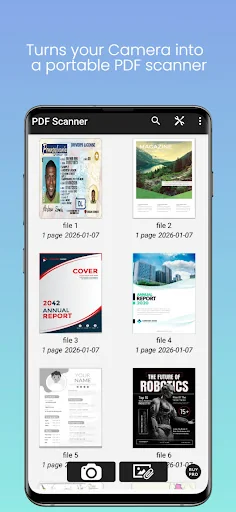
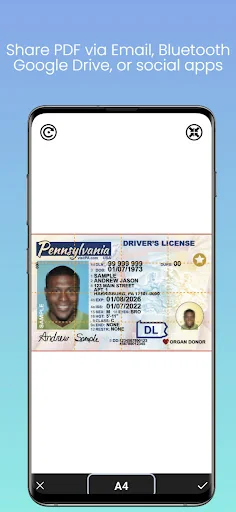
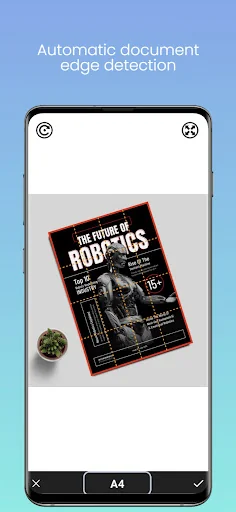
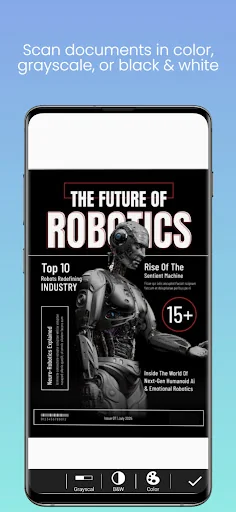
Live screenshots from the Play Store, captured by our snapshot worker. Tap any image to enlarge.
Camera To PDF Scanner's revenue trajectory
Forecast revenue from snapshot history. Last 1 months.
Where Camera To PDF Scanner sits in Business
Revenue distribution of 48160 comparable apps. Camera To PDF Scanner highlighted.
Camera To PDF Scanner vs comparable apps
Revenue trajectory side-by-side. Bold = Camera To PDF Scanner, ghosted = peers.
App spec
Version
4.0.4
Last update
Jan 05, 2026
Launched
Nov 20, 2015
Price
Free
Monetization
Free
What Camera To PDF Scanner actually does (from store listing)
Camera To PDF Scanner is a free and simple document scanning app that turns your smartphone into a portable PDF scanner. You can scan documents using your camera or gallery and save them as PDF or JPEG files.
We respect your privacy. This app does not collect or store personal data.
⭐ Key Features
• Scan documents in color, grayscale, or black & white
• Automatic document edge detection and perspective correction
• Multiple page sizes supported: A4, A3, Letter, Legal, Business Card, a…
Camera To PDF Scanner is a free and simple document scanning app that turns your smartphone into a portable PDF scanner. You can scan documents using your camera or gallery and save them as PDF or JPEG files.
We respect your privacy. This app does not collect or store personal data.
⭐ Key Features
• Scan documents in color, grayscale, or black & white
• Automatic document edge detection and perspective correction
• Multiple page sizes supported: A4, A3, Letter, Legal, Business Card, and more
• Adjust contrast levels for clear and sharp text
• Multi-page scanning and PDF creation
• Fast processing and smooth performance
• Save files in PDF or JPEG format
• Easily share scanned documents via email, Bluetooth, Google Drive, or social apps
📌 How to Use
Step 1: Select a document page from Camera or Gallery. Crop the area you want to scan and confirm.
Step 2: Adjust color mode or contrast, then save the page to a document (default name: New Document).
Step 3: Add more pages and combine them into a single PDF file.
Step 4: Share your document or access the saved files on your device.
Each forecast combines App Store rating, ratings count, monetisation model, pricing tier, IAP signals and ad-supported flag.
The base estimate is then multiplied by a per-category scaling factor learned from apps with founder-verified MRR.
Every number on this page comes from public APIs and bumetric's own snapshot history.
Full methodology covers input variables, accuracy bands per category and how we treat apps without comparable anchors.
See also the live data on Camera To PDF Scanner's tracker page for current rating, reviews and snapshot timeline.
Building something similar? Get a free AI audit with $-revenue forecasts for every recommendation.

 Bluetooth Audio Widget Battery
 Agrobank
 JivoChat
 Sulekha Business-List & grow
 ACPL FM220 Registered Device