What Capture Clipper actually does (from store listing)
A screen capture tool for Web sites. You can easily call it from your browser's share menu.
<b>Features:</b>
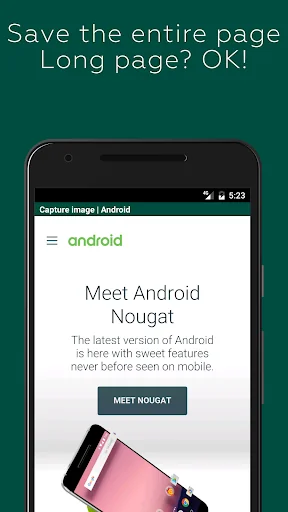
- You can save the entire page. It's also for long vertical pages!
- It blocks ads by default, so you can take ad-free captures (you can also turn off the blocking)
- You can also save only the area you are viewing.
- The image is saved as a PNG file, so there is no blurring.
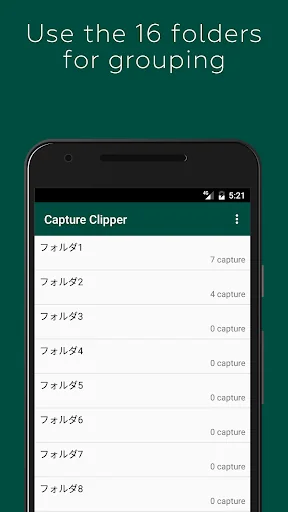
- The captures can be categorized into 16 folders. You can change the name of the folder as you like.
-…
A screen capture tool for Web sites. You can easily call it from your browser's share menu.
Features:
- You can save the entire page. It's also for long vertical pages!
- It blocks ads by default, so you can take ad-free captures (you can also turn off the blocking)
- You can also save only the area you are viewing.
- The image is saved as a PNG file, so there is no blurring.
- The captures can be categorized into 16 folders. You can change the name of the folder as you like.
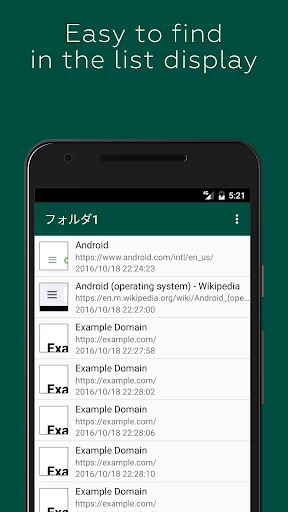
- Captures can also be viewed offline, saving you packet.
How to use it:
- Take note of coupons, transfer information, recipes, etc. and check offline!
- Save your favorite blogs and images that you want to see over and over again
Capture steps (for standard browser/Chrome):
1. display the Web site you want to capture in a standard browser/Chrome
2. display the Menu
3. select [Other].
4. select [Share Page].
Select [Capture Clipper].
You can use the same steps with other browsers.
Capture of the Login Required Page:
Due to technical limitations of Android, pages that require login, etc. cannot be captured directly. The preview screen can be used like a normal browser, so you can capture it with a login operation.
Also, if you select "Reload First Page" in the preview menu, the first URL that calls Capture Clipper will be reloaded. The recapture after the login process might come in handy just a little bit. (Reloading may not work in some cases.)
Restrictions: app capture:
Capture Clipper is for web pages only and cannot capture applications such as Facebook, email, games, etc.
You can capture them with Android 4.0 or later devices with the standard OS features. Try pressing the "Power" button and the "Volume Down" button at the same time.
Comparable Android apps
The five apps in Tools with the closest revenue to Capture Clipper. Click any to see its detail page.
Each forecast combines App Store rating, ratings count, monetisation model, pricing tier, IAP signals and ad-supported flag.
The base estimate is then multiplied by a per-category scaling factor learned from apps with founder-verified MRR.
Every number on this page comes from public APIs and bumetric's own snapshot history.
Full methodology covers input variables, accuracy bands per category and how we treat apps without comparable anchors.
See also the live data on Capture Clipper's tracker page for current rating, reviews and snapshot timeline.
Building something similar? Get a free AI audit with $-revenue forecasts for every recommendation.


 Battery Widget
 AirPatrol - Smart AC control
 RGB LED IR Controller Wireless
 Smart Logbook
 Edifier Connect