What Catch! — Android-PC File Trans actually does (from store listing)
<h2><b>Transfer files from Android to PC and other mobile devices via local Wi-Fi network</b></h2>
Let’s make your desktop and mobile devices closer! Install DAEMON Tools Ultra or Lite to to <b>transfer files from Android to PC</b> with the lightning speed. <b>Back up Android files</b>, transfer photos from Android to PC, browse the content of your phone and catch all types of files from any device in the local network.
<h3><b>Why to use Catch! for the file transfer?</b></h3>
- Lightning sp…
Transfer files from Android to PC and other mobile devices via local Wi-Fi network
Let’s make your desktop and mobile devices closer! Install DAEMON Tools Ultra or Lite to to transfer files from Android to PC with the lightning speed. Back up Android files, transfer photos from Android to PC, browse the content of your phone and catch all types of files from any device in the local network.
Why to use Catch! for the file transfer?
- Lightning speed
- Automated backups
- No mobile network usage
- No limits on the file types
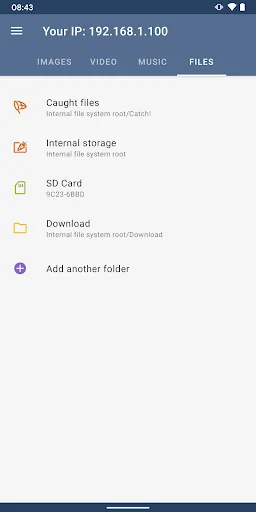
- Mobile device browsing
How to transfer files from Android to PC and back?
- Install DAEMON Tools Ultra or Lite to your PC
- Open Catch! on the Android device
- Ensure that both apps are running in the same network
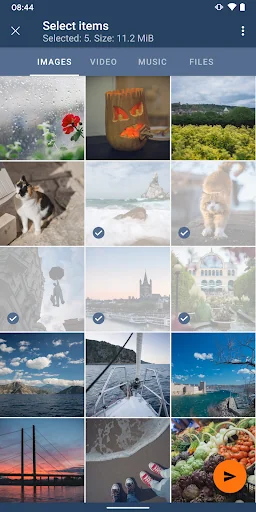
- Choose photos, tracks or files you want to send
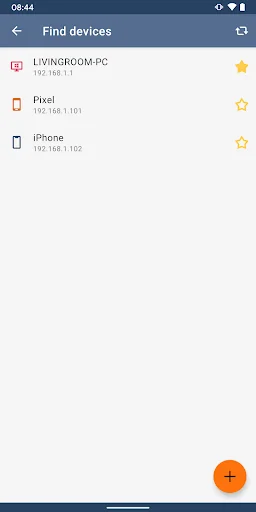
- Choose the PC that will catch them
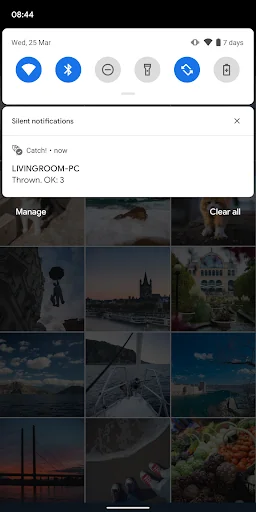
- Wait while we transfer files from Android to PC
- Go to DAEMON Tools to look at the received files :)
How to browse Android files from the PC?
- Open Catch! on the Android device
- Install DAEMON Tools Ultra/Lite to your PC
- Ensure that both apps are in the same network
- Launch Ultra/Lite, you will see your Android on the device panel
- Right-click it and choose Open in Ultra/Lite option
- That’s it! All Android files are shown on your PC
How to back up Android files to PC?
- Install DAEMON Tools Ultra to your PC
- Open Catch! on the Android device
- Ensure that both apps are in the same network
- Choose New Backup Task from Store section in Ultra
- Set Source to Remote device and choose your one
- Adjust backup schedule and settings, click Finish
- That’s it! The task to back up Android to PC is ready
Comparable Android apps
The five apps in Tools with the closest revenue to Catch! — Android-PC File Trans. Click any to see its detail page.
Each forecast combines App Store rating, ratings count, monetisation model, pricing tier, IAP signals and ad-supported flag.
The base estimate is then multiplied by a per-category scaling factor learned from apps with founder-verified MRR.
Every number on this page comes from public APIs and bumetric's own snapshot history.
Full methodology covers input variables, accuracy bands per category and how we treat apps without comparable anchors.
See also the live data on Catch! — Android-PC File Trans's tracker page for current rating, reviews and snapshot timeline.
Building something similar? Get a free AI audit with $-revenue forecasts for every recommendation.


 Wilo-Assistant
 Classic Analog Clock-7
 Smart WiFi Kill
 Backup And Restore App
 Meter
Meter