What Chinese Watch Face actually does (from store listing)
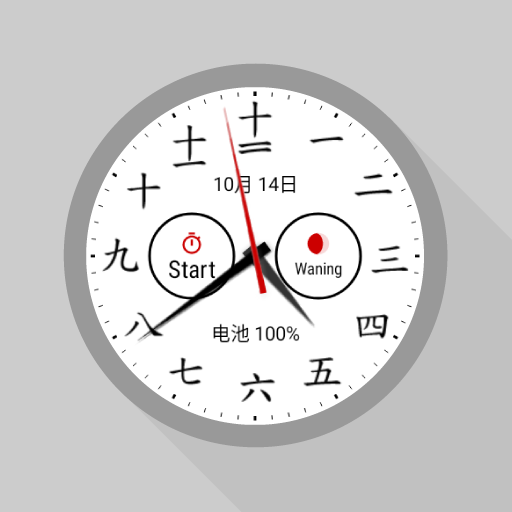
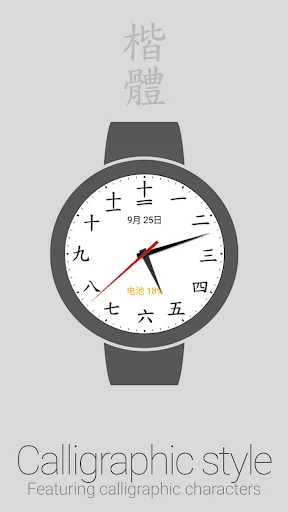
Analogue clock dial watch face for Wear OS featuring Chinese numerals.
<b>Features</b>
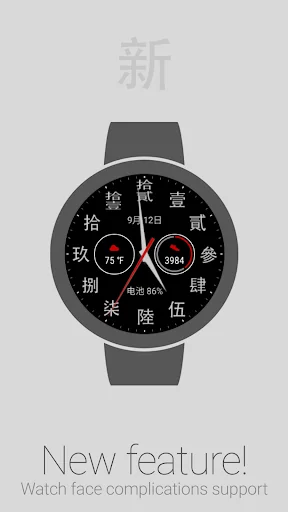
• NEW: Complications*
• Accent color selection
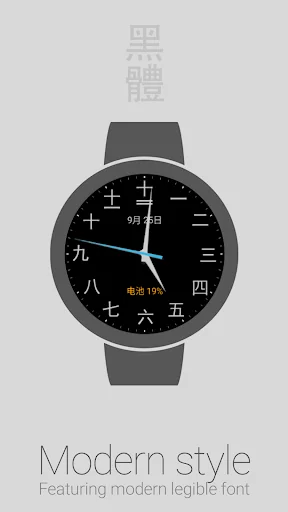
• Dark and Light color themes
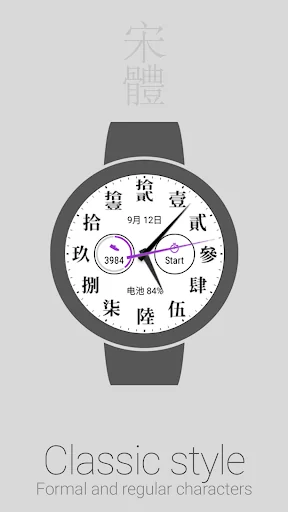
• Formal traditional and Regular simplified characters
• Calligraphic, Classic and Modern character styles
• Date display: 月 (yuè) stands for month, 日 (ri) stands for day
• Battery level indicator: 电池 (diànchí) stands for battery
• Alternate date and battery level indicators
• Configuration options
• Help topics
<b>Acc…
Analogue clock dial watch face for Wear OS featuring Chinese numerals.
Features • NEW: Complications*
• Accent color selection
• Dark and Light color themes
• Formal traditional and Regular simplified characters
• Calligraphic, Classic and Modern character styles
• Date display: 月 (yuè) stands for month, 日 (ri) stands for day
• Battery level indicator: 电池 (diànchí) stands for battery
• Alternate date and battery level indicators
• Configuration options
• Help topics
Accessing Watch face settings • Option 1, using the phone: Open the Wear OS (Android Wear) app, and then tap the white gear icon in the center of the selected watch face.
• Option 2, directly on watch: Tap and hold anywhere on the watch face, and then select the white gear icon.
Reading Chinese numbers For detailed information, select Help from the options menu of the Watch face settings companion app on the phone.
Requirements: Wear OS smartwatch.
Both square and round screen devices are supported.
This app is intended exclusively for use with smartwatches and cannot be started on a smartphone.
Disclaimer: The application is provided as is without liabilities or warranties of any kind, either express or implied.
* Watch face complications require Wear OS 1.0 (formerly Android Wear 2.0)
Comparable Android apps
The five apps in Personalization with the closest revenue to Chinese Watch Face. Click any to see its detail page.
Each forecast combines App Store rating, ratings count, monetisation model, pricing tier, IAP signals and ad-supported flag.
The base estimate is then multiplied by a per-category scaling factor learned from apps with founder-verified MRR.
Every number on this page comes from public APIs and bumetric's own snapshot history.
Full methodology covers input variables, accuracy bands per category and how we treat apps without comparable anchors.
See also the live data on Chinese Watch Face's tracker page for current rating, reviews and snapshot timeline.
Building something similar? Get a free AI audit with $-revenue forecasts for every recommendation.

 Pastel Pink Cosmos Theme
 虎曼陀羅 虎の和風壁紙テーマ
 Unicode Keyboard
 Halloween Spooky Watch Face
 Word Clock Widget