What Claro ScanPen OCR Reader actually does (from store listing)
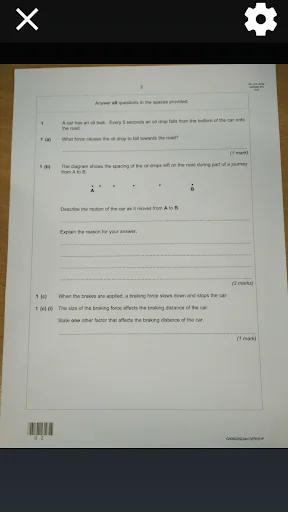
Need to listen to printed text spoken aloud - at school, in a test or exam, at work or at home? Use Claro ScanPen to photo your printed text document, letter, test paper - then select the text with your finger or (stylus), and hear it spoken straight back to you. Instantly! No internet connection required.
Claro ScanPen advances read aloud support. It gives access to printed text materials, exam papers and documents for all, in a wide range of languages. Using your Android Phone, or Tablet, s…
Need to listen to printed text spoken aloud - at school, in a test or exam, at work or at home? Use Claro ScanPen to photo your printed text document, letter, test paper - then select the text with your finger or (stylus), and hear it spoken straight back to you. Instantly! No internet connection required.
Claro ScanPen advances read aloud support. It gives access to printed text materials, exam papers and documents for all, in a wide range of languages. Using your Android Phone, or Tablet, simply:
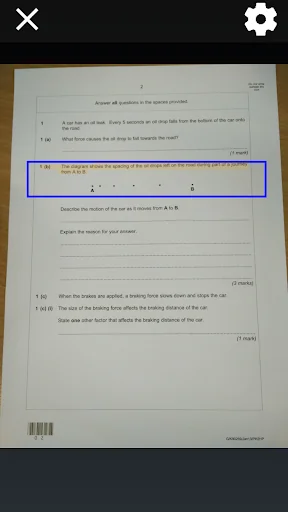
• Highlight with your finger or stylus which section of text you want to hear spoken to you.
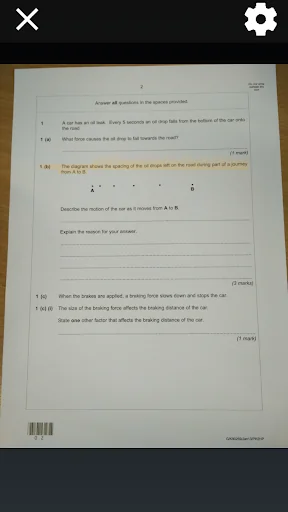
• Listen as Claro ScanPen instantly reads the text back to you using a human quality voice in a language of your choice.
With your finger (or stylus) you can highlight all of the text, word by word or line by line. Tap anywhere to stop the speech.
Claro ScanPen app has no access to the internet or any reference material like dictionary or thesaurus, so is perfect to use as a read aloud tool under exam and test conditions, helping students who cannot read text very well (e.g. students with dyslexia) to listen to the exam test paper questions and information. It can also be used for quickly converting class handout materials, printed presentations, instructions, books - in fact anything containing printed texts. Great for independent access and learning.
Claro ScanPen uses the latest Optical Character Recognition (OCR) technology to convert your picture into text and uses Android system voices to read the text back to you. The OCR in Claro ScanPen fully supports the recognition of text in the following languages:
• English
• Danish
• Dutch
• French
• German
• Italian
• Norwegian
• Portuguese
• Spanish
• Swedish
Simply select the voice that matches the language of your text to hear it read back correctly.
***Minimum camera spec: 2MP***
If you require any product support please email us at support@clarosoftware.com.
Currently not wokring on some devices, this is a Google issue and they are working on it as fast as possible, if you are having trouble though please contact us using the above email.
Comparable Android apps
The five apps in Education with the closest revenue to Claro ScanPen OCR Reader. Click any to see its detail page.
Each forecast combines App Store rating, ratings count, monetisation model, pricing tier, IAP signals and ad-supported flag.
The base estimate is then multiplied by a per-category scaling factor learned from apps with founder-verified MRR.
Every number on this page comes from public APIs and bumetric's own snapshot history.
Full methodology covers input variables, accuracy bands per category and how we treat apps without comparable anchors.
See also the live data on Claro ScanPen OCR Reader's tracker page for current rating, reviews and snapshot timeline.
Building something similar? Get a free AI audit with $-revenue forecasts for every recommendation.

 Pocket Prep Skilled Trades '26
 Scarlett, your memory coach
 Chemistry Cheat Sheet
 Spelling Learn and Quiz
 Geography Notes&Papers Form1-4