What Classic One Wear Watch Face actually does (from store listing)
Classic One Watch Face for Wear OS !
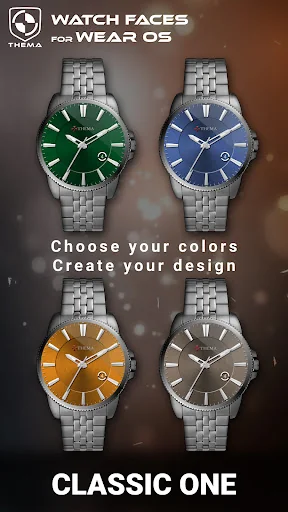
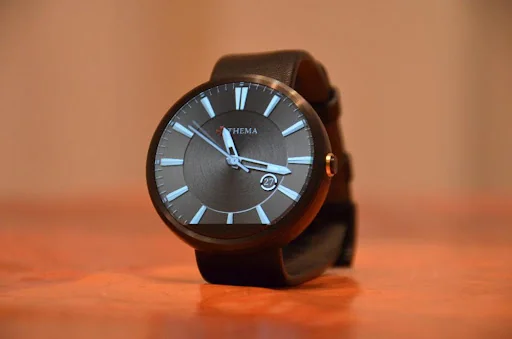
This classic watch shows the basics of what a watch should display : hour & day.
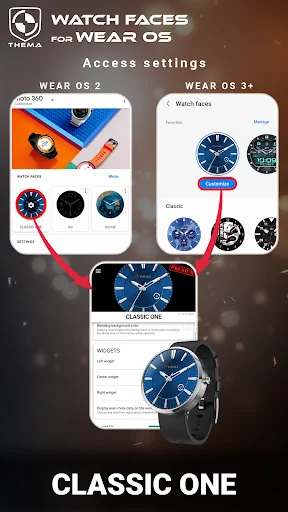
The settings of the watch face are located in the "Wear OS" app of your mobile.
Just hit the gear icon over the watch face preview and the settings screen will show up!
<u><b>★ Settings ★</b></u>
This watch face allows you to choose your favorite background color (15 availables).
Settings are available in both watch and mobile (settings in the watch face selecto…
This classic watch shows the basics of what a watch should display : hour & day.
The settings of the watch face are located in the "Wear OS" app of your mobile.
Just hit the gear icon over the watch face preview and the settings screen will show up!
★ Settings ★
This watch face allows you to choose your favorite background color (15 availables).
Settings are available in both watch and mobile (settings in the watch face selector).
★ Installation ★
🔸Wear OS 2.X / 3.X / 4.X A notification will be displayed on your watch, right after your mobile installation. You just have to hit it to start the installation process of the watch face.
If the notification did not display for some reason, you can still install the watch face by using the Google Play Store available on your watch: just search the watch face by its name.
🔸Wear OS 6.X Install the watch app to manage the watchface: the free version is automatically installed. Then use the "MANAGE" button in the top right shortcut of the watchface to update/upgrade your watch face.
Once installed, you can select the watch face from the Wear OS App.
Or long tap on the current watch face screen : watch face selector screen will open.
★ More watch faces ★
Visit my watch faces collection for Wear OS on the Play Store at https://goo.gl/CRzXbS
** If you have any issues or questions, feel free to contact me by email (English or French language) before giving a bad rating. Thanks!
Each forecast combines App Store rating, ratings count, monetisation model, pricing tier, IAP signals and ad-supported flag.
The base estimate is then multiplied by a per-category scaling factor learned from apps with founder-verified MRR.
Every number on this page comes from public APIs and bumetric's own snapshot history.
Full methodology covers input variables, accuracy bands per category and how we treat apps without comparable anchors.
See also the live data on Classic One Wear Watch Face's tracker page for current rating, reviews and snapshot timeline.
Building something similar? Get a free AI audit with $-revenue forecasts for every recommendation.



 DashCards for KLWP
 Notch Remover Pro
 Japes - Icon Pack
 3C Toggles
 Halloween Live Wallpaper HD