What Clicker Presentation Control actually does (from store listing)
Clicker turns your phone or tablet into a remote presentation controller.
We support all popular desktop operating systems and presentation software.
<b>GETTING STARTED</b>
1. Download and run the Clicker Desktop app (https://bit.ly/clicker-desktop) on your computer.
2. Connect your computer and your phone to the same WiFi network.
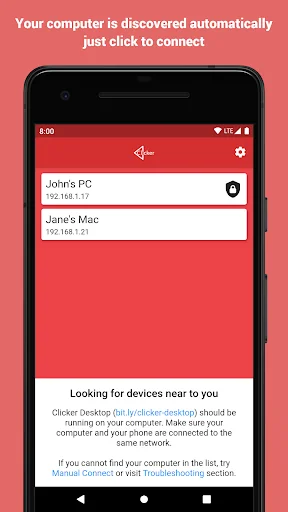
3. Run the app on your phone. Your computer will be discovered automatically.
<b>FEATURES</b>
- automatically finds available computers in the local …
Clicker turns your phone or tablet into a remote presentation controller.
We support all popular desktop operating systems and presentation software.
GETTING STARTED
1. Download and run the Clicker Desktop app (https://bit.ly/clicker-desktop) on your computer.
2. Connect your computer and your phone to the same WiFi network.
3. Run the app on your phone. Your computer will be discovered automatically.
FEATURES
- automatically finds available computers in the local network
- connect manually to computer in the remote network
- works all popular desktop operating systems
- lightweight protocol makes sure there are no lags when you click
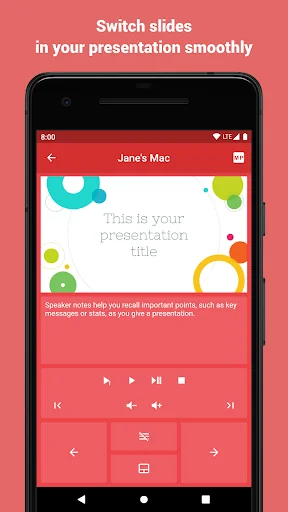
- play videos with mouse click support (remote trackpad)
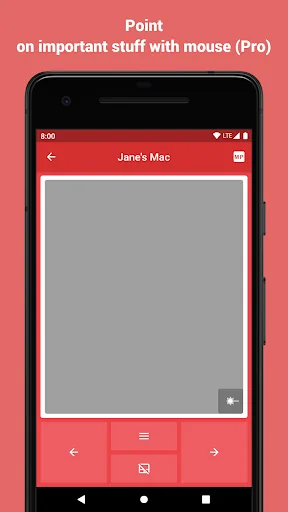
- point on important stuff with mouse (remote trackpad)
- remote volume control (presentations with audio and video)
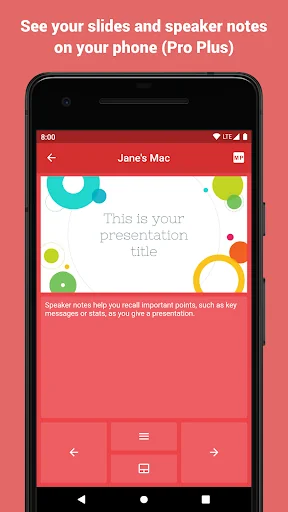
- slides preview
- speaker notes
- use S Pen to control presentations (requires S Pen 2018 or newer, with bluetooth support)
- and additions actions supported by the presentation software you use
QUESTIONS
If you have any questions or face any issues, please feel free to write to the developer email.
FEEDBACK
Your feedback is what helps us improve the app with every update. So we kindly ask you to share with us what you think about the app either here or via email.
Comparable Android apps
The five apps in Productivity with the closest revenue to Clicker Presentation Control. Click any to see its detail page.
Each forecast combines App Store rating, ratings count, monetisation model, pricing tier, IAP signals and ad-supported flag.
The base estimate is then multiplied by a per-category scaling factor learned from apps with founder-verified MRR.
Every number on this page comes from public APIs and bumetric's own snapshot history.
Full methodology covers input variables, accuracy bands per category and how we treat apps without comparable anchors.
See also the live data on Clicker Presentation Control's tracker page for current rating, reviews and snapshot timeline.
Building something similar? Get a free AI audit with $-revenue forecasts for every recommendation.


 Poder Judicial
 Notepad - Simple Notes & Lists
 Therap
 Schulmanager Online
 Voice Browser-Speak & Search