What ClickLight: Power button flash actually does (from store listing)
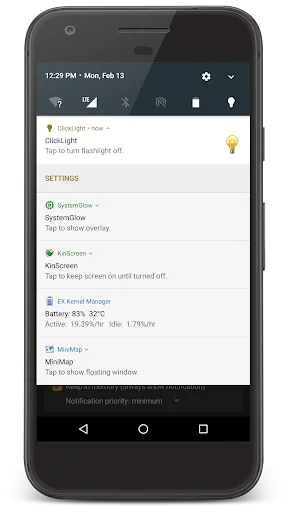
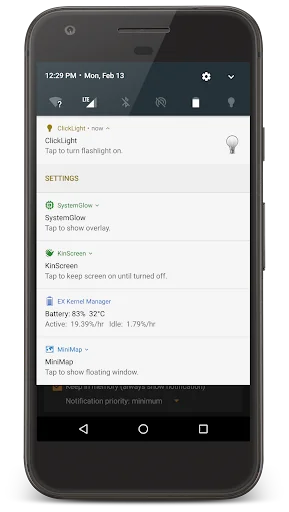
ClickLight provides a very fast way to turn on your device's bright LED flashlight. There's no need to unlock the phone, open an app, or find a widget. <b>Simply triple click the power button at any time to toggle the light on or off.</b> Please make sure the power button actually turns the screen on and off. The flashlight may also be toggled from a widget, a QuickSettings tile, the notification, or from inside the app!
<b>Please exclude CL from any task killers / memory cleaners! If you ex…
ClickLight provides a very fast way to turn on your device's bright LED flashlight. There's no need to unlock the phone, open an app, or find a widget. Simply triple click the power button at any time to toggle the light on or off. Please make sure the power button actually turns the screen on and off. The flashlight may also be toggled from a widget, a QuickSettings tile, the notification, or from inside the app!
Please exclude CL from any task killers / memory cleaners! If you experience an issue, please email contact@teqtic.com, or use the contact menu option from the app before leaving a negative review!
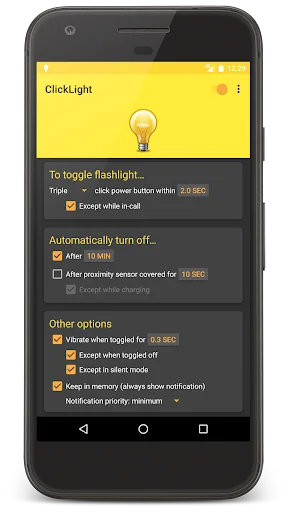
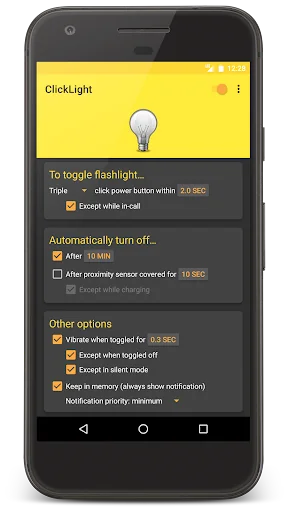
Options explained • Double/triple click: how many times to click the power button for the flash to toggle on or off. Triple click is more reliable and will not turn on when you didn't actually mean to toggle the flash.
• Except while in-call: choose this if you have problems with the light coming on during calls due to the screen turning on and off quickly.
• Keep in memory: shows a notification to make the service less likely to randomly kill the service. You may also toggle the light from the notification!
The premium unlock allows you to access all locked options on all of your devices, forever. The camera permission is required to access your device's flashlight.
Common problems • You are clicking the power button too quickly and it is not causing the screen to turn from off to on and back to off (or from on to off and back to on).
• The time interval you have selected is too short. Your device's screen cannot physically turn on and off that quickly. The speed at which your screen can cycle may depend on what app is on your screen at the time!
Want faster updates? Join the beta program by opting in at this link: https://play.google.com/apps/testing/com.teqtic.clicklight
Translators Italian - Matteo Regoli
French - Anthony Kyalumba
Launcher icon (https://www.iconfinder.com/icons/299054/bulb_light_icon#size=512) provided by Paomedia (https://www.iconfinder.com/paomedia) under license (http://creativecommons.org/licenses/by/3.0/legalcode) and has not been modified.
In-app light bulb icons provided by http://iconleak.com and have not been modified.
Comparable Android apps
The five apps in Tools with the closest revenue to ClickLight: Power button flash. Click any to see its detail page.
Each forecast combines App Store rating, ratings count, monetisation model, pricing tier, IAP signals and ad-supported flag.
The base estimate is then multiplied by a per-category scaling factor learned from apps with founder-verified MRR.
Every number on this page comes from public APIs and bumetric's own snapshot history.
Full methodology covers input variables, accuracy bands per category and how we treat apps without comparable anchors.
See also the live data on ClickLight: Power button flash's tracker page for current rating, reviews and snapshot timeline.
Building something similar? Get a free AI audit with $-revenue forecasts for every recommendation.


 AppNotifier
 zFont Tool - Android Font Tool
 Mech Factory
 Day & Date Calendar Widget
 Mano EŽYS