What CMD Commands Guide & Shortcuts actually does (from store listing)
Window Commands Guide & Shortcuts is an application where you can find all the useful and handy commands of windows operating system. By knowing windows commands and shortcuts you can increase your productivity.
-The App has New Name now.
Multiple Language Available Now.
The key features of app are:
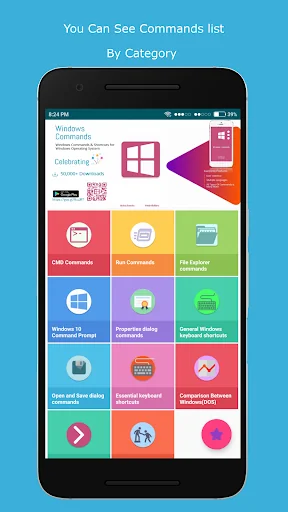
- CMD Commands->Here you can find all the command prompt commands for windows operating system.
- Run Commands->Here you can find all the run commands for windows operating system.(pres…
Window Commands Guide & Shortcuts is an application where you can find all the useful and handy commands of windows operating system. By knowing windows commands and shortcuts you can increase your productivity.
-The App has New Name now.
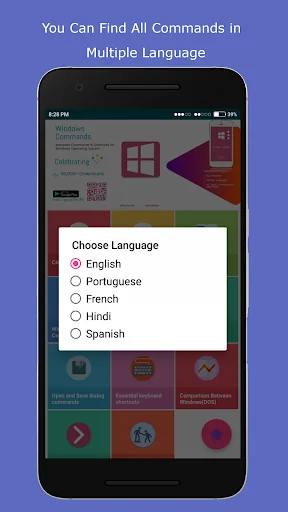
Multiple Language Available Now.
The key features of app are:
- CMD Commands->Here you can find all the command prompt commands for windows operating system.
- Run Commands->Here you can find all the run commands for windows operating system.(press Windows + R)->input run commands in run windows for use.
- File explorer Commands->Here is the list of the all the commands which includes file operations.
- Windows 10 command prompt keyboard commands- >Here is the list of useful cmd commands specially for windows 10 operating system.
- Properties dialog commands->Here you can find the commands of properties dialog.
- General & Essential keyboard shortcuts->Here you can find all the necessary and very frequently used keyboard shortcuts.
- Open and Save dialog commands->Here you can find the list of commands to handle open and save dialog in windows os.
- Comparison Between DOS(Windows) and bash(Linux) Commands->Find out the Comparison between most useful windows and Linux commands.
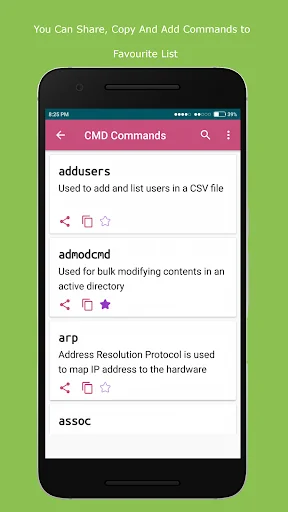
- You can add your frequently used commands to favourite list also.
The App is developed by Akshay Kotecha @ AndroBuilders
Comparable Android apps
The five apps in Education with the closest revenue to CMD Commands Guide & Shortcuts. Click any to see its detail page.
Each forecast combines App Store rating, ratings count, monetisation model, pricing tier, IAP signals and ad-supported flag.
The base estimate is then multiplied by a per-category scaling factor learned from apps with founder-verified MRR.
Every number on this page comes from public APIs and bumetric's own snapshot history.
Full methodology covers input variables, accuracy bands per category and how we treat apps without comparable anchors.
See also the live data on CMD Commands Guide & Shortcuts's tracker page for current rating, reviews and snapshot timeline.
Building something similar? Get a free AI audit with $-revenue forecasts for every recommendation.



 四字熟語クイズ - はんぷく一般常識 -
 កំណែគណិតវិទ្យា ថ្នាក់ទី៥
 Science in Hindi Class 9
 Verben Akk Dat Präpositionen
 Focal Point Radio Ministries