What Colors Converter actually does (from store listing)
Colors Converter is a image processing app!
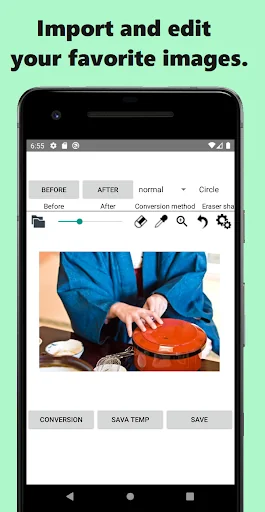
You can select an image in the album and change the color of one part of the image. It is simple to use, just specify the color before and after the change.
There are various usages, such as processing photos and illustrations into unusual colors, changing the color of clothes and searching for colors that suit you, and changing the color of hair of anime and manga characters! Please try the way that suits you!
What you can do with ColorsConve…
You can select an image in the album and change the color of one part of the image. It is simple to use, just specify the color before and after the change.
There are various usages, such as processing photos and illustrations into unusual colors, changing the color of clothes and searching for colors that suit you, and changing the color of hair of anime and manga characters! Please try the way that suits you!
What you can do with ColorsConverter:
◆ Change the color of part of the image
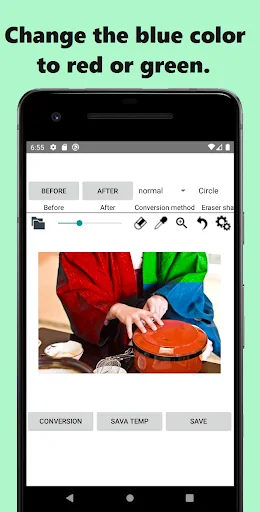
You can change the color of part of the image by specifying the color before and after the change.
The color before change can also be selected by touching the image using the dropper function. After the change, it is possible to adjust the basic 27 colors + saturation and brightness.
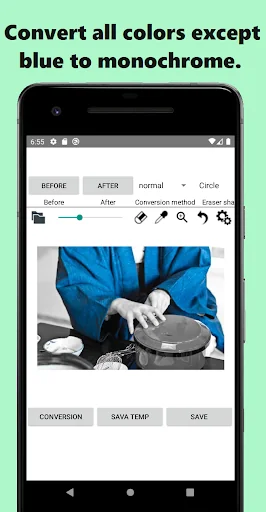
◆ Change the image to grayscale
By changing the color to gray, you can create a grayscale image. Similarly, it is also possible to create a monochromatic image by changing the color after change to red, for example.
◆ Change to grayscale while leaving some colors
By using the inverse transform function, it is possible to change colors other than those you want to keep to grayscale. This allows you to achieve stylish color transformations.
◆Others
Using the stamp function, you can return the color of the touched area to the state before conversion.
Unleash your creativity to create and edit colorful images!
Comparable Android apps
The five apps in Photography with the closest revenue to Colors Converter. Click any to see its detail page.
Each forecast combines App Store rating, ratings count, monetisation model, pricing tier, IAP signals and ad-supported flag.
The base estimate is then multiplied by a per-category scaling factor learned from apps with founder-verified MRR.
Every number on this page comes from public APIs and bumetric's own snapshot history.
Full methodology covers input variables, accuracy bands per category and how we treat apps without comparable anchors.
See also the live data on Colors Converter's tracker page for current rating, reviews and snapshot timeline.
Building something similar? Get a free AI audit with $-revenue forecasts for every recommendation.


 HTJR-UFO
 Quick Shot - Selfie Video
 Space Effects Photo
 Ai-Ball AV Recorder
 Post Maker - Social Media Post