What Consorsbank SecurePlus actually does (from store listing)
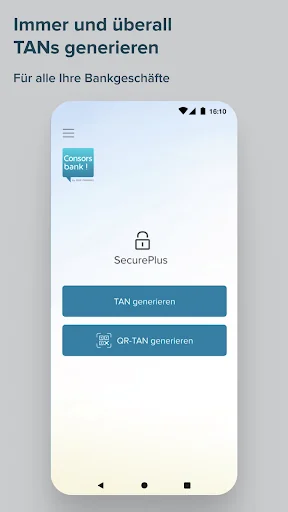
With our Consorsbank SecurePlus app, you can conveniently generate TANs and QR-TANs from home or on the go, and thanks to modern encryption you are always on the safe side.
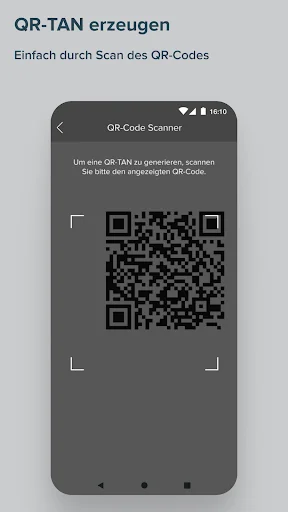
In order to activate the app, certain settings must be allowed when it is initially started. The permission to manage phone functions is required for identification and device binding and is a security feature of the app. Camera authorization is required to photograph QR codes in order to generate the required TAN. Storage…
With our Consorsbank SecurePlus app, you can conveniently generate TANs and QR-TANs from home or on the go, and thanks to modern encryption you are always on the safe side.
In order to activate the app, certain settings must be allowed when it is initially started. The permission to manage phone functions is required for identification and device binding and is a security feature of the app. Camera authorization is required to photograph QR codes in order to generate the required TAN. Storage authorization is required to store configuration data.
Important functions at a glance:
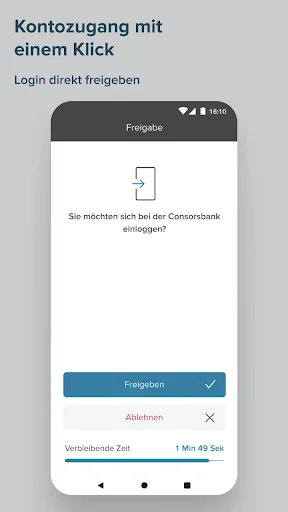
• You can generate a TAN at any time for your login and your orders such as transfers and securities transactions.
• Use the Consorsbank SecurePlus app worldwide both online and offline.
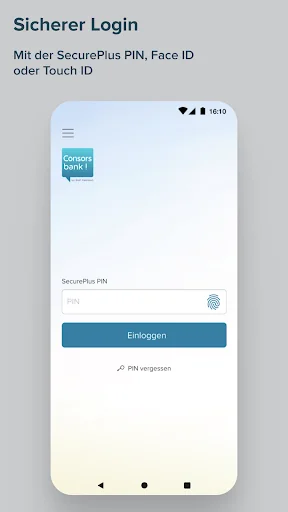
• In addition to secure login with the SecurePlus PIN, you can activate fingerprint or face recognition.
Download and Activation
Step 1: Download the Consorsbank SecurePlus app from the Google Play Store.
Step 2: Open the SecurePlus app and start activation.
Step 3: First, please log in at www.consorsbank.de. To activate, call up the QR code in the menu "My account & depot > Settings > Security" under "Activate SecurePlus app now". If you do not have access data for your account, you can request the activation code by telephone. This will then be sent to you by post.
If you have just opened your first account with Consorsbank, you will receive the activation code by post.
Step 4: Then scan the QR code with the Consorsbank SecurePlus app. You can also enter the activation data manually.
Step 5: Now assign a personal SecurePlus PIN. To do this, simply follow the instructions in the app. You will need the SecurePlus PIN in future to log into the SecurePlus app.
Please remember your SecurePlus PIN and do not pass it on to third parties.
Hints
Compatible from Android version 6.0
Further information on the Consorsbank SecurePlus app is available at www.consorsbank.de/secureplus
Comparable Android apps
The five apps in Finance with the closest revenue to Consorsbank SecurePlus. Click any to see its detail page.
Each forecast combines App Store rating, ratings count, monetisation model, pricing tier, IAP signals and ad-supported flag.
The base estimate is then multiplied by a per-category scaling factor learned from apps with founder-verified MRR.
Every number on this page comes from public APIs and bumetric's own snapshot history.
Full methodology covers input variables, accuracy bands per category and how we treat apps without comparable anchors.
See also the live data on Consorsbank SecurePlus's tracker page for current rating, reviews and snapshot timeline.
Building something similar? Get a free AI audit with $-revenue forecasts for every recommendation.


 instaBiz
 meem KSA
 أسعار العملات
 Brazilian Banknotes
 Jeton Wallet