What Copy & Paste & Memo & Launcher actually does (from store listing)
■ This is an application that can easily copy and paste, memo, launcher
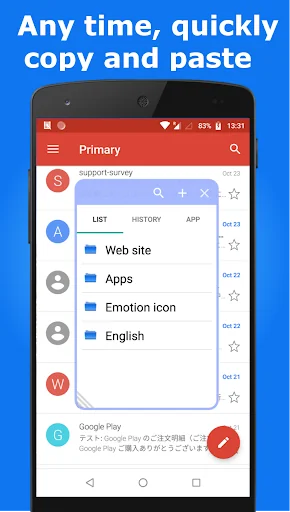
● You can "copy & paste" while opening other apps!
● You can make a memo while opening other apps!
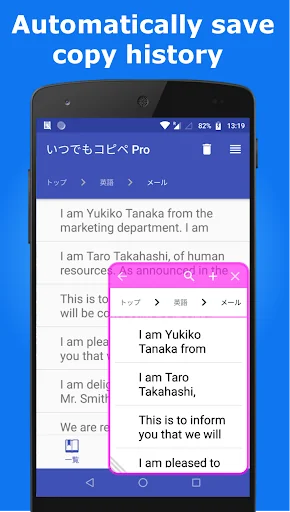
● Automatically save a copy(Clipboard) history!
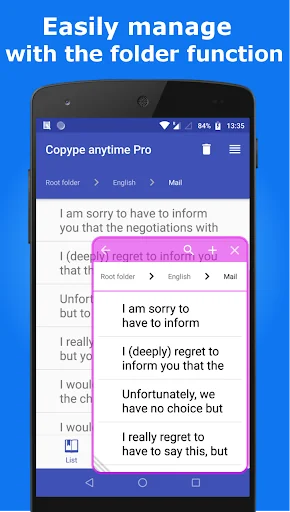
● You can manage for each category!
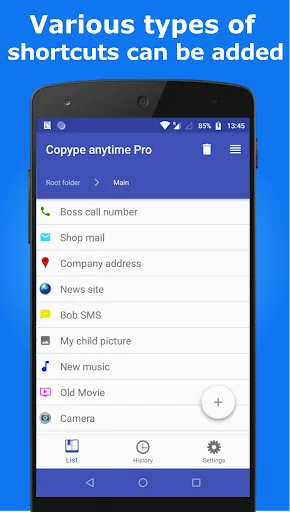
● You are able to display a shortcut to the application of your choice in the dialog window. Please select apps Setting tab in the "App launcher".
<font color="#ff0000"><strong>※ Due to the security update of android10, contents copie…
■ This is an application that can easily copy and paste, memo, launcher
● You can "copy & paste" while opening other apps!
● You can make a memo while opening other apps!
● Automatically save a copy(Clipboard) history!
● You can manage for each category!
● You are able to display a shortcut to the application of your choice in the dialog window. Please select apps Setting tab in the "App launcher".
※ Due to the security update of android10, contents copied on other applications can no longer be saved with this application.
※ You can adjust the sensitivity (distance) of the slides required to open the dialog window. It requires a distance of sliding value gets larger.
This software includes the work that is distributed in the Apache License 2.0.
★ How to use ★
1. Open the Copype anytime.(Automatically it will be started service of Copype anytime. Please check the setting tab. If service of Copype anytime is running, Bottom button in setting tab is orange color, and showing "Stop Service".
If you copy a text while running the service, it will be automatically saved in the app. )
2. Edit the text.
In the Category tab, You can edit the copied text, and you can also save new texts you like.
3. Copy and Paste
You can open the dialog window by swiping the lower right or lower left position of screen while service of Copype anytime is running.(Please see the picture of this app in the Google play)
4. Memo function of dialog window
Memo input screen will be displayed when you click the Memo tab or the upper left button(Pencil) in category screen. It will be saved when you click the upper left button(floppy disk) in category screen one more time. The memo is saved category name "Memo", sub-category name "Memo"(the name can be changed). If you want to edit the memo, you can edit in the category tab of the application as usual.
5. App launcher function in dialog window
You are able to display a shortcut to the application of your choice in the dialog window. Please select apps Setting tab in the "App launcher".
Comparable Android apps
The five apps in Tools with the closest revenue to Copy & Paste & Memo & Launcher. Click any to see its detail page.
Each forecast combines App Store rating, ratings count, monetisation model, pricing tier, IAP signals and ad-supported flag.
The base estimate is then multiplied by a per-category scaling factor learned from apps with founder-verified MRR.
Every number on this page comes from public APIs and bumetric's own snapshot history.
Full methodology covers input variables, accuracy bands per category and how we treat apps without comparable anchors.
See also the live data on Copy & Paste & Memo & Launcher's tracker page for current rating, reviews and snapshot timeline.
Building something similar? Get a free AI audit with $-revenue forecasts for every recommendation.


 Phone Cleaner- Clean Duplicate
 Classic Solitaire Card Game
 QR Code Scanner
 미카 맞춤법 검사기.
 PrepayPower