How much does CPU-x Dasher z Battery life 跑分 earn?
iOS app
from 永刚 陈
· Productivity
ML forecast★ 4.6 · 23K+5919.4% MoMFreemium
~1.3K/mo
ML revenue forecast.
Calibrated against 2218 apps in this category.
Confidence band
±15%
High — many comparable apps with verified data
At a glance
Tracks close to the iOS app category median (1.0K/mo).
Ranks #937 of 2,218 in Productivity (top 42.2% by revenue).
Ratings volume grew 5919.4% over the last 30 days, suggesting active user acquisition.
Launched Mar 18, 2018 · last updated Mar 22, 2026.
24 months of snapshot history tracked.
What the app looks like
Live screenshots from the App Store, captured by our snapshot worker. Tap any image to enlarge.
CPU-x Dasher z Battery life 跑分's revenue trajectory
Forecast revenue from snapshot history. Last 24 months.
Where CPU-x Dasher z Battery life 跑分 sits in Productivity
Revenue distribution of 2218 comparable apps. CPU-x Dasher z Battery life 跑分 highlighted.
CPU-x Dasher z Battery life 跑分 vs comparable apps
Revenue trajectory side-by-side. Bold = CPU-x Dasher z Battery life 跑分, ghosted = peers.
App spec
Version
1.8.3
Last update
Mar 22, 2026
Launched
Mar 18, 2018
Min OS
13.0
Rating
4+
Price
Free
Monetization
Freemium
Languages
AR, CS, EN, FR +16
What CPU-x Dasher z Battery life 跑分 actually does (from App Store listing)
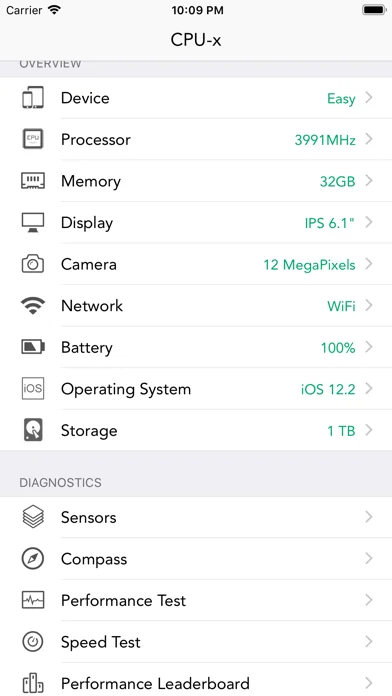
CPU-x is a tool that can query phone hardware and system information
Not the best, only better, not the most convenient, only more convenient
Special feature:
- Accurate CPU real-time frequency calculation, the algorithm occupies few system resources
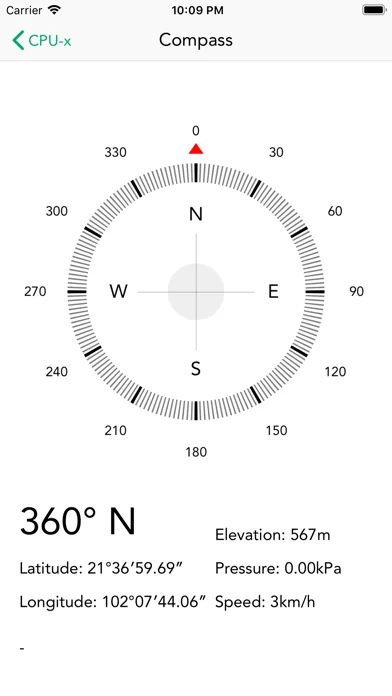
- View system hardware information, operating system information
- View network and carrier support
- Real-time network speed and traffic, WiFi hotspot information
- See phone screen details
- View camera details
- Check memory and storage usage in…
CPU-x is a tool that can query phone hardware and system information
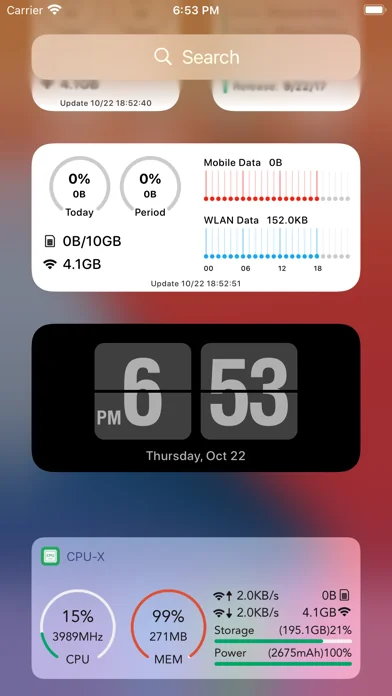
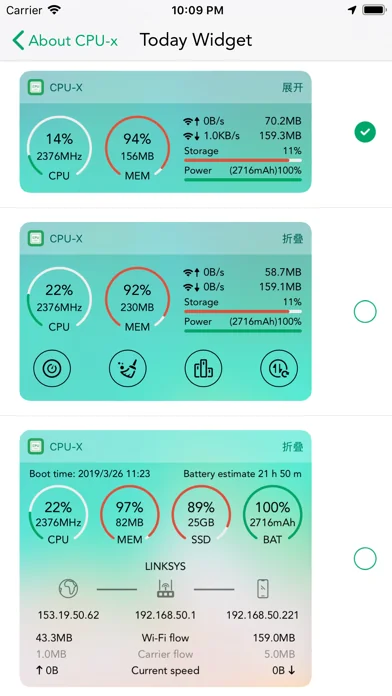
Not the best, only better, not the most convenient, only more convenient Special feature: - Accurate CPU real-time frequency calculation, the algorithm occupies few system resources - View system hardware information, operating system information - View network and carrier support - Real-time network speed and traffic, WiFi hotspot information - See phone screen details - View camera details - Check memory and storage usage information - More features to be discovered by you The user experience is good, the interaction is simple and the functions are rich. If you want to know more about your phone, download me! If you want to know more about the details of various mobile phones, download me now!
It should be noted that if you select the health widget, they will need to read the steps, distance and calories data from your "health" APP in order to display the data of the day and the current month on the widget.
Finally, support iPhone17 series and iPad Air 8 model
🆕 What's new · v1.8.3
iOS 18 has removed the legacy Today View widgets that support real-time refreshing; therefore, these widgets are no longer available on iOS 18 and later.
We recommend opening the App once after updating and then restarting your system to prevent widget anomalies.
▸ Adapted for the latest iPhone 17e and iPad Air 8 models
▸ Data reset date now supports specific time selection for the current day
▸ Optimized user experience and stability
Recent Updates:
▸ Added chart displays to CPU, Memory, and Network detail pages
▸ Completely reconstructed sensor interface
▸ Added Blue-Green boundary test
▸ Today View widget view integrated into the Floating Window
▸ Added a new GPS info floating view
▸ Widgets on iOS 17 and later now support refreshing; tap the refresh button or the right 1/3 area. This feature can be toggled in the App's Home Screen Widget settings.
▸ Added RGB Sound-Reactive Light feature
▸ Added data usage reset cycles for 3/7/14/28/30 days
▸ Added a new floating view for per-CPU core usage charts
▸ Added iOS 16 Lock Screen widgets
▸ Added Floating Window feature
▸ Optimized Device Hardware widgets and added Network category
▸ Added device thermal status display
▸ Added CSV export for daily data usage details
▸ Added a Health widget
▸ Dark backgrounds for Home Screen widgets (two types of black)
▸ Added brand new iOS 14 Home Screen widgets; previous widgets remain available
▸ Added Ruler feature
▸ Added Gateway and DNS to Network info
▸ Added daily data usage display to Pro widgets
If you have any interesting ideas or suggestions, please feel free to let us know via Feedback in the App.
Comparable iOS apps
The five apps in Productivity with the closest revenue to CPU-x Dasher z Battery life 跑分. Click any to see its detail page.
Each forecast combines App Store rating, ratings count, monetisation model, pricing tier, IAP signals and ad-supported flag.
The base estimate is then multiplied by a per-category scaling factor learned from apps with founder-verified MRR.
Every number on this page comes from public APIs and bumetric's own snapshot history.
Full methodology covers input variables, accuracy bands per category and how we treat apps without comparable anchors.
See also the live data on CPU-x Dasher z Battery life 跑分's tracker page for current rating, reviews and snapshot timeline.
Building something similar? Get a free AI audit with $-revenue forecasts for every recommendation.


 Goal Ahead - Progress Bar
 Anzugsmomente
 Decision Deck Lite
 全能万年历-阴历阳历佛历道历黄历日历生肖星座节日假期调休日程
 Ostrich VPN - Proxy Master