What Colorful Custom Navigation Bar actually does (from store listing)
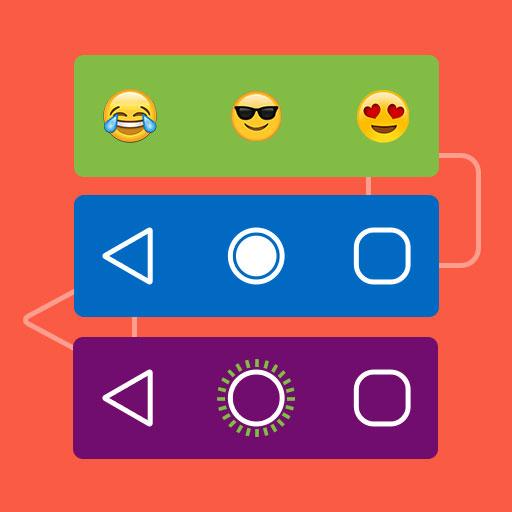
Invoke stunning and vibrant navigation bar on your device wherever you wish just by clicks! Add custom buttons to your existing navigation bar. Customize your smartphone by implanting customized navigation bar. Colorful Custom Navigation Bar is a rich feature-driven app that enfolds remarkable navigation bar settings like color, animation, gradient, emoji, battery status, etc.
Features:
- Turn on the toggle option of the Navigation app at the top right corner of the app.
- Color option: Pic…
Invoke stunning and vibrant navigation bar on your device wherever you wish just by clicks! Add custom buttons to your existing navigation bar. Customize your smartphone by implanting customized navigation bar. Colorful Custom Navigation Bar is a rich feature-driven app that enfolds remarkable navigation bar settings like color, animation, gradient, emoji, battery status, etc.
Features:
- Turn on the toggle option of the Navigation app at the top right corner of the app.
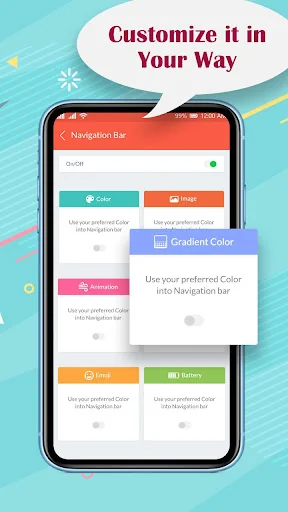
- Color option: Pick and select your preferred color for the navigation bar.
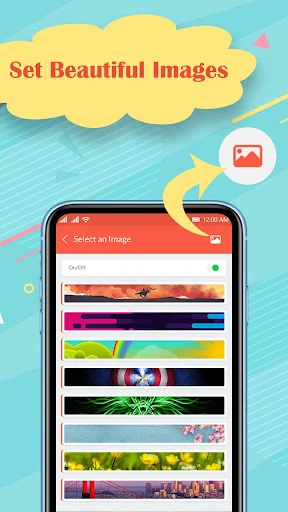
- Image: Pick and select your preferred image for the navigation bar.
- Animation: Pick and select your preferred animation into the navigation bar.
- Gradient color: Pick and select your preferred gradient color for the navigation bar.
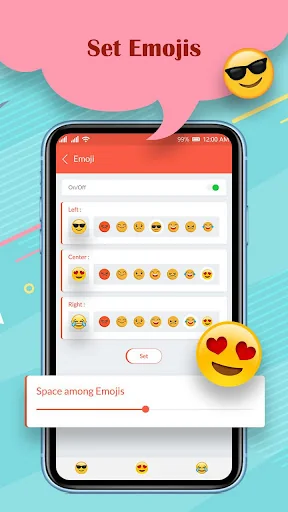
- Emoji: Pick and select your preferred emoji for the navigation bar.
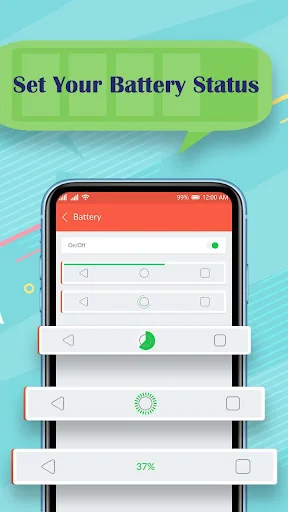
- Battery Status: Pick and select your preferred Battery style pattern for the navigation bar.
- Each customization can be individually applied to selected apps.
- Colorful Custom Navigation Bar app supports all screen resolutions of mobile and tablet devices.
- Lightweight application, will not drain the device memory, battery or other resources.
Manually set the following navigation bar components and select apps on which the following is to be applied:
- Navigation Bar color.
- Navigation Bar Image.
- Navigation Bar Animation.
- Navigation Bar Gradient color.
- Navigation Bar Emoji.
- Navigation Bar Battery Style.
Required permission to use this Colorful Custom Navigation Bar app:
1. Accessibility service permission
This app requires accessibility service permission to perform the main functionality of the app.
By enabling these services, users can perform global actions like: BACK, HOME, RECENTS.
If you don't enable the accessibility service, the main features will not work properly.
- By clicking on Back it will perform back action.
- By clicking on Home it will take to the home screen.
- By clicking on Recent it will show all the recent apps.
This application will not collect and share the data from the accessibility service with any third party.
In Accessibility service, Colorful Custom Navigation Bar uses accessibilityEventTypes (TYPE_WINDOW_STATE_CHANGED) to retrieve the current application package for Apply Lock App Feature as per the selected by user
2. QUERY_ALL_PACKAGES permission
This permission is used to get the listing of the application of the device and set the custom navigation bar as per the selected app by the user.
Comparable Android apps
The five apps in Personalization with the closest revenue to Colorful Custom Navigation Bar. Click any to see its detail page.
Each forecast combines App Store rating, ratings count, monetisation model, pricing tier, IAP signals and ad-supported flag.
The base estimate is then multiplied by a per-category scaling factor learned from apps with founder-verified MRR.
Every number on this page comes from public APIs and bumetric's own snapshot history.
Full methodology covers input variables, accuracy bands per category and how we treat apps without comparable anchors.
See also the live data on Colorful Custom Navigation Bar's tracker page for current rating, reviews and snapshot timeline.
Building something similar? Get a free AI audit with $-revenue forecasts for every recommendation.

 Goodness TV
 Blue Launcher Theme
 Wallpapers for Galaxy S23
 Star Fantasy Theme +HOME
 Business Ringtones