What DIGI Clock & Wallpaper actually does (from store listing)
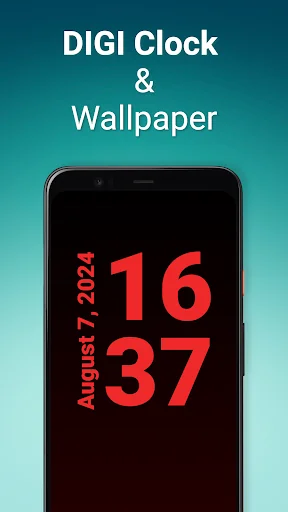
The app will show you the exact time in full screen. In a large and easy-to-read font. It offers many pre-made themes. And when you feel like preparing your own design, you can customize everything with the interactive editor.
DIGI Clock & Wallpaper offers the following features:
⁃ Extra large time display.
⁃ Option to switch the screen to dark night mode.
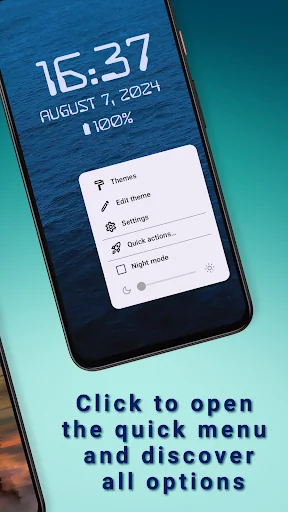
⁃ Optional display of the date, battery status or time of the next alarm.
⁃ Time format can be set to 12 or 24 hours.
⁃ Supports both…
The app will show you the exact time in full screen. In a large and easy-to-read font. It offers many pre-made themes. And when you feel like preparing your own design, you can customize everything with the interactive editor.
DIGI Clock & Wallpaper offers the following features:
⁃ Extra large time display.
⁃ Option to switch the screen to dark night mode.
⁃ Optional display of the date, battery status or time of the next alarm.
⁃ Time format can be set to 12 or 24 hours.
⁃ Supports both portrait and landscape mode display. Orientation can be detected automatically or set directly.
⁃ Status and navigation bar can be optionally hidden.
⁃ Font, color, outlines and font shading are adjustable.
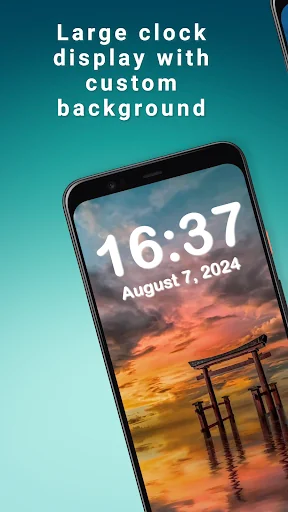
⁃ You can customize the clock background to your mood. Set a monochrome, gradient background or choose a background image from your gallery.
⁃ The display is always on.
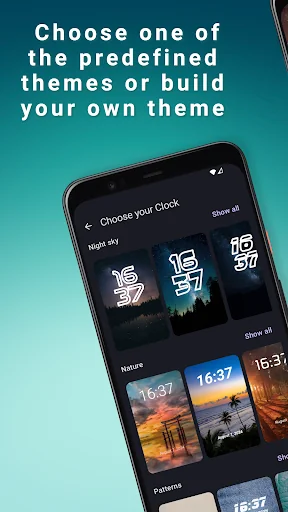
A variety of pre-made themes are available in the app. If you want to create your own design, use the theme setup wizard and then you can fine-tune the theme using the interactive editor.
You can set the app as a live background. Whenever you look at the display, you'll see the time in the background.
You can also set the "DIGI Clock and Wallpaper" as a screensaver. When you connect your phone to the charger, the app automatically starts and displays the time. You can then switch the screen to dark night mode using a dedicated button.
If you decide to use the clock long-term, e.g. as a bedside clock, consider connecting the device to the charger. Since the display is always on, it is better to have a power source available. The brightness of the screen can be significantly reduced by switching on the "night mode".
Thanks for using DIGI Clock & Wallpaper!
Comparable Android apps
The five apps in Personalization with the closest revenue to DIGI Clock & Wallpaper. Click any to see its detail page.
Each forecast combines App Store rating, ratings count, monetisation model, pricing tier, IAP signals and ad-supported flag.
The base estimate is then multiplied by a per-category scaling factor learned from apps with founder-verified MRR.
Every number on this page comes from public APIs and bumetric's own snapshot history.
Full methodology covers input variables, accuracy bands per category and how we treat apps without comparable anchors.
See also the live data on DIGI Clock & Wallpaper's tracker page for current rating, reviews and snapshot timeline.
Building something similar? Get a free AI audit with $-revenue forecasts for every recommendation.


 Theme Rain at the Eiffel Tower
 Weather Night Dock with clock
 Flaming Heart Theme
 Baby Panda Keyboard
 Flash Butterfly Keyboard Theme