ML revenue forecast.
Calibrated against 2499 apps in this category.
Confidence band
±15%
High — many comparable apps with verified data
At a glance
Earns 2.63× more than the category median (875/mo).
Ranks #539 of 2,499 in Travel (top 21.6% by revenue).
Ratings volume grew 23209.6% over the last 30 days, suggesting active user acquisition.
Launched Sep 06, 2013 · last updated Apr 28, 2026.
15 months of snapshot history tracked.
What the app looks like
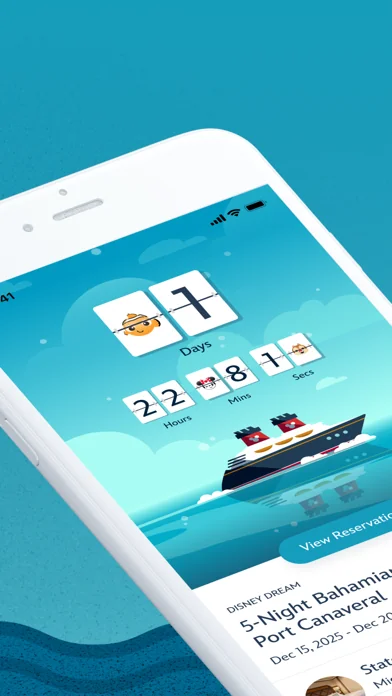
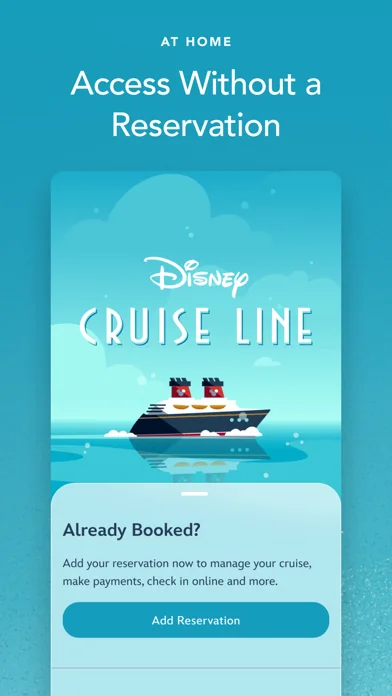
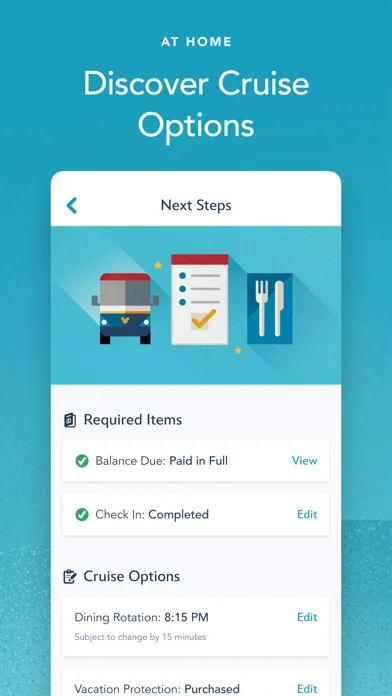
Live screenshots from the App Store, captured by our snapshot worker. Tap any image to enlarge.
Disney Cruise Line Navigator's revenue trajectory
Forecast revenue from snapshot history. Last 15 months.
Where Disney Cruise Line Navigator sits in Travel
Revenue distribution of 2499 comparable apps. Disney Cruise Line Navigator highlighted.
Disney Cruise Line Navigator vs comparable apps
Revenue trajectory side-by-side. Bold = Disney Cruise Line Navigator, ghosted = peers.
App spec
Version
5.44.0
Last update
Apr 28, 2026
Launched
Sep 06, 2013
Min OS
16.0
Rating
4+
Price
Free
Monetization
Freemium
Languages
EN
What Disney Cruise Line Navigator actually does (from App Store listing)
Use the Disney Cruise Line Navigator app before, during and after your voyage—to plan, explore and relive the fun.
AT HOME
Plan your vacation, make payments, breeze through check-in, reserve onboard activities or make special requests—from dietary preferences to birthday surprises.
Get Ready to Cruise
• Retrieve your reservation to make payments, review required documents and more.
• Use My Online Check-In to fill out your cruise documents and register kids for youth clubs.
• Explore activit…
Use the Disney Cruise Line Navigator app before, during and after your voyage—to plan, explore and relive the fun.
AT HOME
Plan your vacation, make payments, breeze through check-in, reserve onboard activities or make special requests—from dietary preferences to birthday surprises.
Get Ready to Cruise • Retrieve your reservation to make payments, review required documents and more. • Use My Online Check-In to fill out your cruise documents and register kids for youth clubs. • Explore activities and entertainment. • Book activities, including Port Adventures, Premium Dining, Onboard Fun, Spa & Fitness and Nursery. • Change your dinner seating assignment. • Add or edit Vacation Protection Plan and Ground Transportation. • View your Air Transportation. • Make Special Requests, including special diets, accommodations for little ones, celebrations and more.
ON BOARD THE SHIP
With your app in hand, you can explore your ship with Deck Plans, view favorite and booked activities, learn about the ports you’ll visit and use the onboard chat feature.
Enhance Your Experience • View onboard activities across your entire voyage. • Plan your day, from shows to shopping. • Review your ports of call and at-sea days. • Read details about activities that interest you. • Check menus before dinner—kids’ menus too—and easily access your dining schedule. • Check out the latest offers and specials. • Save favorite activities in one convenient list. • View booked activities, including Port Adventures, Premium Dining, Onboard Fun, Spa & Fitness and Nursery. • Find Disney Characters throughout the ship. • For assistance, visit our Help Center.
Know Where to Go
• Explore your ship deck by deck, from bow to stern. • Find locations of the activities you want to do.
Stay in Touch
• Use onboard chat to stay connected to your family, friends and shipmates. • While aboard your cruise, chat one-to-one or with multiple friends and family members at once. • Use our wide array of Disney emoticons to express yourself as you chat.
AFTER YOUR CRUISE
View past reservations and more—and transport yourself back to the adventure when you download your purchased photos, available for a limited time.
Effortless Access All in One Place • Easily view past reservations, including your stateroom number. • Look back at onboard charges (within 90 days of your cruise). • Explore and book your next cruise.
Download the Disney Cruise Line Navigator app today and enjoy it at home or on board. Simply connect to the ship’s Wi-Fi network—complimentary to app users only.
Note: To use onboard chat, you are required to provide your full name, stateroom number and birth date. Children should always ask their parent or guardian before using onboard chat. Control access for children with the permissions feature.
APP PERMISSIONS
Camera & Microphone Access: This app uses your device's camera and microphone for the Disney Uncharted Adventure game experience.
Storage Access: This app saves data locally to your device, including chat messages and embarkation information, to ensure a seamless experience even when connectivity is limited.
Location Services: This app requires location permission to connect to Wi-Fi networks and enable Bluetooth (BLE) features, such as DisneyBand+ functionality. Your actual location is not tracked or stored.
Each forecast combines App Store rating, ratings count, monetisation model, pricing tier, IAP signals and ad-supported flag.
The base estimate is then multiplied by a per-category scaling factor learned from apps with founder-verified MRR.
Every number on this page comes from public APIs and bumetric's own snapshot history.
Full methodology covers input variables, accuracy bands per category and how we treat apps without comparable anchors.
See also the live data on Disney Cruise Line Navigator's tracker page for current rating, reviews and snapshot timeline.
Building something similar? Get a free AI audit with $-revenue forecasts for every recommendation.


 Philadelphia History Tour
 Maui Offline Island Guide
 LUXE City Guides
 ESTA Mobile
 Париж Путеводитель и Карта