What Draw on screen & Capture actually does (from store listing)
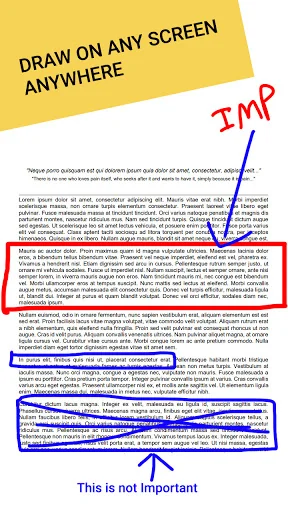
This app has a floating drawing tool that will stay on your screen, and using it you can draw anywhere on your screen.
Even while using other apps or while playing games, the floating drawing tool will be on your screen, and you can use it and make drawing on your apps and games.
With this tool, you can draw things freely and smoothly on your screen using your finger, and you can also take a screenshot of it.
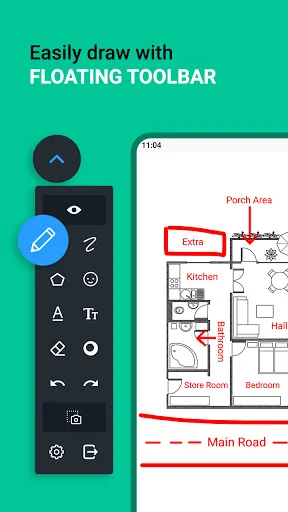
<b>The floating drawing tool has a drawing panel with the following options:</…
This app has a floating drawing tool that will stay on your screen, and using it you can draw anywhere on your screen.
Even while using other apps or while playing games, the floating drawing tool will be on your screen, and you can use it and make drawing on your apps and games.
With this tool, you can draw things freely and smoothly on your screen using your finger, and you can also take a screenshot of it.
The floating drawing tool has a drawing panel with the following options: 1) Draw Mode:
- When this mode is on, then you will be able to draw anywhere on the screen.
2) Pencil
- You can draw on your screen using this tool.
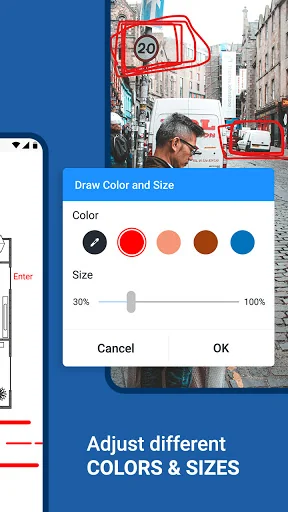
3) Pencil Customization:
- You can change the color and size of the pencil tool.
4) Eraser
- You can rub your drawings using this tool.
5) Eraser customization:
- You can change the size of the eraser.
6) Undo
- You can rollback changes using this tool.
7) Redo
- You can bring the changes back that you have removed with undo.
8) Text:
- You can write text on your screen. You can also change its font and color.
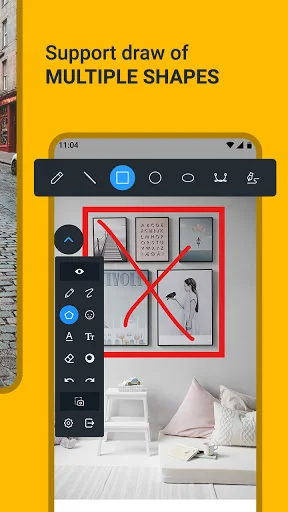
9) Shapes:
- You can draw things like straight-line, rectangle, circle, oval, and curved lines.
10) Sticker:
- Here, you will get stickers, and you can add them to your screen.
11) Image:
- You can insert an image on the screen from your camera or gallery.
12) Clear Drawing:
- It clears everything that you have drawn.
13) Screenshot:
- It takes a screenshot, in this way, you can save the things that you have drawn on your screen.
Here you can also customize the menu by changing its transparency, and you can also add and remove some icons from the menu.
In this app, there is a Clear Drawing option, if you turn it on, then it will clear the screen drawing after you take the screenshot.
To make your screen drawings quickly, use this floating drawing tool on your android phone.
Comparable Android apps
The five apps in Tools with the closest revenue to Draw on screen & Capture. Click any to see its detail page.
Each forecast combines App Store rating, ratings count, monetisation model, pricing tier, IAP signals and ad-supported flag.
The base estimate is then multiplied by a per-category scaling factor learned from apps with founder-verified MRR.
Every number on this page comes from public APIs and bumetric's own snapshot history.
Full methodology covers input variables, accuracy bands per category and how we treat apps without comparable anchors.
See also the live data on Draw on screen & Capture's tracker page for current rating, reviews and snapshot timeline.
Building something similar? Get a free AI audit with $-revenue forecasts for every recommendation.

 Screen Recorder - No Root
 Application Utility
 1 Edge - Float Edge Panels
 GS-911wifi
 ROT13 Translator