What Droid Tesla Circuit Simulator actually does (from store listing)
This is a demo version for Droid Tesla Pro!
Droid Tesla is a simple and powerful circuit simulator.
Perfect for students new to electronics circuit design and construction,
hobbyist and tinkerers and even seasoned professionals who want a quick,
handy tool to perform electronics circuit design calculations.
That's interactivity and innovation you can't find in best SPICE tools for PC like Multisim, LTspice, OrCad or PSpice (trademarks belong to their respective owners).
DroidTesl…
Droid Tesla is a simple and powerful circuit simulator.
Perfect for students new to electronics circuit design and construction,
hobbyist and tinkerers and even seasoned professionals who want a quick,
handy tool to perform electronics circuit design calculations.
That's interactivity and innovation you can't find in best SPICE tools for PC like Multisim, LTspice, OrCad or PSpice (trademarks belong to their respective owners).
DroidTesla simulator solves basic resistive circuits using Kirchoff’s Current Law (KCL)
in much the same way a student in a circuits class would,the simulator systematically forms a matrix in accordance
with KCL and then proceeds to solve for the unknown quantities using various algebraic
techniques such as Gaussian elimination and sparse matrix techniques.
For non-linear components, such as the diode and BJT ,DroidTesla engine searching for the approximate solution by making an initial guess at an answer
and then improving the solution with successive calculations built upon this guess.
This is called an iterative process.DroidTesla simulation uses the Newton-Raphson iterative algorithm
to solve circuits with non-linear I/V relationships.
For reactive elements(capacitors and inductors),the DroidTesla uses numeric integration methods to approximate the state of the reactive elements as a function of time.
DroidTesla offers the Trapezoidal(I'll add a GEAR method later) integration methods to approximate the state of the reactive elements.
Although for most circuits, both methods will provide almost identical results,
it is generally regarded that the Gear method is more stable, but trapezoidal method is faster and more accurate.
DroidTesla for now can simulate:
-Resistor
-Capacitor
-Inductor
-Potentiometer (available only in pro version)
-Light Bulb (available only in pro version)
-Ideal operational amplifier
-Bipolar junction transistor (NPN PNP)
-MOSFET N-channel depletion
-MOSFET N-channel enhancement
-MOSFET P-channel depletion
-MOSFET P-channel enhancement
-JFET N and P (available only in pro version)
-PN Diode
-PN Led diode
-PN Zener diode
-AC current source
-DC current source
-AC voltage source
-DC voltage(battery) source
-CCVS - current controlled voltage source
-CCCS - current controlled current source
-VCVS - voltage controlled voltage source
-VCCS - voltage controlled current source
-Square wave voltage source (available only in pro version)
-Triangle wave voltage source (available only in pro version)
-AC ampermeter
-DC ampermeter
-AC voltmeter
-DC voltmeter
-Two channe oscilloscope (available only in pro version)
-SPST Switch (available only in pro version)
-SPDT Switch (available only in pro version)
-Voltage controlled switch (available only in pro version)
-Current controlled switch (available only in pro version)
-AND (available only in pro version)
-NAND (available only in pro version)
-OR (available only in pro version)
-NOR (available only in pro version)
-NOT (available only in pro version)
-XOR (available only in pro version)
-XNOR (available only in pro version)
-JK flip-flop (available only in pro version)
-7 Segment Display (available only in pro version)
-IC 555 (available only in pro version)
-Transformer (available only in pro version)
-Graetz Circuit(available only in pro version)
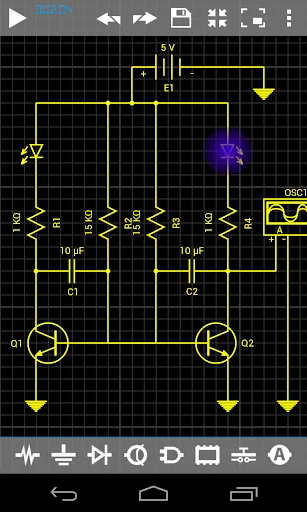
If you are making an
oscillators you have to put a small initial value on some of the
reactive elements.(see the examples)
Comparable Android apps
The five apps in Tools with the closest revenue to Droid Tesla Circuit Simulator. Click any to see its detail page.
Each forecast combines App Store rating, ratings count, monetisation model, pricing tier, IAP signals and ad-supported flag.
The base estimate is then multiplied by a per-category scaling factor learned from apps with founder-verified MRR.
Every number on this page comes from public APIs and bumetric's own snapshot history.
Full methodology covers input variables, accuracy bands per category and how we treat apps without comparable anchors.
See also the live data on Droid Tesla Circuit Simulator's tracker page for current rating, reviews and snapshot timeline.
Building something similar? Get a free AI audit with $-revenue forecasts for every recommendation.



 RaspController
 Counter
 Govee Home
 Browser Proxy: Unblock Sites
 Shadowrocket for android