What e-Processo actually does (from store listing)
View and monitor ongoing cases at the Federal Revenue Service (RFB), the Federal Revenue Service (CARF), and the Federal Revenue Service (PGFN).
This version of the e-Processo app offers the following services:
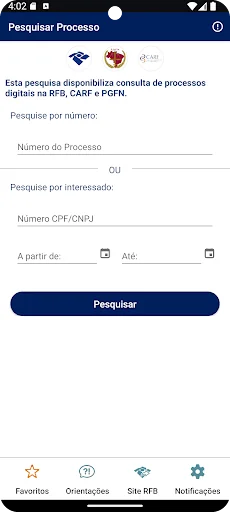
- View cases by CPF/CNPJ (Individual Taxpayer Registry)
- View case number
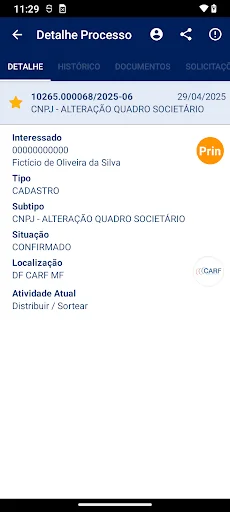
- View basic case information
- View interested parties in the case (joint and subsidiary parties)
- View case history
- View documents attached to the case ***
- View and control the list of cases being …
View and monitor ongoing cases at the Federal Revenue Service (RFB), the Federal Revenue Service (CARF), and the Federal Revenue Service (PGFN).
This version of the e-Processo app offers the following services:
- View cases by CPF/CNPJ (Individual Taxpayer Registry)
- View case number
- View basic case information
- View interested parties in the case (joint and subsidiary parties)
- View case history
- View documents attached to the case ***
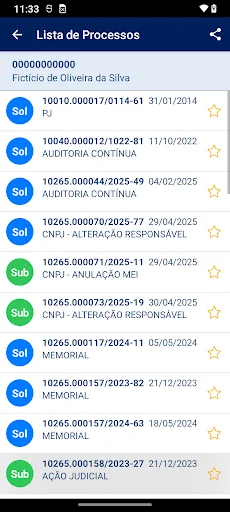
- View and control the list of cases being monitored (favorites)
- Receive alerts about the progress and electronic acknowledgment of the case
- Receive alerts whenever a new document is attached to a case marked as a favorite
- Send a request to attach documents to the case ***
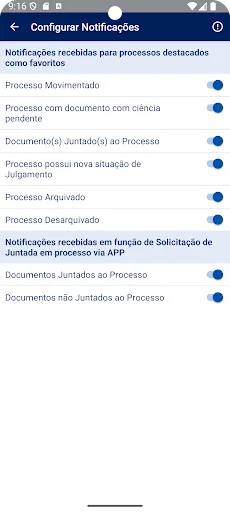
- Configure PUSH notifications
*** The document attachment request is only available for cases in RFB or CARF units. *** To view or copy documents and request attachments, you must:
- authenticate in the e-Processo app using your Silver or Gold GOV.BR account; or
- register your mobile device (smartphone or tablet) on the RFB's e-CAC portal and then activate it in the app.
To register your mobile device, log in to e-CAC with your Silver or Gold GOV.BR account. Select "Legislation and Procedure" / "Digital Procedures (e-Processo)" and then access the "Mobile Device Registration" service. When registering, enter a device name, activation code, authorization expiration date, and select the e-Processo service. After registering, view process documents in the e-Processo app using your CPF/CNPJ (Brazilian taxpayer ID) and confirm the same information (name and activation code). Your device will be authorized to access the documents. If you wish to cancel the service on your mobile device, log in to the e-CAC “Mobile Device Registration” again and delete the device.
Comparable Android apps
The five apps in Tools with the closest revenue to e-Processo. Click any to see its detail page.
Each forecast combines App Store rating, ratings count, monetisation model, pricing tier, IAP signals and ad-supported flag.
The base estimate is then multiplied by a per-category scaling factor learned from apps with founder-verified MRR.
Every number on this page comes from public APIs and bumetric's own snapshot history.
Full methodology covers input variables, accuracy bands per category and how we treat apps without comparable anchors.
See also the live data on e-Processo's tracker page for current rating, reviews and snapshot timeline.
Building something similar? Get a free AI audit with $-revenue forecasts for every recommendation.

 SKF Shaft alignment
 UtilityMeter 2
 FTDI UART Terminal
 Audio Manager-Hide photo,video
 Emu64 XL