What Easy Assistive Touch-EazyTouch actually does (from store listing)
❤ Easy Assistive Touch - EazyTouch 2021 ❤
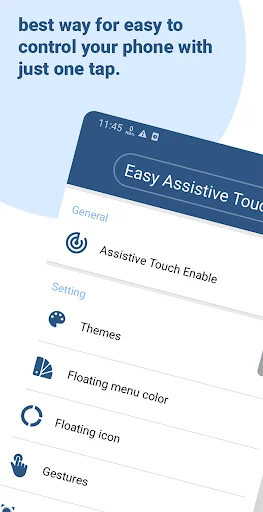
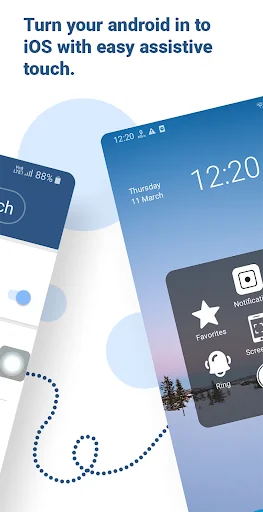
Easy Assistive Touch is an assistive tool for Android devices.It's fast, it’s small, and totally FREE. If you find your phone becomes slow,lag and freezes, EasyTouch will be a booster to make your phone faster.With a floating panel on the screen, you can easily operate your Android phone. You can quickly access to all your favorite apps, games, settings, and notifications.
You can use AssistiveTouch to control your device.
Assistive Touch is also…
Easy Assistive Touch is an assistive tool for Android devices.It's fast, it’s small, and totally FREE. If you find your phone becomes slow,lag and freezes, EasyTouch will be a booster to make your phone faster.With a floating panel on the screen, you can easily operate your Android phone. You can quickly access to all your favorite apps, games, settings, and notifications.
You can use AssistiveTouch to control your device.
Assistive Touch is also an ideal app to protect the physical buttons for Android device!
Easy Assistive Touch for Android
- Virtual Home button, easy touch to lock screen and open recent task
- Virtual Volume button, quick touch to change volume and change sound mode
- Clean ram, boost speed, one tap ram booster.
- Easy touch to open your favorite application
- Go to all setting very quick with a touch
☛ Advance
- You can change icon of Assistive Touch with many pretty icons. And if you want others icons, please let us know.
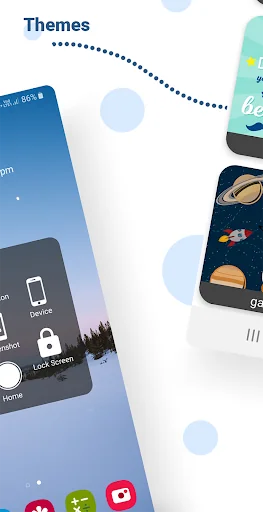
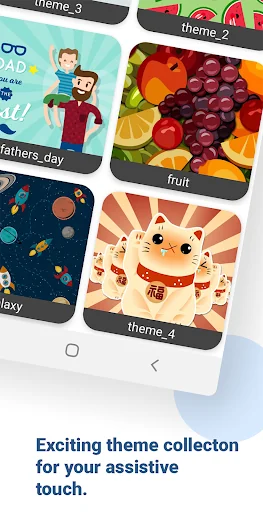
- Funny with more themes and new themes are updated regularly, you can change colour of background with your favourite colour.
Easy Assistive Touch app features:
☛ Smooth and simple assistive phone operation.
☛ Quick access to all the apps.
☛ Gestures.
☛ Notifications bar.
☛ Screen lock,Screenshot.
☛ Theme Center
☛ Quick settings
☛ Customization
- You can change the background color with your favorite color
- You can change the Easy Touch icon with many pretty icons, totally free
- Gestures Settings for the Floating Panel (One Click, Double Click, Triple Click)
Enjoy using Easy Assistive Touch, any feedback are welcome. Thank you very much for your support and using this app.
Please note: Device Administrator permission
This app uses the Device Administrator permission.We Need device admin permission to lock screen. Allow permission we confirm that you are agree with device admin permission. You can disable permission or uninstall this app by following operation.
Go To settings -> Security -> device administrators and shut off or disable this app.
Notice: Some new advance function such as capture screenshot, power popup...only support high software version 5.0 and up. If your phone dose not supported please do not give bad review. Thank for your support
Thanks for Download!
Comparable Android apps
The five apps in Tools with the closest revenue to Easy Assistive Touch-EazyTouch. Click any to see its detail page.
Each forecast combines App Store rating, ratings count, monetisation model, pricing tier, IAP signals and ad-supported flag.
The base estimate is then multiplied by a per-category scaling factor learned from apps with founder-verified MRR.
Every number on this page comes from public APIs and bumetric's own snapshot history.
Full methodology covers input variables, accuracy bands per category and how we treat apps without comparable anchors.
See also the live data on Easy Assistive Touch-EazyTouch's tracker page for current rating, reviews and snapshot timeline.
Building something similar? Get a free AI audit with $-revenue forecasts for every recommendation.


 Magnetic Field Sensor
 Slovak for AnySoftKeyboard
 Barcode Scanner
 Hindi Writing Apps
 Virus Remover