What Easy Train Game actually does (from store listing)
Driver mode makes you feel like a conductor!
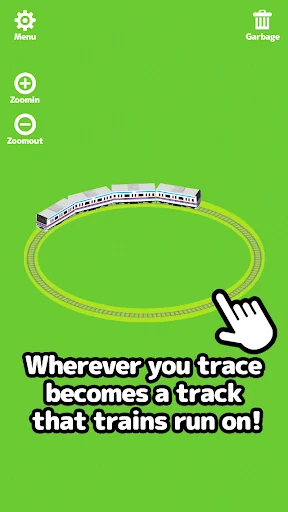
If you drag along the screen it will create rails that a train will start to run on.
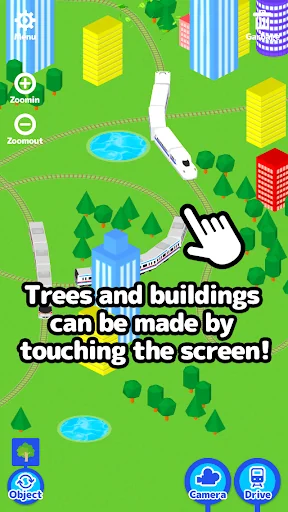
If you touch the screen buildings, trees and puddles will appear.
Touch and drag along the screen and create your own city!
It's also fun to see what happens when the train bumps into buildings, trees and puddles.
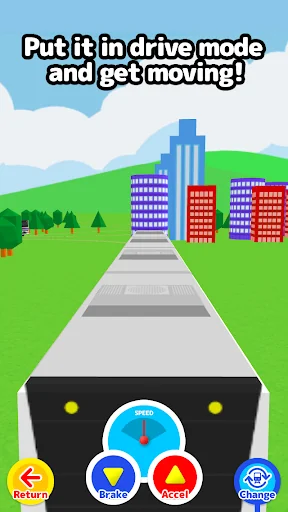
When you press the “Drive” button it changes to conductor mode where you feel just like you're really there.
Use the accelerator and the bra…
If you drag along the screen it will create rails that a train will start to run on.
If you touch the screen buildings, trees and puddles will appear.
Touch and drag along the screen and create your own city!
It's also fun to see what happens when the train bumps into buildings, trees and puddles.
When you press the “Drive” button it changes to conductor mode where you feel just like you're really there.
Use the accelerator and the brake to drive the train!!
If you touch up, down, left or right on the screen while driving you will be able to look at the other trains that are running from different angles!!
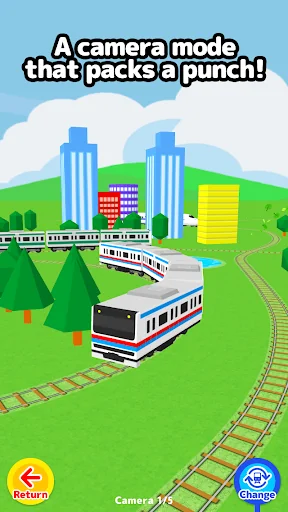
In camera mode you can follow the trains from many different angles.
Enjoy checking out your own personal city!!
****How to Play****
Normal Mode
-Create rails by dragging along the screen and a train selection list will appear. (You can also choose auto-select from the menu.)
-the train will start to run once You choose a train.
-If you tap the screen, buildings, trees and puddles will be placed. (Change with the bottom left “placement” button.)
-Adjust the camera in 4 levels with the “Larger” and “Smaller” buttons.
-If you press the “Drive” button it will switch into conductor mode.
-If you press the “Camera” button it will switch into camera mode.
-If you press the “Trash” button it will remove the last railway and train you created.
-Even when there is no train or rails, if you press the “Trash” button again buildings, trees and puddles will disappear.
Conductor Mode
-Change the speed with the “Break” and “Accelerator” buttons.
-If You press up, down, left or right on the screen You can Change the camera angle.
-The ”Change Train” button will change the train to another train.
-The “Larger” and “Smaller” buttons will adjust the camera to 4 different levels.
-The “Return” button returns to normal mode.
Camera Mode
-Follow the trains from various perspectives.
-the camera will Change If You tap the screen.
-The “Change Train” button will change the train to another.
-The “Return” button will return you to normal mode.
Comparable Android apps
The five apps in Education with the closest revenue to Easy Train Game. Click any to see its detail page.
Each forecast combines App Store rating, ratings count, monetisation model, pricing tier, IAP signals and ad-supported flag.
The base estimate is then multiplied by a per-category scaling factor learned from apps with founder-verified MRR.
Every number on this page comes from public APIs and bumetric's own snapshot history.
Full methodology covers input variables, accuracy bands per category and how we treat apps without comparable anchors.
See also the live data on Easy Train Game's tracker page for current rating, reviews and snapshot timeline.
Building something similar? Get a free AI audit with $-revenue forecasts for every recommendation.


 Studyadda - The Study App
 Telawa Hafs Quran مصحف التلاوة
 Πανελλήνιες 2020 (old system)
 KIPS VIRTUAL
 Quran IQ - Learn Quran Majeed