ML revenue forecast.
Calibrated against 77129 apps in this category.
Confidence band
±15%
High — many comparable apps with verified data
At a glance
Earns 1.56× more than the category median (189/mo).
Ranks #22,147 of 77,129 in Tools (top 28.7% by revenue).
Launched Oct 05, 2014 · last updated Mar 13, 2024.
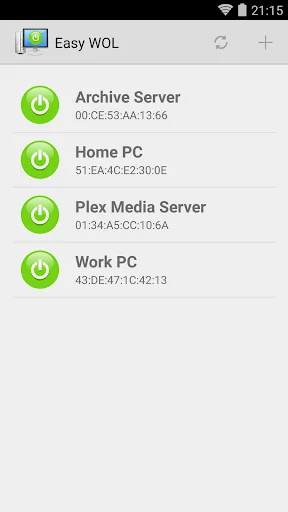
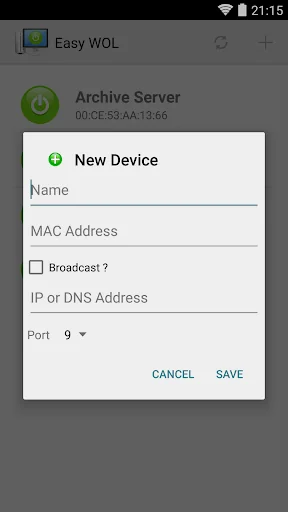
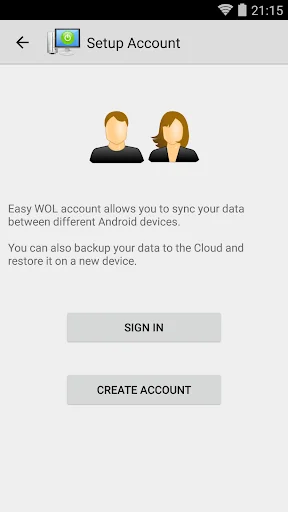
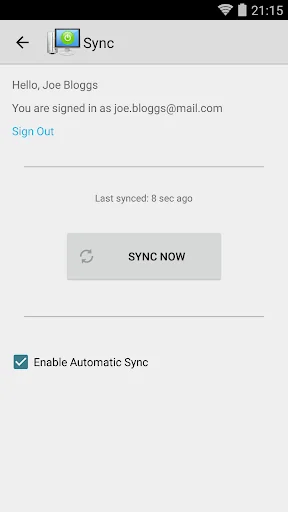
What the app looks like
Live screenshots from the Play Store, captured by our snapshot worker. Tap any image to enlarge.
Easy WOL (Wake on LAN)'s revenue trajectory
Forecast revenue from snapshot history. Last 1 months.
Where Easy WOL (Wake on LAN) sits in Tools
Revenue distribution of 77129 comparable apps. Easy WOL (Wake on LAN) highlighted.
Easy WOL (Wake on LAN) vs comparable apps
Revenue trajectory side-by-side. Bold = Easy WOL (Wake on LAN), ghosted = peers.
App spec
Version
1.7.2
Last update
Mar 13, 2024
Launched
Oct 05, 2014
Price
Free
Monetization
Free
What Easy WOL (Wake on LAN) actually does (from store listing)
This app allows to wake up computers and other devices that support the WOL (Wake On LAN) standard. Most modern computers do support this, however, you may need to enable Wake-On-LAN in BIOS and sometimes in network card driver preferences. Although the app itself is very easy to use some networking knowledge may be required to set up your devices, especially if you are walking up over the Internet.
To wake up a computer on your local network, all you need to provide is your device's MAC addr…
This app allows to wake up computers and other devices that support the WOL (Wake On LAN) standard. Most modern computers do support this, however, you may need to enable Wake-On-LAN in BIOS and sometimes in network card driver preferences. Although the app itself is very easy to use some networking knowledge may be required to set up your devices, especially if you are walking up over the Internet.
To wake up a computer on your local network, all you need to provide is your device's MAC address. The app will figure out the broadcast IP address and send WOL packet to all devices on the network. You can also specify your device's local or broadcast address manually.
To wake up a computer over WAN you have to provide your router or firewall's external IP / DNS address. You must also configure the router to forward WOL packets to your local network. Simple port forwarding is not always sufficient. It may require forwarding UDP port 9 to your local broadcast address, setting up MAC-IP, MAC-ARP reservation, or something similar. Not all methods work on all routers and some more basic routers may not allow waking up over WAN at all.
For more information about how to implement WOL check here: http://www.mysysadmintips.com/windows/clients/84-implementing-wol
Comparable Android apps
The five apps in Tools with the closest revenue to Easy WOL (Wake on LAN). Click any to see its detail page.
Each forecast combines App Store rating, ratings count, monetisation model, pricing tier, IAP signals and ad-supported flag.
The base estimate is then multiplied by a per-category scaling factor learned from apps with founder-verified MRR.
Every number on this page comes from public APIs and bumetric's own snapshot history.
Full methodology covers input variables, accuracy bands per category and how we treat apps without comparable anchors.
See also the live data on Easy WOL (Wake on LAN)'s tracker page for current rating, reviews and snapshot timeline.
Building something similar? Get a free AI audit with $-revenue forecasts for every recommendation.


 Optiwatt: Local Energy Rewards
 StepperMillimeter calculator
 USB Settings
 Calculation of the roof
 AppLock Live Theme Bubble