What Edge Gestures actually does (from store listing)
EdgeGestures lets you perform your most frequent actions quickly with simple gestures on the screen edges. It makes one-handed usage much more convenient and efficient.
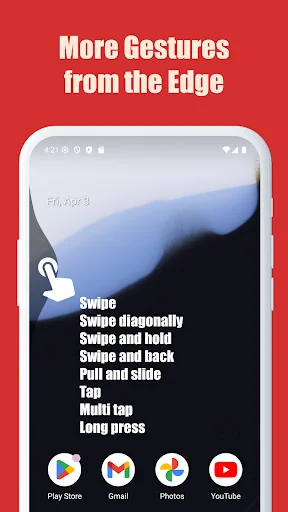
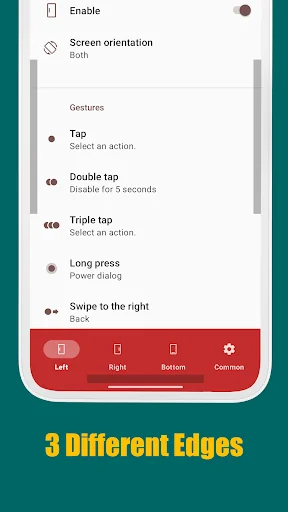
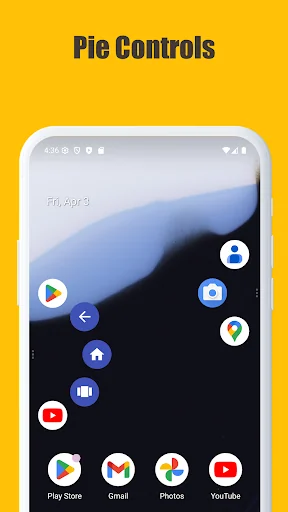
Supported Gesture Types: Tap, Double tap, Long press, Swipe, Swipe diagonally, Swipe and hold, Pull and slide, and Pie controls.
Key Supported Actions:
1. Launch any application or shortcut.
2. System navigation: Back, Home, and Recent apps.
3. Expand status bar: Notifications or Quick settings.
4. Scroll to top (Androi…
EdgeGestures lets you perform your most frequent actions quickly with simple gestures on the screen edges. It makes one-handed usage much more convenient and efficient.
Supported Gesture Types: Tap, Double tap, Long press, Swipe, Swipe diagonally, Swipe and hold, Pull and slide, and Pie controls.
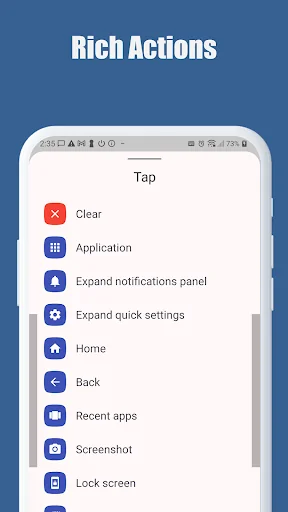
Key Supported Actions:
1. Launch any application or shortcut.
2. System navigation: Back, Home, and Recent apps.
3. Expand status bar: Notifications or Quick settings.
4. Scroll to top (Android 6.0 or higher).
5. Power menu dialog.
6. Adjust brightness or media volume.
7. Fast scroll.
8. Toggle split screen.
9. Switch to the previous app.
Customization: The edge area is fully customizable. You can adjust the thickness, length, and position to perfectly suit your preferences. EdgeGestures requires only the permissions necessary for its functionality.
Accessibility Service API Disclosure: EdgeGestures uses the Accessibility Service API to enable core system-level features. This permission is used ONLY for the following purposes:
- Expand notifications panel
- Expand quick settings
- Home
- Back
- Recent apps
- Tap through
- Screenshot
- Power dialog
- Scroll to start
- Fast scroll
- Toggle split screen
- Lock screen
Privacy Note: No other information is collected, processed, or shared through this permission. Your privacy is our priority.
Comparable Android apps
The five apps in Tools with the closest revenue to Edge Gestures. Click any to see its detail page.
Each forecast combines App Store rating, ratings count, monetisation model, pricing tier, IAP signals and ad-supported flag.
The base estimate is then multiplied by a per-category scaling factor learned from apps with founder-verified MRR.
Every number on this page comes from public APIs and bumetric's own snapshot history.
Full methodology covers input variables, accuracy bands per category and how we treat apps without comparable anchors.
See also the live data on Edge Gestures's tracker page for current rating, reviews and snapshot timeline.
Building something similar? Get a free AI audit with $-revenue forecasts for every recommendation.


 Screen Lock Pro
 MTG Tracker & Life Counter
 Screenshot Pro - Auto trimming
 gov.br
 ZArchiver Donate