EDUS is the official health application of the Costa Rican Social Security Fund that will allow you to have access from your smart device to relevant information from your Unique Digital Health Record (EDUS).
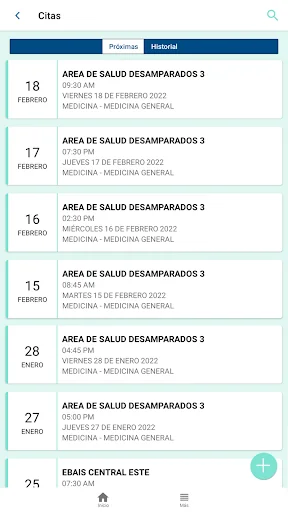
You will have access to consult and manage your personal data, personal medical appointments and those of your dependents in the attached health facility, validate the right to health care, prescribed medications, diagnoses and allergies, among other data.
You can also have your informati…
EDUS is the official health application of the Costa Rican Social Security Fund that will allow you to have access from your smart device to relevant information from your Unique Digital Health Record (EDUS).
You will have access to consult and manage your personal data, personal medical appointments and those of your dependents in the attached health facility, validate the right to health care, prescribed medications, diagnoses and allergies, among other data.
You can also have your information related to the IVM Pension scheme, where, if you are a contributor, you can have your pension projection, your contribution status and in case of being a pensioner you will have important information associated with your pension, and in both cases, If you have a credit line with the IVM regime, you can have the information on the operation.
Through this application you can manually and automatically record vital signs, results and body measurements, in addition, if you grant the required permissions, you can integrate the app with the Google Fit application on your phone, with which the data registered in Google Fit and that are in accordance with those available in the app's sign registration functionality will be registered in the application, so that later these, how those registered manually, can be synchronized and sent to the CCSS to be seen by a health professional through of the EDUS.
Likewise, the application is constantly improving, in order to add new functionalities.
What is required to be able to use the App?
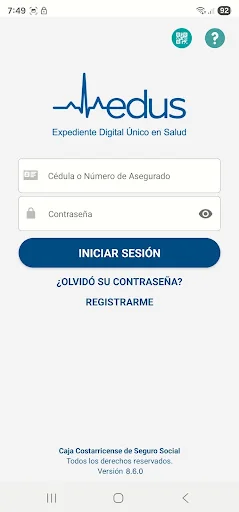
An account is required that can be created directly in the app through the "Register" button found on the initial screen or carry out the same process on the Online Appointment Request page available on the Institutional website (https: / /edus.ccss.sa.cr/eduscitasweb/). Those who already have an account to manage appointments on the web will be able to use that same account for the app.
What is required to create an account?
The App may be used by all those attached who have a registered email at the institution, if they do not have a registered email, they must go to the health establishment to update their data.
Can my data be seen by other people without my authorization from the App?
Your data can only be viewed in the app using the respective user account and password, which is why you must ensure the privacy of your password and not provide it to anyone. Additionally, it allows you to manage the appointments of your authorized dependents.
Comparable Android apps
The five apps in Health & Fitness with the closest revenue to EDUS. Click any to see its detail page.
Each forecast combines App Store rating, ratings count, monetisation model, pricing tier, IAP signals and ad-supported flag.
The base estimate is then multiplied by a per-category scaling factor learned from apps with founder-verified MRR.
Every number on this page comes from public APIs and bumetric's own snapshot history.
Full methodology covers input variables, accuracy bands per category and how we treat apps without comparable anchors.
See also the live data on EDUS's tracker page for current rating, reviews and snapshot timeline.
Building something similar? Get a free AI audit with $-revenue forecasts for every recommendation.


 Homeopathy Treatment Guide
 Period tracker by PinkBird
 StepSetGo: Step Into Rewards
 Medisafe Pill & Med Reminder
 Tabata Timer: Interval Timer